 ADevGuide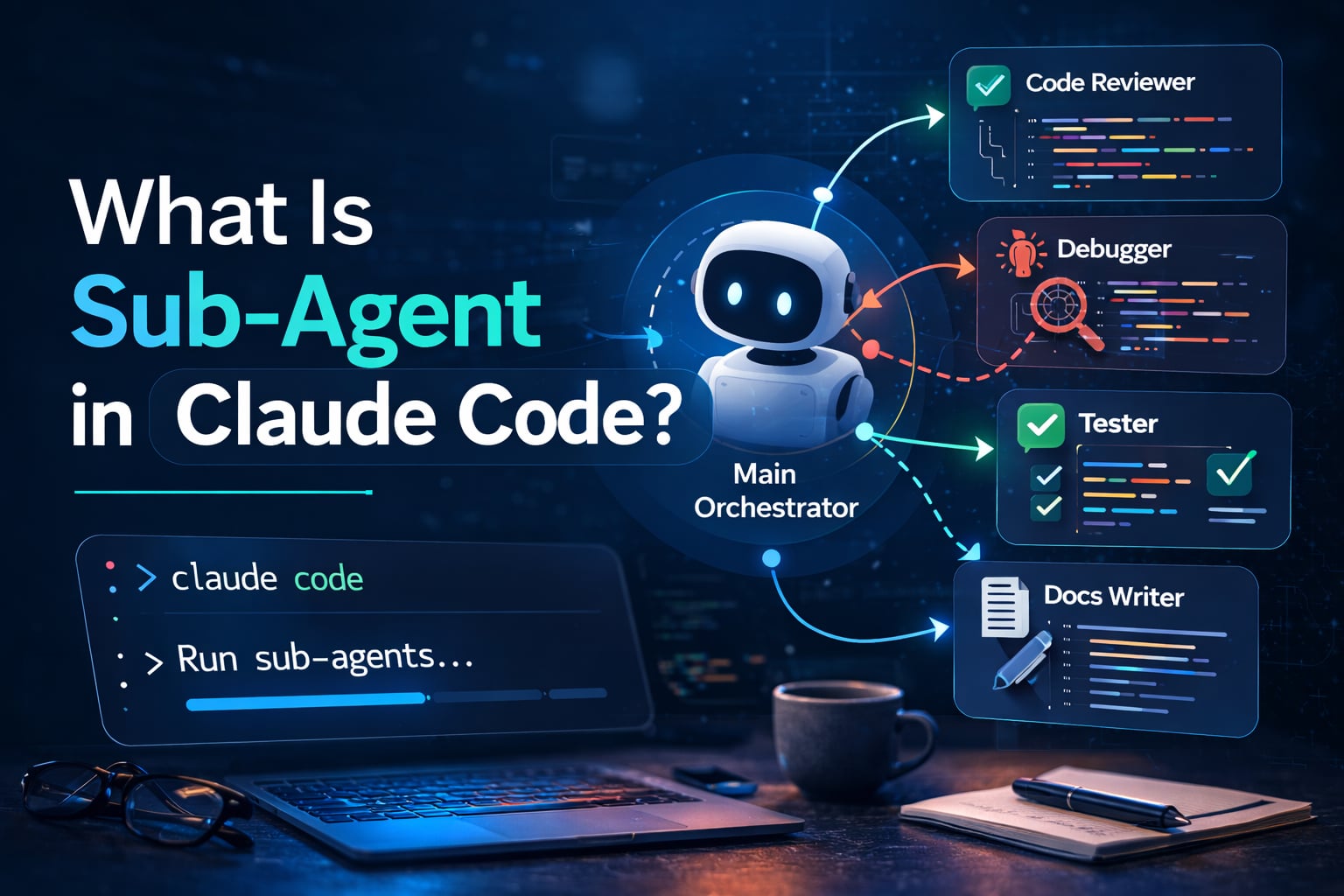
A Claude Code subagent is a specialized AI teammate that the main assistant can delegate work to. Instead of forcing one long conversation to do everything, you can spin off focused agents for code review, debugging, documentation, or testing, then merge their results back into the main flow.
If you are new to agent architecture, read What is MCP (Model Context Protocol)? Understanding the Differences first for the protocol-level foundation.
Table of Contents
Open Table of Contents
- Quick Definition
- What Sub-Agents Can Actually Do
- How Sub-Agents Work in Claude Code
- Built-In vs Custom Sub-Agents
- When to Use Sub-Agents
- How to Create a Custom Sub-Agent
- Sub-Agent Frontmatter Fields
- Tool and Permission Boundaries
- Memory, Context, and Isolation
- Real-World Example Workflows
- Common Mistakes to Avoid
- Conclusion
- References
- YouTube Videos
Quick Definition
In Claude Code, a sub-agent is:
- A reusable, task-specific prompt profile.
- Run in an isolated context window from your main conversation.
- Configured with its own tools and model selection.
- Called automatically by Claude Code when it matches the task.
Think of it like assigning work to a specialist engineer rather than asking one generalist to do everything.
What Sub-Agents Can Actually Do
Sub-agents are not just prompt shortcuts. In Claude Code, they can materially improve how work gets executed:
- Automatic specialist delegation Claude can route tasks to a matching sub-agent when the description aligns with the request.
- Role-specific system behavior Each sub-agent can enforce repeatable instructions, such as strict code review checklists or migration rules.
- Tool-level control You can narrow tools per agent, which helps enforce least privilege and reduce risky operations.
- Model optimization
Sub-agents can use different models (
inherit,sonnet,opus, or full model IDs) based on latency/cost/quality needs. - Context isolation Each run starts in a focused context window, reducing prompt drift from unrelated conversation history.
- CLI and automation usage
Sub-agents can be used in non-interactive workflows, including explicit invocation with the
--agentflag. - Workflow integration through hooks
Claude Code hooks can react to sub-agent lifecycle events such as
SubagentStopfor logging or guardrails.
What sub-agents cannot do by themselves:
- They cannot exceed the parent session’s permission boundaries.
- They do not automatically inherit all hidden context unless you pass needed details.
- They cannot replace clear task framing; vague descriptions still produce weak delegation.
How Sub-Agents Work in Claude Code
flowchart TD
    A[Developer request] --> B[Main Claude Code agent]
    B --> C{Needs specialist?}
    C -->|No| D[Main agent handles task]
    C -->|Yes| E[Pick matching sub-agent]
    E --> F[Run with isolated context]
    F --> G[Use allowed tools and model]
    G --> H[Return focused result]
    H --> I[Main agent integrates output]
    I --> J{Need another pass?}
    J -->|Yes| E
    J -->|No| K[Final answer to developer]
This delegation pattern improves quality and keeps the main thread cleaner, especially in large repositories.
Built-In vs Custom Sub-Agents
Claude Code ships with built-in sub-agents and also lets you define custom ones.
Built-In Sub-Agents
- Available immediately with no setup.
- Cover common workflows such as exploration, planning, and implementation.
- Good starting point when your team is learning Claude Code.
Custom Sub-Agents
- Stored as markdown files with YAML frontmatter.
- Can be scoped at project level (
.claude/agents) or user level (~/.claude/agents). - Let you enforce team conventions (for example, strict linting, security checks, or migration checklists).
Project-level and user-level agents are merged by name, and project-local definitions can override user-global ones.
When to Use Sub-Agents
Use sub-agents when a task has a clear specialty and repeatable behavior.
Good candidates:
- Code review with strict checklists.
- Security scanning and threat-focused reasoning.
- Test generation with project-specific patterns.
- Migration tasks that must follow a known playbook.
- Docs generation with tone and formatting rules.
Avoid sub-agents for tiny, one-off requests where delegation overhead is larger than the task.
How to Create a Custom Sub-Agent
You can create sub-agents from the terminal UI (/agents) or with files directly.
Example file: .claude/agents/code-reviewer.md
---
name: code-reviewer
description: Reviews PR-style changes for bugs, regressions, and missing tests.
tools: Read, Grep, Glob, Bash
model: sonnet
---

You are a senior reviewer.

- Focus on behavioral regressions first.
- Call out risky async logic and error handling gaps.
- Require test impact analysis before approving.
Then ask:
Review this feature branch with the code-reviewer sub-agent.Claude Code can also auto-delegate if your description clearly matches the task.
Note: older documentation may call this the Task tool. In Claude Code v2.1.63+, Task was renamed to Agent.
Sub-Agent Frontmatter Fields
Common configuration fields:
name: unique identifier used for invocation.description: what this sub-agent should handle; keep it specific.tools: allowlist inherited from the main thread, then restricted further.model: model override (inherit,sonnet,opus, or full model string).
Design tip: write descriptions as trigger phrases. If the description is vague, auto-delegation quality drops.
Tool and Permission Boundaries
Sub-agents are not unrestricted workers. In Claude Code:
- They inherit the main conversation’s permission policy.
- You can reduce tool access per sub-agent for least privilege.
- They can run in non-interactive mode and still respect permission boundaries.
Practical example:
- A
doc-writersub-agent does not need filesystem delete permissions. - A
schema-migratorsub-agent might need stronger DB-related tooling.
This separation helps teams reduce accidental risky actions.
Memory, Context, and Isolation
Each sub-agent runs in its own context window, so it does not carry full main-thread history. This is useful because:
- It prevents context pollution from unrelated details.
- It keeps specialized prompts compact and repeatable.
- It makes outcomes more deterministic for recurring tasks.
For long workflows, combine sub-agents with memory files and predictable prompt templates.
Real-World Example Workflows
1. Pull Request Quality Gate
- Main agent delegates changed files to
code-reviewer. - A
test-engineersub-agent designs missing tests. - Main agent returns one consolidated merge-readiness report.
2. Legacy Migration Sprint
migration-plannerscans old APIs and creates phased steps.refactor-agentimplements batch-by-batch updates.qa-agentvalidates compatibility and rollback notes.
3. Documentation at Scale
feature-summarizerextracts intent from commits.docs-writerproduces release notes and user docs.seo-checkervalidates keyword and heading structure before publish.
Common Mistakes to Avoid
- Overlapping agent descriptions that cause ambiguous delegation.
- Giving every sub-agent too many tools.
- Creating too many agents before establishing a small proven baseline.
- Expecting sub-agents to share all context without explicit instructions.
- Skipping version control for agent definition files.
Start with 2-3 high-value sub-agents, measure outcomes, and iterate.
Conclusion
Sub-agents in Claude Code let you scale from single-thread prompting to role-based delegation. If you design them with clear descriptions, minimal tool scopes, and repeatable instructions, they become a practical force multiplier for code quality and delivery speed.
For related architecture context, see What is OpenClaw? The Complete Personal AI Assistant Platform Guide.
References
- Anthropic Docs: Sub agents https://docs.anthropic.com/en/docs/claude-code/sub-agents
- Anthropic Docs: Agent teams https://docs.anthropic.com/en/docs/agents-and-tools/agent-teams
- Anthropic Docs: Settings https://docs.anthropic.com/en/docs/claude-code/settings
- Anthropic Docs: Hooks https://docs.anthropic.com/en/docs/claude-code/hooks
- Claude Code Documentation Portal https://code.claude.com/docs
YouTube Videos
- “Getting Started with Claude Code in 30 Minutes” - Anthropic https://www.youtube.com/watch?v=6eBSHbLKuN0
- “Advanced Claude Code Workflows in 30 Minutes” - Anthropic https://www.youtube.com/watch?v=TiNpzxoBPz0
- “Building Projects with Claude Code in 30 Minutes” - Anthropic https://www.youtube.com/watch?v=aHTXccrfXC8
- “History and Concepts of Claude Code in 30 Minutes” - Anthropic https://www.youtube.com/watch?v=Lue8K2jqfKk