 ADevGuide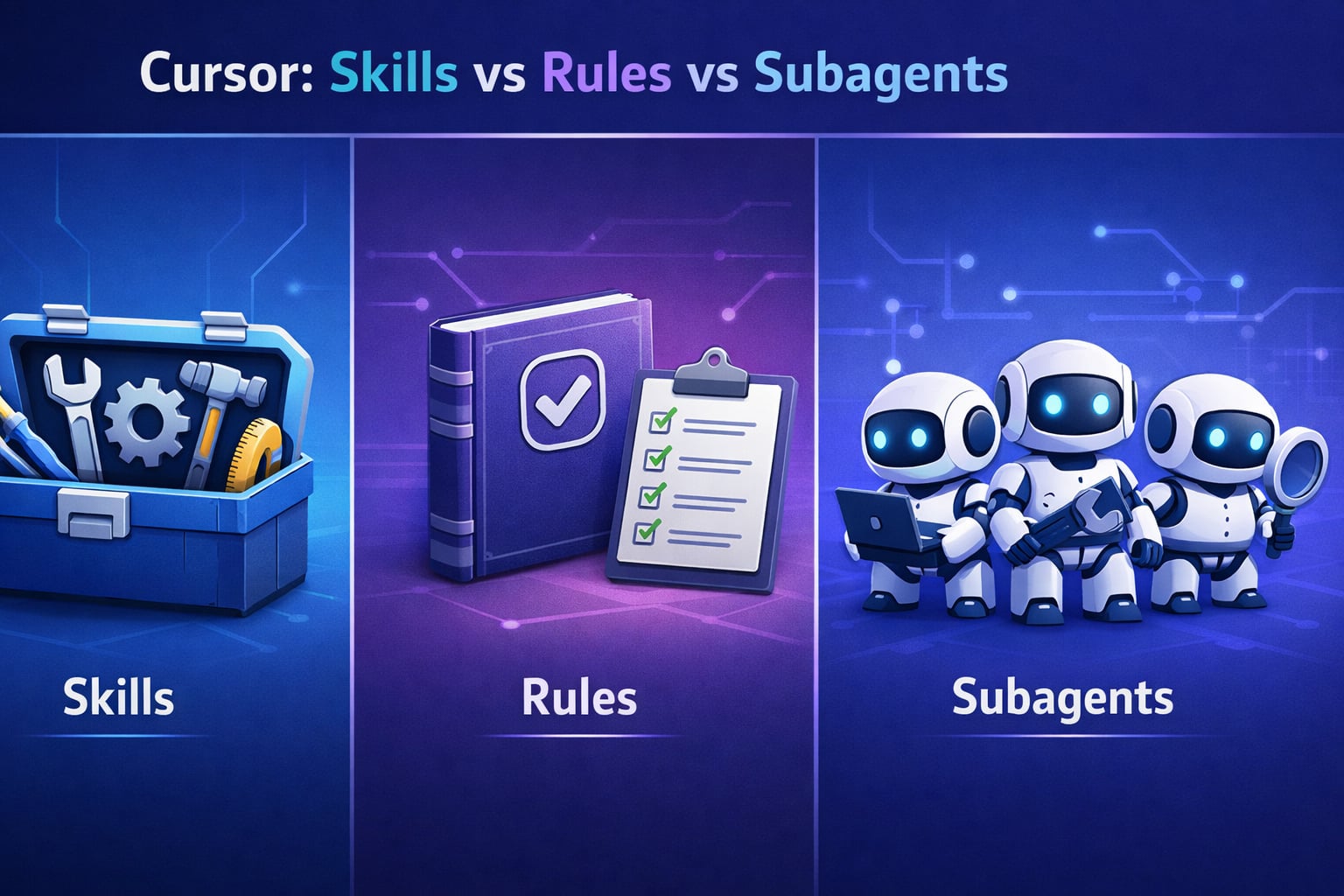
Cursor IDE has revolutionized AI-powered development with three powerful customization mechanisms: Skills, Rules, and Subagents. But when should you use each? Understanding the differences is crucial for building efficient AI workflows.
Just as REST APIs define clear contracts between services, Cursor’s three mechanisms define how AI assists your development. If you’re building modern applications, mastering these patterns is as essential as understanding how APIs work or microservices architecture.
Table of Contents
Open Table of Contents
- Project-Wide Coding Standards
- Airbnb Import Standards
- Feature Flag Skill
- React Performance Skill
- Code Style
- Import Standards
- Naming Rules
- Astro Project Rules
- Global Standards
- CRITICAL RULES (Never violate)
- Preferred Patterns (Follow unless good reason)
- Security Audit Agent
- Output Format
- Common Mistakes to Avoid
- Error Handling Patterns
- FAQs
- 1. When would you use a Cursor Skill instead of a Rule?
- 2. How do Subagents differ from regular AI chat interactions?
- 3. What’s the best way to handle code style: Skills, Rules, or Subagents?
- 4. Can you combine multiple Skills in one request?
- 5. How would you structure Skills for a large monorepo?
- 6. When would you create a Subagent instead of a Skill?
- 7. What are the performance implications of too many Skills?
- 8. How do you debug when a Skill isn’t being invoked?
- 9. What’s the relationship between Cursor’s features and GitHub Copilot’s Instructions?
- 10. How would you implement a “code review before commit” workflow?
- Pre-Commit Rules
What Are Cursor Skills?
Skills are reusable, domain-specific knowledge packages that Cursor agents can invoke when needed. Think of them as expert consultants the AI can call upon for specialized tasks - similar to how system design patterns provide reusable solutions for architectural challenges.
Key Characteristics
- Packaged expertise: Encapsulate domain knowledge (testing, deployment, refactoring)
- Invoked on demand: Agent decides when to use based on task context
- File-based: Stored as
.mdfiles with YAML frontmatter - Discoverable: Agent searches skills based on descriptions
- Scoped execution: Run in context of specific task
Anatomy of a Skill
---
name: react-testing
description: Expert knowledge on React Testing Library patterns, Jest setup, and component testing best practices
applyTo: "**/*.test.{ts,tsx,js,jsx}"
tools:
  - read_file
  - replace_string_in_file
  - run_in_terminal
---

# React Testing Skill

This skill provides expertise in writing comprehensive React component tests...

## Testing Patterns

1. **Arrange-Act-Assert**
2. **User-centric queries** (getByRole, getByLabelText)
3. **Async testing** (waitFor, findBy queries)

## Common Pitfalls

- Avoid testing implementation details
- Don't use container/wrapper queries unnecessarily
- Always cleanup after tests with proper renders
Real-World Example: React Testing Skill
Scenario: Your team at a company like Airbnb needs consistent testing patterns across 50+ React components.
Without Skills: You repeatedly explain testing best practices in every chat session, wasting time on repetitive explanations.
With Skills: Create a react-testing.md skill once. When you ask “Add tests for LoginForm component,” Cursor automatically invokes the skill, applies patterns, and generates consistent tests - similar to how Netflix uses system design patterns to maintain consistency across services.
// Generated using react-testing skill
import { render, screen, fireEvent, waitFor } from '@testing-library/react';
import userEvent from '@testing-library/user-event';
import { LoginForm } from './LoginForm';

describe('LoginForm', () => {
  it('should submit credentials when form is valid', async () => {
    const onSubmit = jest.fn();
    render(<LoginForm onSubmit={onSubmit} />);

    // Skill ensures user-centric queries
    const emailInput = screen.getByLabelText(/email/i);
    const passwordInput = screen.getByLabelText(/password/i);
    const submitButton = screen.getByRole('button', { name: /sign in/i });

    // Skill enforces userEvent over fireEvent
    await userEvent.type(emailInput, 'user@example.com');
    await userEvent.type(passwordInput, 'password123');
    await userEvent.click(submitButton);

    await waitFor(() => {
      expect(onSubmit).toHaveBeenCalledWith({
        email: 'user@example.com',
        password: 'password123'
      });
    });
  });
});
How Cursor Invokes Skills
- User makes request: “Add error boundary to Dashboard”
- Agent analyzes context: Identifies need for React error handling
- Searches skills: Matches description keywords (“error boundary”, “React”)
- Loads skill content: Reads full skill instructions
- Applies expertise: Generates code following skill patterns
What Are Cursor Rules?
Rules are always-active global or project-level guidelines that shape all AI interactions. They’re like permanent instructions that the AI must follow - analogous to how HTTP methods define standard semantics that all APIs should respect.
Key Characteristics
- Always active: Applied to every AI interaction
- Global or scoped: Work across entire project or specific file patterns
- Enforcement-focused: Define must-follow conventions
- Simple syntax: Plain markdown instructions
- No invocation logic: No triggering mechanism needed
Common Rule Files
.cursorrules: Project root - applies to all files.cursor/rules/: Organized rules by domain- Directory-level: Scope rules to specific folders
Anatomy of a Rule File
A typical .cursorrules file contains project-wide standards:
File: .cursorrules
Project-Wide Coding Standards
File Organization
- Place all React components in
src/components/ - Colocate tests with source files (e.g.,
Button.tsxandButton.test.tsx) - Use
index.tsbarrel exports for cleaner imports
TypeScript Standards
- ALWAYS use TypeScript strict mode
- Define interfaces for all React props
- Prefer
typeoverinterfacefor object shapes - Use
constassertions for literal types
Import Conventions
- Use absolute imports with
@/alias forsrc/directory - Group imports: React → Third-party → Internal → Styles
- No default exports except for page components
Naming Conventions
- React components: PascalCase (e.g.,
UserProfile.tsx) - Utilities: camelCase (e.g.,
formatDate.ts) - Constants: SCREAMING_SNAKE_CASE (e.g.,
MAX_RETRY_COUNT) - Test files:
*.test.tsor*.spec.ts
Code Style
- Prefer functional components over class components
- Use named exports for better refactoring
- Maximum function length: 50 lines
- Extract complex logic into custom hooks
Real-World Example: Project-Wide Rules
Scenario: A team at Airbnb wants all engineers to follow their import alias convention.
Without Rules: Code reviews catch violations, inconsistent adoption, manual fixes.
With Rules: Add .cursorrules at project root:
File: .cursorrules
Airbnb Import Standards
CRITICAL: ALWAYS use @/ alias for src/ imports.
❌ Wrong:
import { Button } from "../../components/Button";✅ Correct:
import { Button } from "@/components/Button";When creating new files, automatically use this pattern.
Result: Every file Cursor generates or modifies automatically uses @/ imports. Zero manual enforcement needed.
What Are Cursor Subagents?
Subagents are specialized AI agents you can invoke for specific workflows. They’re like calling an expert contractor for a specific job rather than having your general assistant handle everything - similar to how microservices architectures delegate specific responsibilities to dedicated services.
Key Characteristics
- Explicit invocation: You manually call them by name
- Workflow-focused: Designed for multi-step processes
- Isolated execution: Runs in separate context from main chat
- Returns results: Completes task and reports back
- Configured per task: Can have different prompts, tools, models
Anatomy of a Subagent Configuration
# .cursor/agents/code-reviewer.md
---
name: CodeReviewer
description: Performs thorough code review checking for bugs, performance, security, and best practices
model: claude-3.5-sonnet
temperature: 0.3
tools:
  - read_file
  - grep_search
  - semantic_search
  - get_errors
maxTurns: 10
---

# Code Review Agent

You are an expert code reviewer. For every file analyzed:

1. **Security**: Check for vulnerabilities (SQL injection, XSS, auth bypasses)
2. **Performance**: Identify N+1 queries, unnecessary re-renders, memory leaks
3. **Best Practices**: Verify SOLID principles, proper error handling
4. **Testing**: Ensure adequate test coverage and quality
5. **Documentation**: Check for missing JSDoc, unclear variable names

## Output Format

Provide a structured review:

- **File**: [filename]
- **Severity**: Critical | High | Medium | Low
- **Issue**: Clear description
- **Location**: Line numbers
- **Recommendation**: Specific fix with code example
Real-World Example: Code Review Subagent
Scenario: Before deploying to production, you want a thorough security and performance audit.
Without Subagents: You ask main chat “review this code,” get generic feedback, need multiple follow-up prompts.
With Subagents: Invoke specialized reviewer:
@CodeReviewer review src/api/payment-handler.ts for security and performance issuesSubagent executes:
- Reads
payment-handler.tsfile - Searches for related test files
- Checks for common vulnerabilities
- Analyzes database query patterns
- Reviews error handling
- Returns structured report
Output:
Code Review: payment-handler.ts
Critical Issues
Issue 1: SQL Injection Risk (Line 45)
Severity: Critical
Location: db.query(SELECT * FROM payments WHERE user_id = ${userId})
Problem: String concatenation in SQL query allows injection attacks
Recommendation:
// Use parameterized queries
const result = await db.query("SELECT * FROM payments WHERE user_id = $1", [
  userId,
]);
Issue 2: Unhandled Promise Rejection (Line 67)
Severity: High
Location: processPayment(data) - no catch block
Recommendation: Add proper error handling…
How to Invoke Subagents
- @ mention in chat:
@CodeReviewer analyze this function - Explicit command: Some Cursor versions support direct invocation
- Context-aware: Subagent sees current file or selection
Skills vs Rules vs Subagents: Key Differences
| Feature | Skills | Rules | Subagents |
|---|---|---|---|
| Activation | Auto-invoked by AI | Always active | Manual invocation |
| Purpose | Specific domain expertise | Global conventions | Isolated workflows |
| Scope | Single task/domain | Entire project | Multi-step process |
| Context | Current conversation | All interactions | Separate session |
| Use Case | ”How to test React hooks" | "Always use semicolons" | "Review all API files” |
| Storage | SKILL.md files | .cursorrules | .cursor/agents/ |
| Invocation | AI decides based on context | Automatic | User explicitly calls |
| Output | Inline assistance | Influences all outputs | Separate report |
| Complexity | Medium | Low | High |
| Maintenance | Update skill files | Update rule files | Update agent configs |
Decision Tree
flowchart TD
    A[Need AI Customization?] --> B{Is it always applicable?}
    B -->|Yes| C[Use RULES]
    B -->|No| D{Who decides when to apply?}
    D -->|AI should decide| E[Use SKILL]
    D -->|I decide explicitly| F[Use SUBAGENT]

    C --> G[Examples: Code style, import patterns, naming conventions]
    E --> H[Examples: Testing patterns, API design, security checks]
    F --> I[Examples: Code review, refactoring, migration tasks]
When to Use Skills
Ideal Scenarios
1. Domain-Specific Patterns
You need specialized knowledge that isn’t always relevant, similar to how REST API design patterns apply specifically to API development.
Example: GraphQL query optimization skill (only needed when working with GraphQL files)
---
name: graphql-optimization
description: Optimize GraphQL queries to prevent N+1 problems and over-fetching
applyTo: "**/*.graphql,**/*.gql,**/graphql/**/*.ts"
---
2. Multi-Step Technical Processes
Complex workflows like “deploy to Kubernetes” or “add feature flag” - workflows that span multiple files and require coordinated changes, much like implementing a distributed cache system requires multiple coordinated components.
Real-World Example: Feature Flag Skill at Uber
File: feature-flags.md skill
Feature Flag Skill
When adding a feature flag:
- Add flag definition to
src/config/flags.ts - Create A/B test split logic
- Add flag check in component
- Update documentation in
docs/flags.md - Add rollout plan to JIRA ticket
3. Best Practice Enforcement
Codifying team knowledge that’s hard to remember.
Real-World Example: React Performance Skill
File: react-performance.md skill
React Performance Skill
When to Use Memoization
useMemo: Expensive calculations, complex object creationuseCallback: Passing callbacks to optimized childrenReact.memo: Components that re-render with same props
Anti-Patterns
❌ Premature optimization (memoizing everything)
❌ Memoizing primitives (strings, numbers)
❌ Using indexes as keys in dynamic lists
When NOT to Use Skills
- ❌ Simple, always-applicable guidelines → Use Rules
- ❌ One-off tasks → Just use regular chat
- ❌ Workflows requiring explicit control → Use Subagents
When to Use Rules
Ideal Scenarios
1. Code Style and Formatting
Standards that apply to every file.
Real-World Example: Universal Code Style
File: .cursorrules
Code Style
- Use 2 spaces for indentation
- Single quotes for strings
- Trailing commas in objects/arrays
- Semicolons required
2. Import Organization
Consistent import patterns across entire codebase.
Real-World Example: Import Standards
File: .cursorrules
Import Standards
Group imports in this order:
- React/React Native
- Third-party libraries
- Internal modules (@ alias)
- Relative imports
- CSS/Style imports
Add blank line between groups.
3. Naming Conventions
Project-wide naming rules.
Real-World Example: Naming Standards
File: .cursorrules
Naming Rules
- React Components: PascalCase (UserProfile, LoginButton)
- Hooks: use prefix (useAuth, useLocalStorage)
- Constants: UPPER_SNAKE_CASE (API_BASE_URL)
- Private methods: _prefix (_handleClick)
- Test files: .test.ts or .spec.ts suffix
4. Framework-Specific Patterns
Next.js, Astro, or framework conventions.
Real-World Example: Astro Project Rules
File: .cursorrules
Astro Project Rules
- All pages use .astro extension
- Components in src/components/ use PascalCase
- Use @ alias for src/ imports
- Keep frontmatter minimal (only required fields)
- Use Astro.props for passing data
When NOT to Use Rules
- ❌ Optional patterns based on context → Use Skills
- ❌ Complex multi-step processes → Skills or Subagents better
- ❌ Task-specific workflows → Use Subagents
When to Use Subagents
Ideal Scenarios
1. Code Review and Audits
Comprehensive analysis requiring multiple file reads and checks, similar to how system design interviews require analyzing multiple system components.
@SecurityAuditor scan src/api/ for authentication vulnerabilitiesThe subagent:
- Reads all files in
src/api/ - Checks for common security issues
- Cross-references with best practices
- Returns detailed report with line numbers
2. Large-Scale Refactoring
Breaking changes across multiple files.
@RefactorAgent migrate all class components to functional components with hooksThe subagent:
- Searches for all class components
- Converts lifecycle methods to hooks
- Updates tests
- Validates no breaking changes
3. Documentation Generation
Creating comprehensive docs from code.
@DocGenerator create API documentation for all endpoints in src/routes/The subagent:
- Extracts all route definitions
- Parses request/response types
- Generates OpenAPI spec
- Creates markdown documentation
4. Dependency Analysis
Understanding complex relationships.
@DependencyAnalyzer trace all imports of UserContext and show impact of changing it5. Test Coverage Analysis
Comprehensive testing review.
@TestAnalyzer identify untested critical paths in src/payment/When NOT to Use Subagents
- ❌ Simple, single-file changes → Regular chat suffices
- ❌ Always-applicable rules → Use Rules
- ❌ Knowledge you want AI to apply automatically → Use Skills
Combining Skills, Rules, and Subagents
The real power comes from using all three together strategically.
Real-World Example: E-Commerce Platform at Scale
Company: Online marketplace with 200+ engineers (think Shopify or Etsy scale)
Challenge: Maintain consistency while allowing AI assistance, similar to challenges faced when scaling from monolith to microservices.
Solution: Layered approach
Layer 1: Rules (Foundation)
File: .cursorrules
Global Standards
- TypeScript strict mode always enabled
- Use @ alias for src/ imports
- All API responses use standardized error format
- Environment variables prefixed with VITE_
Layer 2: Skills (Domain Expertise)
SKILL.md files:
checkout-flow.md: Payment processing patternsinventory-sync.md: Real-time inventory managementseo-optimization.md: Next.js SSR best practicesperformance-monitoring.md: DataDog integration patterns
Layer 3: Subagents (Complex Tasks)
.cursor/agents/:
@SecurityAuditor: Pre-deploy security scanning@PerformanceProfiler: Identifies rendering bottlenecks@MigrationAssistant: Version upgrade helper@ComplianceChecker: GDPR/CCPA validation
Workflow Example
Developer task: “Add wishlist feature”
-
Rules apply automatically:
- Generated files use TypeScript strict mode
- Imports use @ alias
- API errors follow standard format
-
Skills invoked as needed:
- When working on database:
inventory-sync.mdskill activates - When adding analytics:
performance-monitoring.mdprovides patterns - For SEO optimization:
seo-optimization.mdensures proper meta tags
- When working on database:
-
Subagent called explicitly:
- Before commit:
@SecurityAuditor review src/features/wishlist/ - After implementation:
@PerformanceProfiler analyze wishlist page load time
- Before commit:
Result: Consistent, high-quality code with automated quality gates.
Best Practices for Each Mechanism
Skills Best Practices
1. Focus on “How” Not “What”
# ❌ Bad: Too vague
---
name: testing
description: Write tests
---
# ✅ Good: Specific patterns
---
name: react-integration-testing
description: Write React integration tests using Testing Library with focus on user behavior, avoiding implementation details
---
2. Include Code Examples
Skills with concrete examples are more effective:
Example skill content:
Good Test Example
// ✅ Tests user behavior
test('user can login with valid credentials', async () => {
  render(<LoginPage />);
  await userEvent.type(screen.getByLabelText(/email/i), 'user@test.com');
  await userEvent.type(screen.getByLabelText(/password/i), 'password');
  await userEvent.click(screen.getByRole('button', { name: /sign in/i }));
  expect(await screen.findByText(/welcome back/i)).toBeInTheDocument();
});
3. Use applyTo Patterns
Scope skills to relevant files:
# Only invoke for test files
applyTo: "**/*.{test,spec}.{ts,tsx}"

# Only for GraphQL
applyTo: "**/*.{graphql,gql}"

# Python files only
applyTo: "**/*.py"
4. Document Decision Trade-offs
Help AI make context-aware choices:
Example skill content:
State Management Choice
For LOCAL component state (1-2 components):
→ Use useState
For SHARED state (3+ components, same level):
→ Use Context API
For COMPLEX state (nested updates, middleware):
→ Use Redux or Zustand
For SERVER state (API data):
→ Use React Query or SWR
Rules Best Practices
1. Be Explicit and Unambiguous
❌ Vague rules:
- Write clean code
- Use good variable names
✅ Explicit rules:
- Variable names: camelCase, 3+ chars, descriptive (e.g.,
userIdnotid) - Function names: verb + noun (e.g.,
fetchUserData,validateEmail) - Magic numbers: Extract to named constants
2. Use Examples
Show correct and incorrect patterns:
Example rule file content:
Import Organization
❌ Wrong:
import { useState } from "react";
import { api } from "../../utils/api";
import axios from "axios";
import "./styles.css";
✅ Correct:
import { useState } from "react";

import axios from "axios";

import { api } from "@/utils/api";

import "./styles.css";
3. Prioritize Critical Rules
Mark non-negotiable standards:
Example rule structure:
CRITICAL RULES (Never violate)
- NEVER commit secrets or API keys
- ALWAYS sanitize user input before database queries
- ALWAYS use HTTPS for API calls
- MUST add error boundaries around async components
Preferred Patterns (Follow unless good reason)
- Prefer functional components
- Use TypeScript interfaces for props
- Colocate tests with source files
Subagents Best Practices
1. Define Clear Scope
---
name: APISecurityAuditor
description: Audits API endpoints for security vulnerabilities (auth, input validation, rate limiting)
# NOT: "Reviews code" (too broad)
---
2. Structure Output Format
Example subagent prompt:
Security Audit Agent
Output Format
Return findings as:
[Severity] - [Issue Type]
File: path/to/file.ts
Line: 45-52
Issue: Clear description
Risk: Explain potential impact
Fix: Code example of solution
3. Limit Tool Access
Only grant necessary permissions:
# Security auditor doesn't need to edit
tools:
  - read_file
  - grep_search
  - semantic_search

# Refactoring agent needs edit access
tools:
  - read_file
  - replace_string_in_file
  - run_in_terminal
4. Set Appropriate Model and Temperature
# For code review (precision matters)
model: claude-3.5-sonnet
temperature: 0.2

# For creative refactoring suggestions
model: gpt-4
temperature: 0.7
Common Mistakes to Avoid
Mistake 1: Using Rules for Optional Patterns
Problem: Rules apply to ALL interactions, even when not relevant.
❌ Bad Rule (not always applicable):
When building forms, use React Hook Form with Zod validation.
✅ Better as Skill:
Create a
form-validation.mdskill and scope it to form-related files.
Mistake 2: Using Skills for Simple Guidelines
Problem: Overhead of skill invocation for basic conventions.
❌ Bad Skill (too simple):
name: semicolon-usage
description: Add semicolons at end of statements
✅ Better as Rule: Add semicolons at the end of all statements.
Mistake 3: Not Scoping Skills with applyTo
Problem: Skill invoked for irrelevant files.
# ❌ Missing scope
name: react-testing
description: React Testing Library patterns
# Gets invoked even for Python files!

# ✅ Properly scoped
name: react-testing
description: React Testing Library patterns
applyTo: "**/*.{test,spec}.{ts,tsx,js,jsx}"
Mistake 4: Overusing Subagents for Simple Tasks
Problem: Creating subagent when regular chat would work.
# ❌ Overkill
@FileRenamer rename Button.tsx to PrimaryButton.tsx

# ✅ Just use chat
"Rename Button.tsx to PrimaryButton.tsx"
Mistake 5: Duplicate Knowledge Across Mechanisms
Problem: Same information in rules, skills, and subagents causes conflicts.
Solution: Single source of truth per concern:
- Import conventions → Rules (always applicable)
- Testing patterns → Skills (context-dependent)
- Security audits → Subagents (explicit workflow)
Mistake 6: Skills Without Examples
Problem: Abstract descriptions don’t guide AI effectively.
❌ Too abstract:
Follow best practices for error handling.
✅ Concrete examples:
Error Handling Patterns
// ✅ Good: Specific error types
try {
  await api.createUser(data);
} catch (error) {
  if (error instanceof ValidationError) {
    return { error: "Invalid input", fields: error.fields };
  }
  if (error instanceof NetworkError) {
    return { error: "Connection failed", retry: true };
  }
  throw error; // Unexpected errors propagate
}
FAQs
1. When would you use a Cursor Skill instead of a Rule?
Answer: Use Skills for context-dependent expertise that isn’t always applicable. For example, a “GraphQL N+1 optimization” skill should only activate when working with GraphQL files, not when writing Python scripts. Rules are for universal standards like “always use TypeScript strict mode” that apply to every file in the project.
Key distinction: Skills are invoked based on relevance; Rules are always active. If the guideline is “if working on X, do Y”, it’s a Skill. If it’s “always do Y”, it’s a Rule.
2. How do Subagents differ from regular AI chat interactions?
Answer: Subagents run in isolated contexts with specific configurations (model, tools, prompts). They’re designed for multi-step workflows that return structured results. Regular chat is conversational and stateful within the session.
Example: A SecurityAuditor subagent has a predefined checklist, specific tools (read_file, grep_search), and returns a formatted security report. Regular chat would require multiple prompts and lack the structured workflow enforcement.
3. What’s the best way to handle code style: Skills, Rules, or Subagents?
Answer: Rules are the clear choice. Code style applies universally to all files. A .cursorrules file with formatting standards ensures every generated file follows conventions without any invocation logic.
Why not Skills?: Code style isn’t optional or context-dependent.
Why not Subagents?: You don’t want to manually invoke @StyleFormatter for every file.
4. Can you combine multiple Skills in one request?
Answer: Yes, Cursor’s AI agent can invoke multiple skills based on the task context. For example, asking “Add payment processing with tests” might invoke both a payment-integration.md skill and a testing-patterns.md skill automatically.
The agent decides which skills are relevant based on:
- Skill descriptions matching request intent
- File patterns (
applyToscopes) - Current file context
5. How would you structure Skills for a large monorepo?
Answer: Organize by domain and scope appropriately:
.cursor/skills/
  backend/
    database-migrations.md     # applyTo: **/migrations/**
    api-security.md            # applyTo: **/api/**/*.ts
  frontend/
    react-performance.md       # applyTo: src/components/**/*.tsx
    form-validation.md         # applyTo: **/forms/**
  shared/
    error-handling.md          # applyTo: **/*.ts
    testing-strategy.md        # applyTo: **/*.test.ts
Key principle: Use applyTo patterns to prevent cross-contamination (don’t invoke backend skills for frontend files).
6. When would you create a Subagent instead of a Skill?
Answer: Create a Subagent when:
- Explicit control needed: You want to decide exactly when to run (e.g., pre-commit checks)
- Multi-file analysis: Task requires reading/analyzing multiple files (e.g., “review all API endpoints”)
- Structured reporting: You need formatted output (security audit, dependency analysis)
- Workflow isolation: Task shouldn’t pollute main chat context
Example: Migrating from REST to GraphQL across 30 files. A @MigrationAgent can systematically convert each file and track progress, while a Skill would only help with individual file conversions.
7. What are the performance implications of too many Skills?
Answer: Skills add minimal overhead because they’re only loaded when invoked. However:
Potential issues:
- Discovery time: Agent searches all skill descriptions to find matches
- Token usage: Selected skills are added to context window
- Ambiguity: Overlapping skills can confuse the agent
Best practices:
- Keep skill descriptions distinct and specific
- Use
applyTopatterns to limit candidate skills - Aim for 10-20 focused skills rather than 100 vague ones
Example: Netflix likely has separate skills for streaming-optimization, recommendation-engine, payment-processing rather than one giant backend-development skill.
8. How do you debug when a Skill isn’t being invoked?
Answer: Debugging checklist:
-
Check description specificity: Is it clear when to use?
# ❌ Too vague description: Help with code # ✅ Specific description: Optimize React component rendering performance using React.memo, useMemo, and useCallback -
Verify
applyTopattern: Does it match current file?applyTo: "**/*.tsx" # Won't match .ts files! -
Check file location: Is skill in recognized directory?
- Look for
SKILL.mdor*.skill.mdfiles - Check
.cursor/skills/directory
- Look for
-
Test explicitly: Mention skill in prompt
"Using the react-performance skill, optimize this component" -
Review Cursor logs: Check if skill was discovered but not selected
9. What’s the relationship between Cursor’s features and GitHub Copilot’s Instructions?
Answer:
| Feature | Cursor | GitHub Copilot |
|---|---|---|
| Global rules | .cursorrules | .github/copilot-instructions.md |
| Domain expertise | Skills | GitHub Copilot Extensions (limited) |
| Workflow automation | Subagents | Manual chaining of prompts |
| File scoping | applyTo patterns | Not directly supported |
Key difference: Cursor’s Skills are more powerful because they’re invoked dynamically based on context. Copilot Instructions are always included in the prompt.
Migration path: Copilot users moving to Cursor should:
- Convert
.github/copilot-instructions.md→.cursorrules(global standards) - Extract domain knowledge → Individual skills
- Create subagents for complex workflows
10. How would you implement a “code review before commit” workflow?
Answer: Combine all three mechanisms strategically:
1. Rules (.cursorrules): Non-negotiable standards
File: .cursorrules
Pre-Commit Rules
- All functions must have JSDoc comments
- No console.log statements in production code
- All async functions must have error handling
2. Skill (code-quality.md): Best practice guidance
---
name: code-quality-patterns
description: Ensure code follows SOLID principles, DRY, and testability standards
applyTo: "**/*.{ts,tsx}"
---
3. Subagent (@PreCommitReviewer): Automated gate
---
name: PreCommitReviewer
description: Comprehensive pre-commit review checking rules compliance, running tests, and security scan
tools:
  - read_file
  - grep_search
  - run_in_terminal
---
# Pre-Commit Review Process

1. Check all modified files against .cursorrules
2. Run `npm test` and report failures
3. Scan for security issues (hardcoded secrets, SQL injection)
4. Verify all public functions have documentation
5. Return pass/fail with specific issuesUsage:
# Before git commit
@PreCommitReviewer analyze changed files

# Agent runs checks and returns:
✅ Rules compliance: PASSED
✅ Tests: 45/45 passed
❌ Documentation: 3 functions missing JSDoc
⚠️ Security: Potential XSS in UserProfile.tsx line 67
This layered approach ensures quality gates without manual effort.
Conclusion
Understanding when to use Skills, Rules, and Subagents is crucial for effective AI-powered development:
- Rules: Universal standards that always apply (code style, import conventions)
- Skills: Domain-specific expertise invoked automatically based on context (testing patterns, architecture decisions)
- Subagents: Explicit workflows for complex, multi-step tasks (code review, migrations)
Key Takeaways:
- Start with Rules for project-wide standards
- Add Skills when you find yourself explaining the same patterns repeatedly
- Create Subagents for tasks requiring structured, multi-file workflows
- Avoid duplication - each piece of knowledge should live in exactly one place
- Use examples liberally - concrete code beats abstract descriptions
- Scope appropriately - use
applyTopatterns to prevent irrelevant invocations
The companies seeing the most benefit from Cursor (like Vercel, Linear, and Perplexity) combine all three mechanisms strategically, creating a development environment where AI assistance feels natural and consistently high-quality.
For more on building scalable development workflows, explore our Web Fundamentals hub and System Design Interview series.
References
YouTube Videos
-
“Cursor Subagents: The Feature Everyone’s Talking About” https://www.youtube.com/watch?v=pFJW8D_oHtU
-
“How to Create & Use SKILLS.md in Cursor (2026)” https://www.youtube.com/watch?v=DfLL5_zbWGc
-
“How to Add Rules to Cursor AI (2026)” https://www.youtube.com/watch?v=6vtBq6TBGyo