 ADevGuide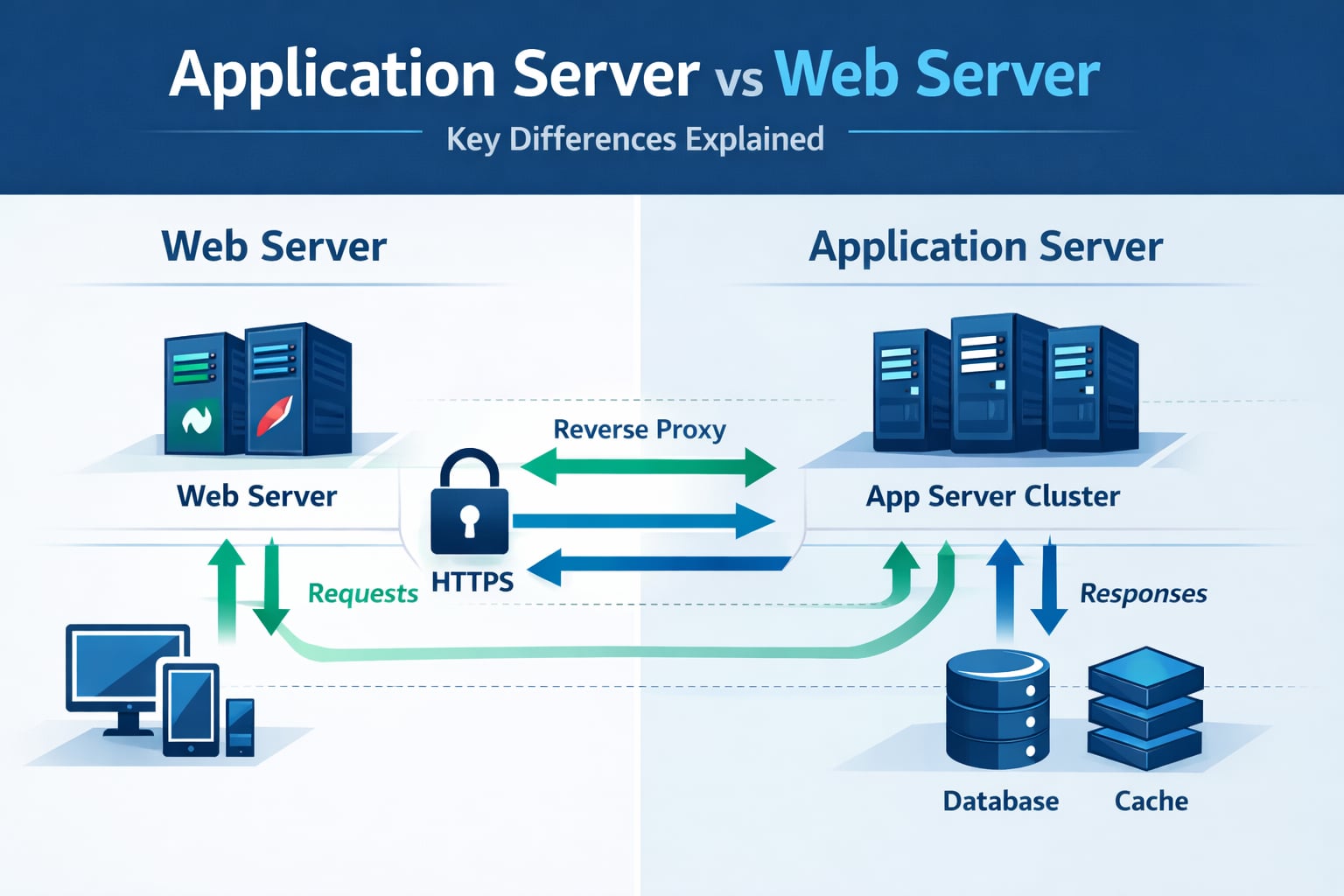
Application server and web server are often used together, so beginners assume they are the same thing. They are not. Understanding their different responsibilities helps you design cleaner systems and troubleshoot production issues faster.
If you are building this mental model from scratch, read What Is Client-Server Architecture? Beginner Guide and What Is a Web Server? How Nginx and Apache Work first.
Table of Contents
Open Table of Contents
- Quick Definition
- Related Reading in This Series
- Why This Comparison Confuses Beginners
- Core Responsibilities
- Request Flow in a Production Setup
- Common Deployment Patterns
- Java and .NET Examples
- Performance and Security Considerations
- Real-World Examples
- Common Mistakes
- Interview Questions
- 1. What is the practical difference between a web server and an application server?
- 2. Can Nginx or Apache replace an application server completely?
- 3. Why do teams still use a web server even if frameworks can serve HTTP directly?
- 4. Where should authentication and authorization checks live in this architecture?
- 5. How would you debug sudden 502/503 errors in this setup?
- Conclusion
- References
- YouTube Videos
Quick Definition
A web server primarily handles HTTP transport concerns:
- Accepting HTTP/HTTPS requests.
- Serving static assets.
- TLS termination, redirects, routing, and reverse proxying.
An application server primarily handles application execution concerns:
- Running business logic.
- Managing session or transaction behavior.
- Connecting to databases, caches, and external services.
In short: web server is the traffic manager at the edge, and application server is the engine that executes your product logic.
Related Reading in This Series
- What Is Client-Server Architecture? Beginner Guide
- What Is a Web Server? How Nginx and Apache Work
- What Happens When You Type a URL? Step-by-Step Explained
- HTTP vs HTTPS: What’s the Difference? (Beginner’s Guide)
- How DNS Works: Complete Beginner Explanation
- TCP vs UDP Explained Clearly with Real Examples
Why This Comparison Confuses Beginners
The confusion happens because modern frameworks blur boundaries:
- A Spring Boot app can serve HTTP directly, so it feels like both.
- Node.js and ASP.NET apps can expose HTTP endpoints without Apache or Nginx.
- Teams still put a dedicated web server in front for TLS, buffering, and load distribution.
So both statements can be true:
- “My app serves HTTP directly.”
- “I still use a web server in production.”
The difference is about responsibility and architecture, not just what can technically listen on a port.
Core Responsibilities
What a Web Server Handles
Typical web server capabilities:
- Static file delivery (
/css,/js, images, docs). - Reverse proxying to one or many backend services.
- TLS certificate management and HTTPS enforcement.
- Request/response buffering for slow clients.
- Request rate limiting and access rules.
Popular web servers:
- Nginx
- Apache HTTP Server
- IIS (can also integrate with app hosting stacks)
- Caddy
What an Application Server Handles
Typical application server capabilities:
- API endpoint execution and business rules.
- Data access orchestration (SQL, NoSQL, cache).
- Authentication and authorization logic.
- Transaction boundaries and domain validation.
- Integration with queues, event streams, and external APIs.
Popular application runtimes/servers:
- Apache Tomcat, Jetty, WildFly, WebLogic
- ASP.NET Core (Kestrel)
- Node.js runtime with frameworks like Express/NestJS
Request Flow in a Production Setup
flowchart TD
    A[Browser or Mobile Client] --> B[Nginx or Apache Web Server]
    B --> C{Static Asset Request?}
    C -->|Yes| D[Serve File from Web Layer]
    D --> A
    C -->|No| E[Application Server]
    E --> F[(Database)]
    E --> G[(Cache)]
    F --> E
    G --> E
    E --> B
    B --> A
    A --> H{Another Request?}
    H -->|Yes| B
    H -->|No| I[Idle]

    classDef server fill:#e8f5e9,stroke:#1b5e20,stroke-width:2px,color:#000000;
    class A,B,C,D,E,F,G,H,I server;
What this buys you in practice:
- Web layer focuses on network efficiency.
- App layer focuses on domain correctness.
- Each layer can be scaled independently.
Common Deployment Patterns
Pattern 1: Web server in front of app servers (most common)
- Nginx/Apache handles TLS and routing.
- App instances run behind it.
- Web server load-balances across app instances.
Good for:
- public APIs
- monoliths and microservices
- traffic spikes and rolling deployments
Pattern 2: App server exposed directly (small deployments)
- App listens on public interface.
- No dedicated reverse proxy layer.
Good for:
- local development
- internal prototypes
- very low traffic tools
Trade-off:
- fewer moving parts
- less control for TLS, buffering, and edge security
Pattern 3: CDN plus web server plus app server
- CDN caches static and cacheable responses globally.
- Web server manages origin ingress.
- App server executes personalized dynamic requests.
Good for global products where latency matters. If you want the request path context behind this pattern, see What Happens When You Type a URL? Step-by-Step Explained and How the Internet Works: Simple Explanation for Developers.
Java and .NET Examples
Java stack example
- Web server: Nginx
- Application server/runtime: Tomcat with Spring Boot app
Flow:
- Nginx receives HTTPS request.
- Static files are served directly if available.
- API calls are proxied to Tomcat/Spring instances.
- Application executes business logic and returns JSON.
.NET stack example
- Web layer: IIS or Nginx
- Application runtime: Kestrel (ASP.NET Core)
Why this setup is common:
- Kestrel is high-performance for app execution.
- Reverse proxy layer adds hardened edge behavior.
- Operational controls (timeouts, header policies, routing) are cleaner at ingress.
Performance and Security Considerations
- Keep TLS termination consistent: terminate TLS at web layer and keep internal traffic policy explicit.
- Protect app servers from direct internet exposure: only allow trusted ingress path.
- Set sane timeout boundaries: avoid web timeout < app timeout mismatch that creates noisy 502/504 errors.
- Use caching at the right layer: static and cacheable responses should not always hit app logic.
- Add rate limits near the edge: reject abusive traffic before expensive backend work starts.
Real-World Examples
E-commerce checkout platform
- Web server handles TLS, bot filters, and static storefront assets.
- Application server validates inventory, pricing, and payments.
- Database and queue layers process durable order events.
Reason this split works: checkout logic stays protected and consistent, while the edge layer absorbs internet traffic variability.
SaaS dashboard product
- Web server serves frontend bundles and proxies
/api/*. - App server enforces tenant authorization and billing rules.
- Redis and SQL support fast reads and consistent writes.
Reason this split works: teams can tune delivery and business logic independently as load grows.
Common Mistakes
- Treating app server and web server as always interchangeable.
- Exposing app server directly without edge protections.
- Pushing all static traffic through app instances.
- Ignoring timeout alignment between proxy and application.
- Assuming “works in dev” means safe for internet traffic.
These issues usually show up as latency spikes, intermittent 502/503/504 responses, and hard-to-diagnose incident patterns.
Interview Questions
1. What is the practical difference between a web server and an application server?
A web server primarily manages HTTP transport concerns like TLS, static files, and request routing. An application server runs business logic and data operations.
In real systems, both are often present because they solve different problems. A strong answer should mention separation of concerns, independent scaling, and operational reliability.
2. Can Nginx or Apache replace an application server completely?
Not for non-trivial business workflows. Nginx/Apache can route, cache, and serve static assets very well, but they are not where you should implement complex product logic and transactional domain behavior.
You can use modules and scripts for small tasks, but production product logic belongs in app services built for maintainability and testing.
3. Why do teams still use a web server even if frameworks can serve HTTP directly?
Because edge concerns are different from domain concerns. Web servers provide robust TLS handling, slow-client buffering, compression, routing, connection controls, and mature ingress observability.
Keeping those concerns in one layer reduces complexity inside your application code and improves resilience during traffic spikes.
4. Where should authentication and authorization checks live in this architecture?
Coarse request filtering can happen at the edge, but final authn/authz enforcement must happen in the application layer where business context exists.
If only the web server enforces access, service-to-service paths and internal flows can become security gaps. Defense in depth means both layers participate with different depth of checks.
5. How would you debug sudden 502/503 errors in this setup?
Start by correlating web server logs with upstream app metrics and dependency health. Check proxy timeout settings, connection pool saturation, app thread or worker exhaustion, and DB/cache latency.
Most incidents are cross-layer. Debugging only one layer usually misses the root cause.
Conclusion
Application server vs web server is not a competition. It is a layering decision.
Use the web server for transport and edge control, and use the application server for business execution and data orchestration. That split gives you cleaner architecture, better performance tuning, and easier incident response at scale.
For deeper follow-up, continue with HTTP vs HTTPS: What’s the Difference? (Beginner’s Guide) and TCP vs UDP Explained Clearly with Real Examples.
References
- MDN: What is a web server? https://developer.mozilla.org/en-US/docs/Learn/Common_questions/Web_mechanics/What_is_a_web_server
- Nginx Docs: HTTP Proxy Module https://nginx.org/en/docs/http/ngx_http_proxy_module.html
- Apache HTTP Server Docs: mod_proxy https://httpd.apache.org/docs/2.4/mod/mod_proxy.html
- Microsoft Docs: When to use Kestrel with a reverse proxy https://learn.microsoft.com/en-us/aspnet/core/fundamentals/servers/kestrel/when-to-use-a-reverse-proxy?view=aspnetcore-9.0
- Apache Tomcat Documentation https://tomcat.apache.org/tomcat-10.1-doc/
- Jakarta EE Platform 10 https://jakarta.ee/specifications/platform/10/
- Cloudflare Learning Center: Reverse Proxy https://www.cloudflare.com/learning/cdn/glossary/reverse-proxy/
YouTube Videos
- “What is DNS? (Domain Name System)” - PowerCert Animated Videos https://www.youtube.com/watch?v=mpQZVYPuDGU
- “DNS Explained” - IBM Technology https://www.youtube.com/watch?v=72snZctFFtA
- “How a DNS Server (Domain Name System) works” - CBT Nuggets https://www.youtube.com/watch?v=2ZUxoi7YNgs
- “DNS and How it Works” - NetworkChuck https://www.youtube.com/watch?v=UVR9lhUGAyU
- “Consistent Hashing | System Design” - Gaurav Sen https://www.youtube.com/watch?v=U0xTu6E2CT8