 ADevGuide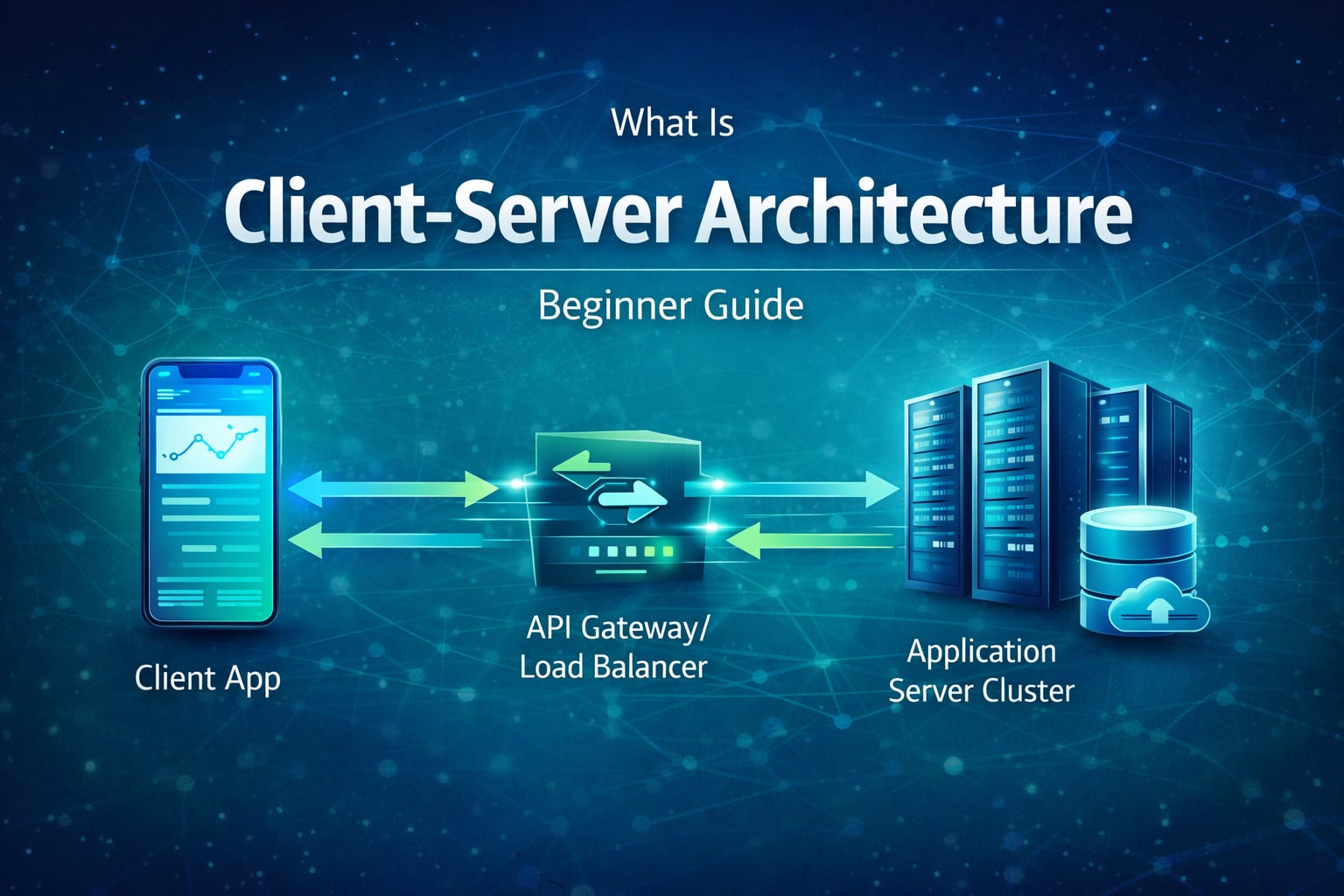
An interviewer asks you to trace a customer placing an order. The useful answer is not merely “the browser calls the backend.” Explain the client request, the server-side validation and authorization, the data access, the response, and what changes when one dependency is slow or unavailable.
Client-server architecture is the core model behind most web and mobile applications. The client requests data or actions, and the server validates, processes, and returns a response. This guide explains the model at the level expected in a backend interview: request flow, state placement, scaling decisions, and failure boundaries. Use the Backend Developer Interview Guide as the wider learning path, then continue to REST APIs for the HTTP contract built on this architecture.
Table of Contents
Open Table of Contents
- Quick Definition
- What Interviewers Look For
- Core Components
- How Client-Server Communication Works
- 2-Tier vs 3-Tier vs N-Tier
- Stateful vs Stateless Servers
- Common Bottlenecks and Failure Points
- Scaling Client-Server Systems
- Common Interview Trap
- Real-World Examples
- Interview Questions
- 1. Why is client-server architecture better than embedding all logic in the client?
- 2. What is the difference between client-server and peer-to-peer models?
- 3. Why do stateless servers make horizontal scaling easier?
- 4. Where should authentication checks happen in a client-server system?
- 5. How would you reduce response latency in a high-traffic client-server API?
- Conclusion
- References
- YouTube Videos
Quick Definition
Client-server architecture is a distributed model where:
- A client (browser, mobile app, desktop app) sends a request.
- A server receives and processes that request.
- The server returns a response (data, HTML, status, error).
This separation allows clients to stay lightweight while servers handle shared business logic and centralized data access.
What Interviewers Look For
For this question, show that you can distinguish a logical role from a physical machine. A browser, mobile app, or command-line tool can be a client; one service can also be the client of another service. Likewise, a server is a provider of a capability, not automatically a single application host.
Then trace one request end to end and explain where trust changes. The client may validate input for a quicker user experience, but the server must enforce authentication, authorization, and business rules because client-side checks can be altered or bypassed. Finally, call out one trade-off: keeping session state in a server process is simple initially, but externalizing it makes load balancing and failure recovery easier.
Core Components
Client
The client is the user-facing application. It collects input, sends requests, and renders responses.
Examples:
- Browser application using
fetchor XHR - Mobile app calling REST APIs
- CLI tool calling backend endpoints
Server
The server exposes APIs or web endpoints and runs business logic.
Typical responsibilities:
- Authentication and authorization
- Validation and request parsing
- Business rules execution
- Database reads/writes
- Response formatting
Data Layer
Most servers rely on a persistent data store (SQL, NoSQL, cache, object storage). This layer is critical for durability and consistency.
How Client-Server Communication Works
flowchart TD
    A[Client UI] --> B[DNS Resolution]
    B --> C[Load Balancer or API Gateway]
    C --> D[Application Server]
    D --> E[(Database)]
    E --> D
    D --> F[(Cache)]
    F --> D
    D --> G[HTTP Response]
    G --> A
    A --> H{Another Action?}
    H -->|Yes| C
    H -->|No| I[Idle]

    classDef cs fill:#e8f5e9,stroke:#1b5e20,stroke-width:2px,color:#000000;
    class A,B,C,D,E,F,G,H,I cs;
End-to-end flow:
- Client resolves domain and opens connection.
- Request reaches gateway/load balancer.
- Application server executes business logic.
- Server reads cache/DB as needed.
- Response returns to client for rendering.
2-Tier vs 3-Tier vs N-Tier
2-tier
Client talks directly to application and data in a tightly coupled setup.
- Simple to start
- Harder to scale and secure at large size
3-tier
Presentation, application logic, and data are separated.
- Easier to maintain
- Better scaling and team ownership boundaries
- Most common for modern backend systems
N-tier / microservice style
Application logic split into multiple services.
- Strong domain isolation and independent deployment
- More operational complexity (network calls, observability, retries)
Stateful vs Stateless Servers
Stateful
Server keeps session data in local memory.
- Simple for prototypes
- Horizontal scaling is harder because requests must return to same server (sticky sessions)
Stateless
Server stores state externally (Redis/DB/token claims), so any instance can serve any request.
- Better fit for autoscaling and containerized deployments
- Preferred pattern for cloud-native API backends
Common Bottlenecks and Failure Points
- Database hotspots: slow queries or lock contention under high traffic.
- Synchronous dependency chains: one slow downstream service delays user requests.
- Missing caching: repeated expensive reads hit origin every time.
- Unbounded retries: retry storms amplify outages.
- Weak timeout strategy: long hanging requests consume threads and connection pools.
A robust client-server design always includes backpressure, timeouts, retries with jitter, and clear error handling.
Scaling Client-Server Systems
Practical scaling path:
- Add load balancer and run multiple server instances.
- Move session/state out of process memory.
- Add cache for high-read endpoints.
- Optimize hot DB queries and indexing.
- Introduce async processing for long-running tasks.
Example:
- Login/profile APIs can stay synchronous.
- Report generation can use background workers and status polling.
This keeps user-facing latency predictable while supporting heavy backend jobs.
Common Interview Trap
“The client is the frontend and the server is the backend.”
That is a helpful starting picture, but it is too narrow for an interview. A payment service can be a server to a checkout service and a client to a payment provider in the same request. Describe the role in the interaction first, then discuss the deployment layers, trust boundaries, and dependencies behind it.
Real-World Examples
E-commerce checkout
- Client: cart and checkout pages
- Server: inventory, pricing, payment, order logic
- Data: products, orders, payment metadata
Why client-server matters: critical rules stay on server side, not exposed to client tampering.
Streaming platform
- Client: TV/mobile app
- Server: auth, catalog, personalization APIs
- Data: metadata DB + CDN for media delivery
Why client-server matters: API control plane handles secure access while content delivery is optimized separately.
Interview Questions
1. Why is client-server architecture better than embedding all logic in the client?
Server-side logic centralizes rules, security, and data access. If logic stays only in clients, every platform reimplements critical behavior and becomes easier to bypass.
A strong interview answer also mentions maintainability: server updates are centralized while clients can remain thinner.
2. What is the difference between client-server and peer-to-peer models?
In client-server, clients mainly consume services from centralized servers. In peer-to-peer, nodes can both request and provide resources directly.
Client-server is easier for governance, security controls, and consistency. Peer-to-peer can reduce central bottlenecks but is harder to coordinate.
3. Why do stateless servers make horizontal scaling easier?
Because any instance can process any request when state is externalized. Traffic can be distributed evenly without session affinity.
That reduces operational coupling and improves resilience during instance failures or rolling deployments.
4. Where should authentication checks happen in a client-server system?
At the server boundary on every protected request, regardless of any client-side checks. Client checks improve UX, but server checks enforce security.
In production systems, place coarse checks at gateway/middleware and fine-grained authorization inside domain services.
5. How would you reduce response latency in a high-traffic client-server API?
Start with measurement, then optimize biggest contributors: network distance, TLS/DNS overhead, application logic, and data access.
Typical actions include caching hot reads, reducing payload size, DB query tuning, connection pooling, and moving non-critical work to async pipelines.
Conclusion
- Client-server architecture separates service requesters from providers; one service can be both in different interactions.
- Server-side validation and authorization are the security boundary, even when clients also validate for usability.
- Stateless application servers simplify load balancing and failure recovery by externalizing shared state.
- Scaling decisions should follow the bottleneck: optimize data access and cache reads before adding unnecessary service complexity.
- A strong interview answer traces the happy path, names the failure path, and states the trade-off.
The next topic in this series covers REST API principles and interview questions - how the request/response contract should behave after the client and server roles are clear. For a related scaling decision, review load balancing and explain why it works best with stateless application servers.
References
- Client-server overview - MDN Web Docs https://developer.mozilla.org/en-US/docs/Learn_web_development/Extensions/Server-side/First_steps/Client-Server_overview
- HTTP overview - MDN Web Docs https://developer.mozilla.org/en-US/docs/Web/HTTP/Overview
- HTTP Semantics - IETF RFC 9110 https://www.rfc-editor.org/rfc/rfc9110
YouTube Videos
- “Client Server Architecture | System Design Interview Basics” https://www.youtube.com/watch?v=yioOQ4ItYuo
- “Client Server Architecture Explained | System Design” https://www.youtube.com/watch?v=cBJeO44WcfE