 ADevGuide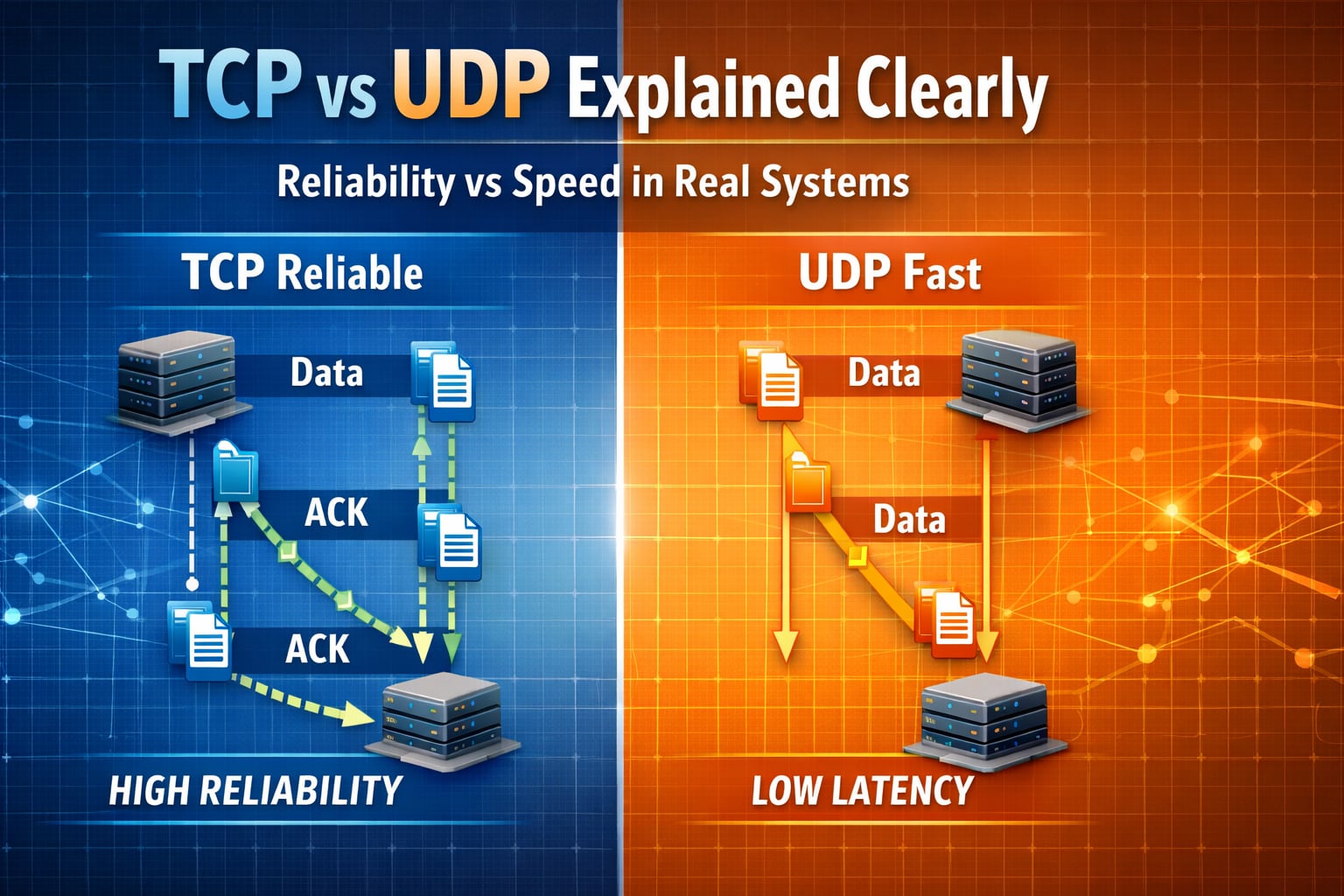
TCP and UDP are the two most important transport protocols in modern systems. They both move data between applications, but they optimize for different goals. TCP prioritizes reliability and ordered delivery. UDP prioritizes low overhead and low latency. Choosing the wrong one causes avoidable performance and reliability issues. To see where these protocols sit in the stack, start with how the internet works and how DNS resolves names with UDP.
Table of Contents
Open Table of Contents
- Quick Definition
- TCP vs UDP at a Glance
- How TCP Works (Step by Step)
- How UDP Works (Step by Step)
- Reliability, Ordering, and Congestion Differences
- Real-World Examples You Already Use
- When to Choose TCP
- When to Choose UDP
- Common Mistakes in Production Systems
- Interview Questions
- Conclusion
- References
- YouTube Videos
Quick Definition
- TCP (Transmission Control Protocol): connection-oriented, reliable, ordered byte stream.
- UDP (User Datagram Protocol): connectionless, best-effort, unordered datagram delivery.
Both sit at Layer 4 (transport layer), on top of IP.
TCP vs UDP at a Glance
| Aspect | TCP | UDP |
|---|---|---|
| Connection model | Connection-oriented | Connectionless |
| Delivery guarantee | Reliable (retransmission) | Best effort |
| Packet ordering | Preserved | Not guaranteed |
| Congestion control | Built in | App responsibility |
| Header size | Larger | Smaller |
| Typical latency | Higher | Lower |
| Typical use | Web, APIs, DB traffic | Streaming, gaming, DNS, VoIP |
How TCP Works (Step by Step)
TCP establishes state before data transfer and keeps both sides synchronized.
flowchart TD
    A[Client] --> B[SYN]
    B --> C[SYN-ACK]
    C --> D[ACK]
    D --> E[Data Segment 1]
    E --> F[ACK 1]
    D --> G[Data Segment 2]
    G --> H[ACK 2]
    H --> I[FIN]
    I --> J[FIN-ACK]

    classDef net fill:#e1f5fe,stroke:#01579b,stroke-width:2px,color:#000000;
    class A,B,C,D,E,F,G,H,I,J net;
Core behaviors:
- Three-way handshake (
SYN,SYN-ACK,ACK) creates a connection. - Sequence numbers track byte positions.
- ACKs confirm received bytes.
- Lost segments are retransmitted.
- Sliding window controls flow.
- Congestion control avoids network collapse.
Result: applications receive an ordered, reliable stream even if packets are lost in the network.
How UDP Works (Step by Step)
UDP sends independent datagrams with minimal protocol state.
flowchart TD
    A[Client] --> B[Datagram 1]
    A --> C[Datagram 2]
    A --> D[Datagram 3]
    B --> E[Network]
    C --> E
    D --> E
    E --> F[Server Receives Available Packets]
    F --> G[Application Handles Loss or Reorder if Needed]

    classDef net fill:#fff3e0,stroke:#ef6c00,stroke-width:2px,color:#000000;
    class A,B,C,D,E,F,G net;
Core behaviors:
- No handshake before sending.
- No built-in retransmission.
- No built-in ordering guarantees.
- Lower overhead and lower latency.
Result: fast delivery path, but correctness logic often moves to the application layer.
Reliability, Ordering, and Congestion Differences
Reliability
- TCP retries lost data until timeout.
- UDP does not retry by default.
Ordering
- TCP reorders data before application reads it.
- UDP may deliver out of order.
Congestion behavior
- TCP adapts send rate using congestion control.
- UDP senders must implement fairness and backoff themselves.
Head-of-line blocking
TCP can delay later bytes while waiting for a missing earlier segment. This is acceptable for file transfer and page delivery, but problematic for real-time media.
Real-World Examples You Already Use
1. Web browsing (HTTPS)
- Mostly TCP-based transport semantics.
- Reliability is required because HTML/CSS/JS bytes cannot be missing.
2. DNS queries
- Usually UDP for low-latency lookups.
- Falls back to TCP for larger responses or specific operations.
3. Video calls and online gaming
- Often UDP-based media transport.
- Better to drop late packets than wait and increase lag.
4. File transfer and database replication
- TCP is preferred due to correctness and ordering requirements.
When to Choose TCP
Choose TCP when your system needs:
- Complete and correct data delivery.
- Ordered stream semantics.
- Simpler application logic for retry/reorder.
- Compatibility with protocols built for reliable transport.
Typical workloads:
- REST APIs
- gRPC over reliable transport
- database connections
- payments and transactional flows
When to Choose UDP
Choose UDP when your system needs:
- Low latency over perfect reliability.
- Tolerance for dropped/late packets.
- Custom reliability logic tuned to domain behavior.
Typical workloads:
- live audio/video
- multiplayer game state updates
- telemetry and metrics fire-and-forget events
Common Mistakes in Production Systems
1. Using UDP for transactional business data
If every message must arrive exactly and in order, raw UDP is risky unless you add strong application-level reliability.
2. Using TCP for strict real-time streams without tuning
Reliable retransmission can increase jitter and delay in interactive media.
3. Ignoring MTU and fragmentation
Large UDP payloads can fragment and drop more often. Keep packet sizes practical.
4. No backpressure for high-throughput UDP senders
Without rate control, UDP producers can overwhelm links and downstream consumers.
Interview Questions
1. Why is TCP called connection-oriented while UDP is connectionless?
TCP establishes shared state using a handshake before application data exchange. Both sides track sequence numbers, windows, and retransmission state.
UDP sends datagrams without this setup. Each packet is independent, and the protocol does not maintain session state.
2. If UDP is faster, why not use UDP for everything?
UDP has lower overhead, but speed alone is not enough. Many systems need guaranteed delivery and ordering. Rebuilding those guarantees in application code can be complex and error-prone.
Use UDP when latency matters more than perfect delivery, and use TCP when correctness is non-negotiable.
3. How does TCP handle packet loss?
TCP detects loss via missing ACKs, duplicate ACK patterns, and retransmission timeouts. It retransmits missing segments and adjusts congestion windows to reduce send pressure.
This protects reliability but may increase latency under loss.
4. Give one system where UDP is preferred and explain why.
Real-time voice/video communication is a classic UDP-friendly case. Late packets are less useful than new packets. It is better to drop stale media than block the stream waiting for retransmission.
This preserves user experience by reducing delay and jitter.
5. What is head-of-line blocking, and where does it hurt?
Head-of-line blocking occurs when later data is withheld until an earlier missing segment is recovered. In TCP streams, this ensures order but can delay time-sensitive payloads.
It hurts interactive workloads like gaming and live media where freshness matters more than perfect sequencing.
Conclusion
TCP and UDP are not competitors where one always wins. They are tools with different trade-offs.
- Pick TCP for reliability and ordered delivery.
- Pick UDP for low-latency, best-effort transport.
Strong backend design starts by matching transport behavior to product requirements, not by defaulting to one protocol everywhere. For encrypted transport over TCP, see HTTP vs HTTPS and the broader Web Fundamentals hub.
References
- RFC 9293 - Transmission Control Protocol (TCP) https://www.rfc-editor.org/rfc/rfc9293
- RFC 768 - User Datagram Protocol (UDP) https://www.rfc-editor.org/rfc/rfc768
- Cloudflare Learning Center: TCP vs UDP https://www.cloudflare.com/learning/ddos/glossary/tcp-udp/
- MDN Web Docs: Transport Layer Security (TLS) https://developer.mozilla.org/en-US/docs/Glossary/TLS
- MDN Web Docs: UDP https://developer.mozilla.org/en-US/docs/Glossary/UDP
- IBM: TCP vs UDP https://www.ibm.com/think/topics/tcp-vs-udp
YouTube Videos
- “What is DNS? (Domain Name System)” - PowerCert Animated Videos https://www.youtube.com/watch?v=mpQZVYPuDGU
- “DNS Explained” - IBM Technology https://www.youtube.com/watch?v=72snZctFFtA
- “DNS and How it Works” - NetworkChuck https://www.youtube.com/watch?v=UVR9lhUGAyU