 ADevGuide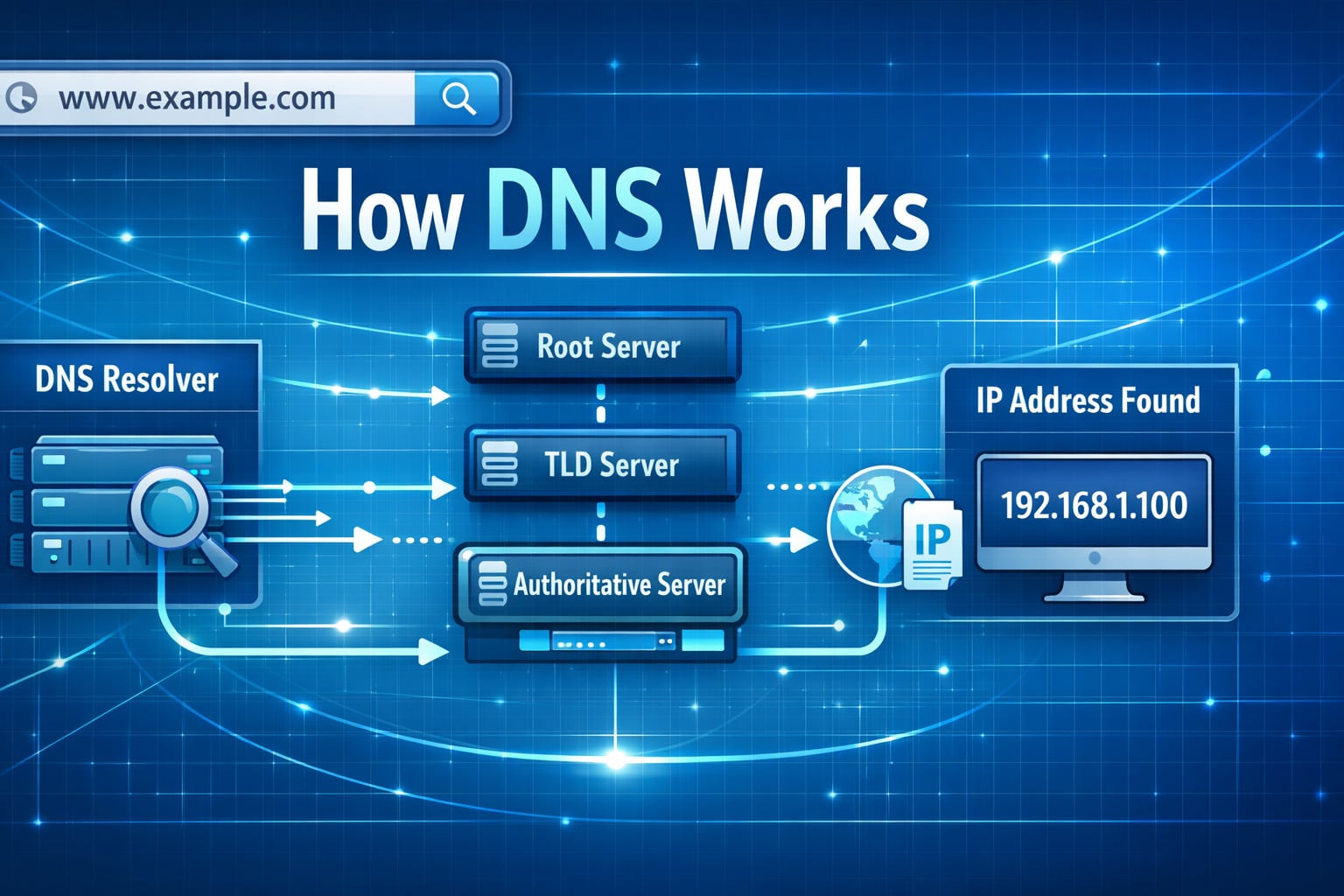
DNS is the system that translates human-friendly domain names into IP addresses that computers can route to. Without DNS, users would need to remember numeric addresses for every website. It is the first lookup step in the full journey described in what happens when you type a URL and in how the internet works for developers.
Table of Contents
Open Table of Contents
- What Is DNS?
- Why DNS Exists
- DNS Lookup Flow: Step by Step
- DNS Record Types You Should Know
- Recursive Resolver vs Authoritative Nameserver
- Caching and TTL Explained
- Common DNS Problems and Fixes
- Real-World Example: Loading a Website
- DNS Security Basics
- Useful DNS Commands for Developers
- Interview Questions
- 1. What is the practical difference between a recursive resolver and an authoritative nameserver?
- 2. Why do teams reduce TTL before infrastructure migrations?
- 3. DNS looks correct with
nslookup, but users still cannot reach the app. What next? - 4. How are DNSSEC and DoH different?
- 5. How would you investigate intermittent
NXDOMAINor stale routing issues?
- Conclusion
- References
- YouTube Videos
What Is DNS?
DNS stands for Domain Name System. Think of it as the internet’s phonebook.
- You type:
www.example.com - DNS returns:
93.184.216.34(example IP) - Browser connects to that IP
DNS does not serve the web page itself. It only helps your device find where to connect.
Why DNS Exists
Domain names are easier for humans, while IP addresses are easier for machines.
If DNS did not exist:
- Users would need to memorize IP addresses.
- Companies could not change hosting IPs easily.
- CDNs and global traffic routing would be much harder.
DNS enables stable names with flexible infrastructure behind the scenes.
DNS Lookup Flow: Step by Step
When a user opens a website, DNS resolution usually follows this path:
flowchart TD
    A[Browser] --> B[OS DNS Cache]
    B --> C[Recursive Resolver]
    C --> D[Root Nameserver]
    D --> E[TLD Nameserver]
    E --> F[Authoritative Nameserver]
    F --> C
    C --> A

    classDef service fill:#e1f5fe,stroke:#01579b,stroke-width:2px,color:#000000;
    class A,B,C,D,E,F service;
Step 1: Browser and OS cache check
Your browser checks local cache first. If missing, your operating system cache is checked.
Step 2: Query recursive resolver
If no local result exists, your machine asks a recursive resolver (usually ISP DNS or public DNS like 8.8.8.8).
Step 3: Root nameserver lookup
The recursive resolver asks a root nameserver: “Who handles .com?”
Step 4: TLD nameserver lookup
The resolver asks the .com TLD nameserver: “Who is authoritative for example.com?”
Step 5: Authoritative nameserver lookup
The resolver asks the authoritative nameserver for the actual record (for example, A or AAAA).
Step 6: Response + caching
Resolver returns the IP to the client and caches it for the TTL period.
DNS Record Types You Should Know
A Record
- Maps domain to IPv4 address.
- Example:
example.com -> 93.184.216.34
AAAA Record
- Maps domain to IPv6 address.
- Example:
example.com -> 2606:2800:220:1:248:1893:25c8:1946
CNAME Record
- Alias from one hostname to another hostname.
- Example:
www.example.com -> app-host.example.net
MX Record
- Defines mail servers for domain email.
TXT Record
- Arbitrary text records often used for verification and email security (
SPF,DKIM,DMARC).
NS Record
- Declares which nameservers are authoritative for a zone.
Recursive Resolver vs Authoritative Nameserver
These roles are often confused:
- Recursive resolver: receives client query and performs the lookup chain.
- Authoritative nameserver: stores final DNS records for a domain and returns the source-of-truth answer.
Short version:
- Resolver finds the answer.
- Authoritative server owns the answer.
Caching and TTL Explained
TTL means Time To Live (in seconds). It controls how long DNS answers can be cached.
Example:
A record TTL = 300- Caches can reuse it for 5 minutes before re-checking authoritative data
Trade-off:
- Low TTL: faster propagation for changes, higher DNS query load.
- High TTL: lower query load, slower propagation after changes.
For migrations and cutovers, teams often lower TTL in advance, then raise it again after stabilization.
Common DNS Problems and Fixes
1. DNS propagation delay
Symptom: some users see old IP, others see new IP.
Cause: caches still hold previous records.
Fix: wait for TTL expiration, or temporarily lower TTL before future changes.
2. Wrong record type
Symptom: service fails even though domain resolves.
Cause:
wrong A, AAAA, or CNAME setup.
Fix: verify required record type with hosting provider docs.
3. Missing or wrong nameservers
Symptom: domain appears offline globally.
Cause: registrar NS records do not point to correct DNS provider.
Fix: update NS at registrar and confirm authoritative zone exists.
4. Email delivery failures
Symptom: emails rejected or sent to spam.
Cause: missing SPF, DKIM, or DMARC TXT records.
Fix: publish required TXT records exactly as provider specifies.
Real-World Example: Loading a Website
Suppose a user opens https://adevguide.com:
- Browser asks local cache for
adevguide.com. - If no hit, resolver performs root ->
.com-> authoritative lookup. - Resolver receives
A/AAAAresult and caches it. - Browser opens TCP/TLS connection to returned IP — see TCP vs UDP explained for transport trade-offs and HTTP vs HTTPS guide for the TLS layer that follows DNS.
- HTTP request is sent and page content is returned.
Important: DNS resolves the destination, but application speed depends on many other factors too (TLS, backend latency, caching, and payload size). The next step after DNS in that chain is detailed in what happens when you type a URL.
DNS Security Basics
DNS spoofing/cache poisoning
Attackers try to inject false DNS answers so users are redirected.
Basic protections:
- Use trusted resolvers.
- Enable DNSSEC validation where supported.
- Use HTTPS so certificate checks reduce damage from wrong routing.
DNSSEC
DNSSEC adds cryptographic signatures to DNS data so resolvers can verify authenticity.
It improves integrity, but it does not encrypt DNS queries.
Encrypted DNS transport
Modern options:
- DoT (DNS over TLS)
- DoH (DNS over HTTPS)
These improve privacy between client and resolver.
Useful DNS Commands for Developers
nslookup
nslookup adevguide.comQuick lookup tool available in many environments.
dig
dig adevguide.com A
dig adevguide.com NS
dig +trace adevguide.com
+trace is useful to inspect the full lookup path from root down to authoritative servers.
host
host -t mx example.comSimple command for checking specific record types.
Interview Questions
1. What is the practical difference between a recursive resolver and an authoritative nameserver?
A recursive resolver does lookup work on behalf of the client and caches answers. An authoritative nameserver owns the zone data and returns source-of-truth records.
Interviewers often test whether you can separate “who fetches answers” from “who owns answers.” Mixing these roles usually causes design confusion.
2. Why do teams reduce TTL before infrastructure migrations?
Lower TTL shortens cache lifetime so clients pick up new DNS records faster during cutover.
Trade-off: lower TTL increases query volume to resolvers/authoritative servers. Teams typically lower TTL before migration, execute change, then raise TTL again after stability.
3. DNS looks correct with nslookup, but users still cannot reach the app. What next?
Check beyond DNS: TLS certificate validity, load balancer health, firewall/security group rules, reverse proxy routing, and application readiness.
DNS only gives destination address. Availability still depends on network path, certificates, and service health behind that address.
4. How are DNSSEC and DoH different?
DNSSEC provides authenticity/integrity of DNS records via signatures. DoH/DoT encrypt transport between client and resolver for privacy.
They solve different problems and can be used together: DNSSEC for trust in answers, DoH/DoT for privacy in transit.
5. How would you investigate intermittent NXDOMAIN or stale routing issues?
Collect resolver-specific answers from multiple networks, check authoritative records directly, inspect TTL values, and verify recent zone changes.
Also consider negative caching and propagation timing. Intermittent issues often come from mixed resolver caches or incomplete zone updates rather than one permanent misconfiguration.
Conclusion
DNS is a foundational internet system every developer should understand. Once you know the lookup flow, record types, and caching behavior, troubleshooting becomes much faster and less guess-based.
If you are building web applications, DNS knowledge helps with uptime, migration planning, CDN integration, email delivery, and security hardening. For the broader learning path, browse the Web Fundamentals hub and the Internet and Web Foundations series.
References
- RFC 1034 - Domain Names: Concepts and Facilities https://datatracker.ietf.org/doc/html/rfc1034
- RFC 1035 - Domain Names: Implementation and Specification https://datatracker.ietf.org/doc/html/rfc1035
- IANA: Root Server List https://www.iana.org/domains/root/servers
- Cloudflare Learning Center: DNS https://www.cloudflare.com/learning/dns/what-is-dns/
- Google Public DNS https://developers.google.com/speed/public-dns
- AWS Route 53 Developer Guide https://docs.aws.amazon.com/Route53/latest/DeveloperGuide/Welcome.html
- NIST SP 800-81-2: Secure Domain Name System Deployment Guide https://csrc.nist.gov/pubs/sp/800/81/2/final
YouTube Videos
- “What is DNS? (Domain Name System)” - PowerCert Animated Videos https://www.youtube.com/watch?v=mpQZVYPuDGU
- “DNS Explained” - IBM Technology https://www.youtube.com/watch?v=72snZctFFtA
- “How a DNS Server (Domain Name System) works” - CBT Nuggets https://www.youtube.com/watch?v=2ZUxoi7YNgs
- “DNS and How it Works” - NetworkChuck https://www.youtube.com/watch?v=UVR9lhUGAyU