 ADevGuide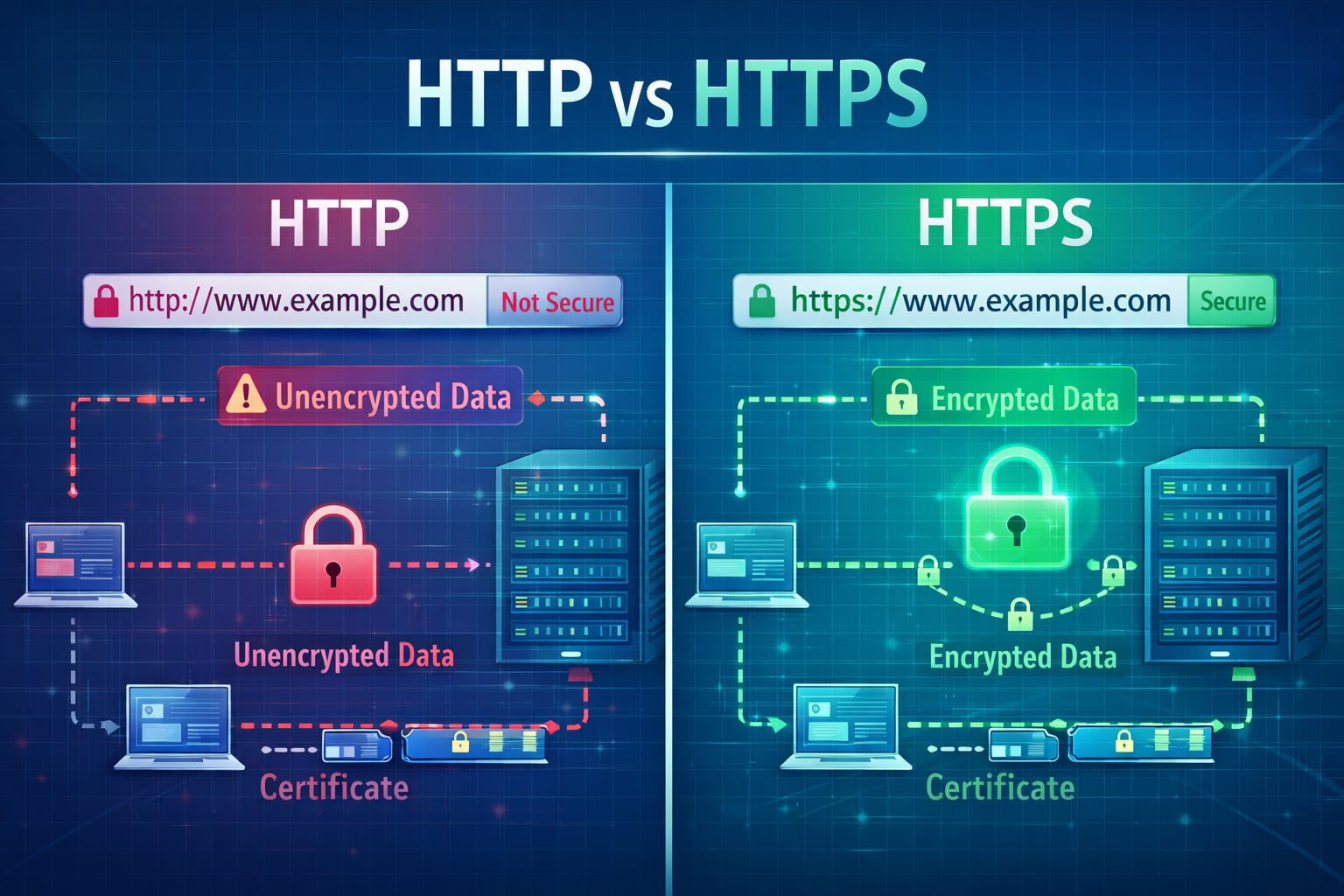
HTTP and HTTPS both transfer web data, but they are not equal in security. HTTPS adds TLS encryption, server identity verification, and message integrity checks, making it the modern default for every public web application. For the full request lifecycle, pair this with how the internet works and what happens when you type a URL.
Table of Contents
Open Table of Contents
- Quick Definition
- HTTP vs HTTPS at a Glance
- Why HTTP Is Risky on Modern Networks
- How HTTPS Actually Protects Data
- What Happens During the TLS Handshake
- Certificates, CAs, and Trust Chain
- Performance: Is HTTPS Slower?
- SEO and Browser Behavior
- Common Misconceptions
- Migration Checklist: HTTP to HTTPS
- Real-World Example: Login Form Exposure
- Interview Questions
- 1. If a company moves from HTTP to HTTPS, is the application now secure?
- 2. Why is certificate validation as important as encryption?
- 3. What does HSTS solve, and what trade-off should you mention?
- 4. What is mixed content, and why is it dangerous on HTTPS pages?
- 5. Is HTTPS slower than HTTP in modern production systems?
- Conclusion
- References
- YouTube Videos
Quick Definition
- HTTP = HyperText Transfer Protocol (plain text transport)
- HTTPS = HTTP over TLS (encrypted and authenticated transport)
If a site uses HTTP, any network observer between client and server can potentially read or alter traffic.
HTTP vs HTTPS at a Glance
| Aspect | HTTP | HTTPS |
|---|---|---|
| Encryption | No | Yes (TLS) |
| Data Integrity | Weak | Strong (tamper detection) |
| Server Authentication | No built-in identity validation | Certificate-based validation |
| Browser UX | Often marked “Not secure” | Lock icon / secure context |
| SEO Impact | Lower trust signals | Generally preferred |
| Default Port | 80 | 443 |
Why HTTP Is Risky on Modern Networks
With plain HTTP:
- credentials can be intercepted
- session cookies can be stolen
- traffic can be modified in transit
- malicious scripts can be injected
This is especially dangerous on public Wi-Fi, enterprise proxies, or compromised network paths.
How HTTPS Actually Protects Data
HTTPS adds TLS on top of HTTP and gives three key protections:
- Confidentiality: data is encrypted in transit.
- Integrity: tampering is detected.
- Authentication: client can verify it is talking to the intended server/domain.
flowchart TD
    A[Browser] --> B[TLS Handshake]
    B --> C[Certificate Validation]
    C --> D[Encrypted HTTP Request]
    D --> E[Server]
    E --> F[Encrypted HTTP Response]
    F --> A

    classDef service fill:#e1f5fe,stroke:#01579b,stroke-width:2px,color:#000000;
    class A,B,C,D,E,F service;
What Happens During the TLS Handshake
Simplified handshake flow:
- browser sends supported TLS versions/cipher suites
- server chooses secure options and shares certificate
- browser validates certificate chain and domain
- client/server derive shared session keys
- encrypted HTTP traffic starts
TLS 1.3 reduced handshake overhead compared to older versions and is now widely recommended. Valid certificates are served by your web server.
Certificates, CAs, and Trust Chain
A TLS certificate proves a domain is controlled by the certificate owner.
Trust works through:
- site certificate
- intermediate certificate
- trusted root certificate authority (CA)
If any link in this chain is invalid or expired, browsers show warnings and may block access.
Performance: Is HTTPS Slower?
Old assumption: “HTTPS is much slower.”
Modern reality:
- TLS overhead is usually small compared to app/server/database time.
- HTTP/2 and HTTP/3 improvements are commonly available over HTTPS.
- Session reuse and TLS optimizations reduce repeated handshake cost.
In real production systems, bad caching and heavy front-end assets usually hurt more than HTTPS encryption overhead.
SEO and Browser Behavior
HTTPS now impacts trust and discoverability:
- browsers mark HTTP pages as not secure
- secure context APIs require HTTPS for many capabilities
- search engines generally favor secure pages over insecure equivalents
For public websites, HTTP-only is no longer a practical baseline.
Common Misconceptions
”HTTPS means my app is fully secure”
False. HTTPS secures transport. You still need secure auth, input validation, authorization, and backend hardening.
”Internal tools do not need HTTPS”
Also risky. Internal traffic can still be intercepted or misrouted. Zero-trust practices increasingly require encryption everywhere.
”Self-signed certs are enough in production”
Not for public users. Browsers will warn unless trust chain is valid.
Migration Checklist: HTTP to HTTPS
Use this sequence:
- issue certificate (for example, Let’s Encrypt)
- enable TLS on server/reverse proxy
- redirect all HTTP to HTTPS (301)
- update canonical URLs and sitemap
- update absolute links/assets to HTTPS
- enable HSTS after validation
- monitor mixed-content warnings and cert renewal
Real-World Example: Login Form Exposure
Scenario: a user submits login credentials on an HTTP page from cafe Wi-Fi.
What can happen:
- attacker on same network captures username/password
- attacker reuses session cookies
- attacker injects malicious script in response
With HTTPS enabled correctly, the same interception attempt sees encrypted payload instead of readable credentials.
Interview Questions
1. If a company moves from HTTP to HTTPS, is the application now secure?
No. HTTPS secures transport in transit, but it does not fix broken authorization, weak passwords, SQL injection, insecure cookies, or server-side logic flaws.
In interviews, a strong answer separates transport security from application security and calls out layered controls.
2. Why is certificate validation as important as encryption?
Encryption without identity verification can still connect users to an attacker (man-in-the-middle). Certificate validation ensures the server presenting the key is trusted for that domain.
This is why expired certs, wrong hostnames, and broken chains trigger browser warnings even when cryptography is technically present.
3. What does HSTS solve, and what trade-off should you mention?
HSTS forces browsers to use HTTPS for a domain, reducing downgrade and SSL stripping risks.
Trade-off: once enabled aggressively (especially with preload), rollback is hard during TLS outages. Teams should validate certificates, renewals, and redirect behavior before long max-age settings.
4. What is mixed content, and why is it dangerous on HTTPS pages?
Mixed content happens when an HTTPS page loads some resources over HTTP (scripts, images, CSS, APIs). Attackers can tamper with those HTTP resources and weaken page security.
Active mixed content (scripts) is especially dangerous and often blocked by modern browsers. A clean migration requires updating all internal and third-party asset URLs.
5. Is HTTPS slower than HTTP in modern production systems?
Usually no in meaningful user impact. TLS adds handshake and cryptographic work, but modern TLS, session reuse, and protocol optimizations reduce overhead significantly.
In many real systems, bottlenecks are backend latency, inefficient queries, large bundles, and poor caching, not encryption itself.
Conclusion
HTTP is useful for understanding protocol basics, but production applications should use HTTPS by default. It is the minimum standard for user trust, security, browser compatibility, and modern web operations. Explore more foundational topics in the Web Fundamentals hub.
If you are shipping anything public, treat HTTPS as mandatory infrastructure, not an optional enhancement.
References
- RFC 9110 - HTTP Semantics https://www.rfc-editor.org/rfc/rfc9110
- RFC 8446 - TLS 1.3 https://www.rfc-editor.org/rfc/rfc8446
- MDN: HTTP https://developer.mozilla.org/en-US/docs/Web/HTTP
- MDN: HTTPS https://developer.mozilla.org/en-US/docs/Glossary/HTTPS
- Let’s Encrypt Documentation https://letsencrypt.org/docs/
- OWASP Transport Layer Security Cheat Sheet https://cheatsheetseries.owasp.org/cheatsheets/Transport_Layer_Security_Cheat_Sheet.html
- web.dev: Why HTTPS Matters https://web.dev/articles/why-https-matters
YouTube Videos
- “What is DNS? (Domain Name System)” - PowerCert Animated Videos https://www.youtube.com/watch?v=mpQZVYPuDGU
- “DNS Explained” - IBM Technology https://www.youtube.com/watch?v=72snZctFFtA
- “DNS and How it Works” - NetworkChuck https://www.youtube.com/watch?v=UVR9lhUGAyU