 ADevGuide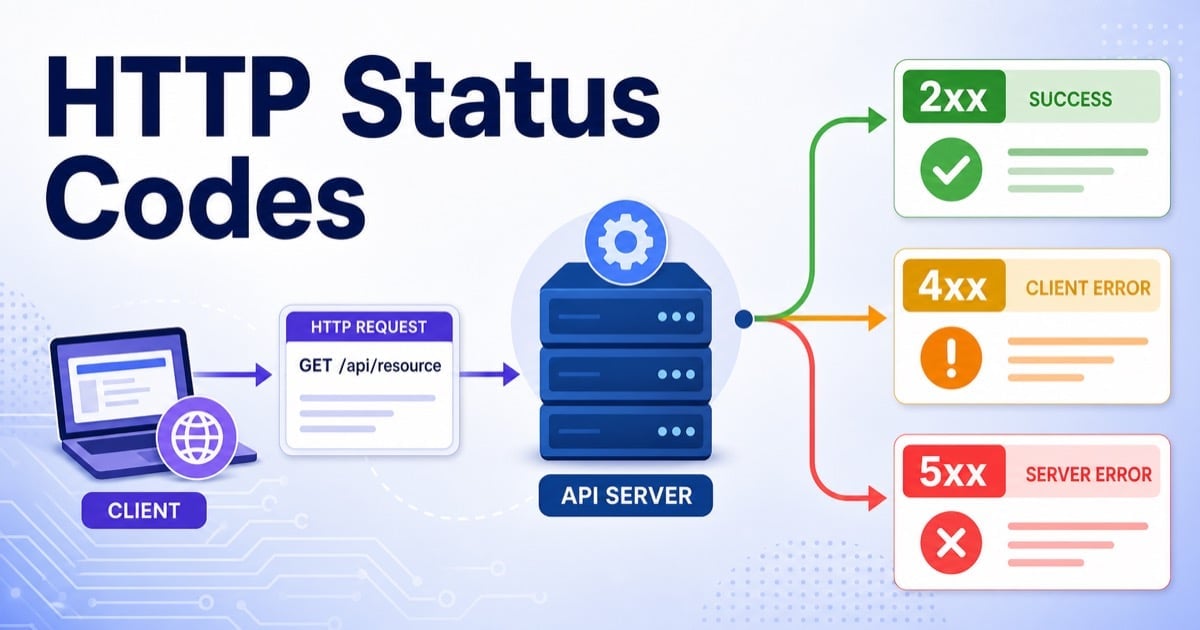
HTTP status codes are the first summary of what happened when a client calls a server. If you read them correctly, you can tell whether the request succeeded, needs authentication, hit a missing resource, got throttled, or failed because the server itself is unhealthy.
This guide explains the status codes beginners actually need in production, not the full encyclopedia. We will focus on the codes you see most often in browsers and APIs, why they matter, and how choosing the wrong one creates confusing clients and painful incident response. If request flow is still new, start with How APIs Work: A Simple Guide for Beginners and then come back here.
Table of Contents
Open Table of Contents
- Quick Definition
- Why HTTP Status Codes Matter
- Status Code Classes at a Glance
- Where Status Codes Are Chosen in a Backend
- 2xx Success Codes: The Request Worked
- 3xx Redirection Codes: Go Somewhere Else or Reuse Cache
- 4xx Client Error Codes: The Request Needs Fixing
- 5xx Server Error Codes: The Server Failed
- How to Choose the Right Status Code in APIs
- Common Mistakes Developers Make
- Real-World Example: Checkout and Inventory API
- Interview Questions
- 1. Why is returning the right HTTP status code better than always returning
200with a custom error body? - 2. What is the difference between
401 Unauthorizedand403 Forbidden? - 3. When would you choose
202 Acceptedinstead of200 OK? - 4. Why is
304 Not Modifiednot considered an error? - 5. When should an API return
409 Conflictinstead of400 Bad Request? - 6. Why is
503 Service Unavailableoften better than500 Internal Server Errorduring maintenance or overload?
- 1. Why is returning the right HTTP status code better than always returning
- Conclusion
- References
- YouTube Videos
Quick Definition
An HTTP status code is a three-digit number in the server response that tells the client the high-level result of the request.
At a practical level:
2xxmeans success.3xxmeans redirect or conditional cache behavior.4xxmeans the client request has a problem.5xxmeans the server failed while handling a valid-looking request.
The status code is not just decoration. Browsers, SDKs, API gateways, retries, caches, monitoring systems, and alerting rules all depend on it.
Why HTTP Status Codes Matter
Good status code design gives you four major benefits:
- Faster debugging Clients can separate validation problems from permission problems from server outages without guessing from message text.
- Better retry behavior
A mobile app might retry
503later, but it should not retry400unless the request changes. - Cleaner observability
Dashboards can quickly show whether an incident is mostly
4xxnoise or a real5xxoutage. - More predictable API contracts Frontend, mobile, and third-party consumers can build stable logic around well-known semantics.
If your REST fundamentals are still forming, What Is REST API? Beginner’s Guide with Examples is useful context because status codes are part of that contract, not an afterthought.
Status Code Classes at a Glance
| Class | Meaning | Typical Examples | Practical Use |
|---|---|---|---|
1xx | Informational | 100, 101 | Rare in beginner API work |
2xx | Success | 200, 201, 202, 204 | Request completed successfully |
3xx | Redirection | 301, 302, 304 | Redirect or reuse cached response |
4xx | Client error | 400, 401, 403, 404, 409, 429 | Client must change request or credentials |
5xx | Server error | 500, 502, 503, 504 | Server or upstream dependency failed |
Two rules help immediately:
- The first digit matters most.
- Unknown codes should still be interpreted by class, which is why consistent class choice is more important than inventing custom semantics.
Where Status Codes Are Chosen in a Backend
flowchart TD
    A[Client Request] --> B[Load Balancer or Gateway]
    B --> C{Authenticated?}
    C -->|No| D[401 Unauthorized]
    D --> A
    C -->|Yes| E[Application Service]
    E --> F{Input Valid?}
    F -->|No| G[400 Bad Request]
    G --> A
    F -->|Yes| H{Allowed to Access Resource?}
    H -->|No| I[403 Forbidden]
    I --> A
    H -->|Yes| J{Resource Exists?}
    J -->|No| K[404 Not Found]
    K --> A
    J -->|Yes| L[Business Logic]
    L --> M{Write Conflict or Limit Hit?}
    M -->|Conflict| N[409 Conflict]
    M -->|Rate Limited| O[429 Too Many Requests]
    N --> A
    O --> A
    M -->|Success| P[(Database or Cache)]
    P --> Q[200 201 204 Response]
    Q --> A
    P --> R{Dependency Failed?}
    R -->|Yes| S[502 503 504]
    R -->|No| T[Done]
    S --> A

    classDef http fill:#e8f0fe,stroke:#1a73e8,stroke-width:2px,color:#000000;
    class A,B,C,D,E,F,G,H,I,J,K,L,M,N,O,P,Q,R,S,T http;
This is why status codes belong to architecture, not just controller code. They are often determined by auth middleware, validators, business rules, gateways, caches, and downstream failures before your endpoint handler even returns.
If you already understand HTTP methods, think of methods as request intent and status codes as response outcome. Both sides of the contract need to be coherent.
2xx Success Codes: The Request Worked
200 OK
Use 200 when the request succeeded and you are returning a response body.
Common examples:
GET /products/sku_123PATCH /users/u_42POST /payments/verifywhen the action succeeded and returns details
Typical response:
HTTP/1.1 200 OK
Content-Type: application/json

{
  "orderId": "ord_9001",
  "status": "paid"
}
201 Created
Use 201 when a new resource has been created as a result of the request.
Common example:
POST /orders
Why it matters:
- It tells clients a new server-side resource now exists.
- It is clearer than returning a generic
200for a create operation. - It often pairs with a
Locationheader pointing to the new resource.
202 Accepted
Use 202 when the server accepted the request but has not finished the work yet.
Good fit:
- video transcoding jobs
- report generation
- large import tasks
- background email campaigns
This code is common in asynchronous systems. The request was valid, but completion happens later.
204 No Content
Use 204 when the request succeeded and there is no useful response body to send back.
Common examples:
DELETE /sessions/s_44POST /logoutPUT /preferences/u_42when the client does not need a body
Practical rule:
Use 204 when success is enough and sending JSON like { "success": true } adds no value.
3xx Redirection Codes: Go Somewhere Else or Reuse Cache
Many beginners think status codes are only about APIs, but browsers and CDNs rely heavily on 3xx responses.
301 Moved Permanently
Use 301 when a resource has a new permanent URL.
Practical example:
- Redirecting
http://example.comtohttps://example.com - Redirecting an old blog slug to a new canonical path
This matters for SEO, browser caching, and avoiding duplicate URLs. If transport security details are still fuzzy, HTTP vs HTTPS: What’s the Difference? gives the connection-level context behind those redirects.
302 Found
Use 302 for temporary redirects.
Good fit:
- A resource is temporarily served from a maintenance page.
- A login flow redirects users through a temporary auth path.
Important nuance:
301 says “update your long-term understanding of this URL.”
302 says “go here for now.”
304 Not Modified
304 is one of the most misunderstood status codes. It is not an error. It tells the client that its cached copy is still valid, so the server does not need to send the full response body again.
Real-world example:
A browser requests a stylesheet with If-None-Match or If-Modified-Since. If the file has not changed, the server returns 304, reducing bandwidth and response time.
This is one reason status codes are operational tools, not just API conventions.
4xx Client Error Codes: The Request Needs Fixing
4xx codes usually mean the client must change something before retrying successfully.
400 Bad Request
Use 400 when the request is malformed or fails basic validation at the protocol or payload level.
Examples:
- invalid JSON
- missing required field
- malformed query parameter
- wrong data type
Example response:
{
  "error": "invalid_request",
  "message": "quantity must be greater than 0",
  "requestId": "req_7b92d1"
}
401 Unauthorized
Despite the name, 401 really means unauthenticated in most API conversations. The client has not provided valid credentials.
Good fit:
- missing bearer token
- expired session cookie
- invalid API key
403 Forbidden
Use 403 when the client identity is known, but the user or service is not allowed to perform this action.
Example:
A support agent is authenticated successfully but cannot delete billing records.
The distinction matters:
401means “prove who you are.”403means “I know who you are, and you still cannot do this.”
404 Not Found
Use 404 when the target resource does not exist, or when your security policy intentionally hides whether it exists.
Common examples:
GET /orders/ord_missingGET /images/logo-old.png
This is one of the most visible status codes on the web, but in APIs it is equally important because it separates missing resources from permission problems and server bugs.
409 Conflict
Use 409 when the request is valid but cannot be completed because it conflicts with current resource state.
Good examples:
- updating a document with a stale version number
- trying to create a username that already exists
- cancelling an order that has already shipped
This is much more useful than returning a vague 400 because it tells the client the problem is state conflict, not malformed input.
429 Too Many Requests
Use 429 when the client exceeded a rate limit or quota.
Practical examples:
- too many login attempts from one IP
- too many API calls for a free-tier key
- burst traffic beyond allowed request budget
Good production behavior:
- Return
429. - Include a helpful error body.
- Often include
Retry-Afterso clients know when to back off.
5xx Server Error Codes: The Server Failed
5xx codes usually mean the client request might be fine, but the server or one of its dependencies failed to complete it.
500 Internal Server Error
Use 500 as the generic fallback when the server hit an unexpected failure.
Examples:
- unhandled exception
- null reference
- missing configuration
- serialization bug
Important rule:
500 should not be your default for every problem. If the real issue is bad input or missing auth, return the appropriate 4xx code instead.
502 Bad Gateway
Use 502 when a gateway or proxy got an invalid response from an upstream service.
Common example:
An API gateway forwards a request to a payments service, but the upstream service crashes or returns malformed HTTP.
503 Service Unavailable
Use 503 when the service is temporarily unavailable.
Good fit:
- maintenance window
- dependency outage
- service overloaded and shedding traffic
- database unavailable for a short period
This often pairs with Retry-After and is usually more honest than returning a vague 500.
504 Gateway Timeout
Use 504 when a proxy or gateway waited too long for an upstream service to respond.
This often points to latency or dependency issues rather than application correctness bugs.
How to Choose the Right Status Code in APIs
A simple mental model works well:
- Did the request succeed?
Use
2xx. - Is the client being redirected or reusing cache?
Use
3xx. - Must the client change request, credentials, or timing?
Use
4xx. - Did the server or upstream dependency fail?
Use
5xx.
Then be more specific:
- create resource ->
201 - async accepted ->
202 - success with no body ->
204 - not logged in ->
401 - logged in but blocked ->
403 - resource missing ->
404 - state conflict ->
409 - rate limited ->
429 - temporary outage ->
503
One anti-pattern hurts teams constantly: returning 200 OK for everything and hiding the real outcome in a JSON field like "success": false. That makes clients harder to write, dashboards less useful, and incident analysis slower.
Common Mistakes Developers Make
1. Returning 500 for validation failures
If the client sent bad input, that is not a server outage. Use 400 or a more specific 4xx code.
2. Confusing 401 and 403
This creates bad login flows and misleading frontend behavior. Authentication failure and permission failure are different problems.
3. Returning 404 for every failure
Teams sometimes hide too much behind 404. That may be acceptable for some security-sensitive resources, but using it everywhere destroys useful semantics.
4. Using 200 for resource creation and deletion without a reason
This is not always wrong, but it misses useful protocol meaning. 201 and 204 often communicate intent more clearly.
5. Treating 304 Not Modified as an error
304 is a performance optimization signal, not a broken request.
6. Forgetting rate-limit semantics
If an API throttles clients but returns 500, clients may retry aggressively and make the incident worse. 429 exists for a reason.
For a broader path across these concepts, browse the Web Fundamentals hub and the API tag archive.
Real-World Example: Checkout and Inventory API
Imagine an e-commerce backend with these operations:
POST /ordersGET /orders/{orderId}POST /payments/chargePATCH /inventory/sku_123DELETE /cart/items/item_7
How status codes should work in practice:
- Create order
Return
201 Createdwhen a new order record is stored successfully. - Fetch order
Return
200 OKwhen the order exists and the caller can view it. - Order not found
Return
404 Not Foundwhenord_9001does not exist. - Expired login
Return
401 Unauthorizedwhen the access token is missing or expired. - Permission issue
Return
403 Forbiddenwhen a user tries to read someone else’s order. - Concurrent inventory update
Return
409 Conflictif the request uses a stale version while stock changed elsewhere. - Payment provider outage
Return
503 Service Unavailableor502 Bad Gatewaydepending on whether your service is unavailable or your upstream gateway dependency failed.
Example create request:
POST /api/v1/orders HTTP/1.1
Authorization: Bearer <token>
Content-Type: application/json

{
  "userId": "u_42",
  "items": [
    { "sku": "sku_123", "quantity": 2 }
  ]
}
Example success response:
HTTP/1.1 201 Created
Content-Type: application/json
Location: /api/v1/orders/ord_9001

{
  "orderId": "ord_9001",
  "status": "pending_payment"
}
Example conflict response:
HTTP/1.1 409 Conflict
Content-Type: application/json

{
  "error": "inventory_version_conflict",
  "message": "Stock changed before this update completed. Refresh and retry."
}
This is where status codes stop being textbook trivia. They shape retries, UI messages, mobile behavior, alerting, and how quickly on-call engineers can understand what failed.
Interview Questions
1. Why is returning the right HTTP status code better than always returning 200 with a custom error body?
Because HTTP status codes are already part of the protocol contract understood by browsers, SDKs, gateways, caches, and monitoring tools. If everything is 200, every client has to parse custom payload rules to learn whether the operation really failed.
In interviews, I would say this creates accidental complexity. Standard semantics make retries safer, dashboards clearer, and integrations easier to maintain.
2. What is the difference between 401 Unauthorized and 403 Forbidden?
401 means the client has not presented valid credentials. The fix is authentication: log in again, refresh the token, or provide an API key.
403 means authentication succeeded, but the caller is still not allowed to perform the action. The fix is a permission or role change, not a new login.
3. When would you choose 202 Accepted instead of 200 OK?
I choose 202 when the request has been accepted for processing, but the work will finish asynchronously. A video transcoding request, bulk report export, or large data import are classic examples.
The trade-off is client complexity. The API usually needs a job ID or status endpoint so the client can poll or subscribe for completion later.
4. Why is 304 Not Modified not considered an error?
Because the request succeeded in a cache-aware way. The server is telling the client that the cached version is still valid, so there is no need to resend the full payload.
That improves bandwidth and latency. Operationally, 304 is a performance optimization signal, not a failed request.
5. When should an API return 409 Conflict instead of 400 Bad Request?
Use 409 when the request itself is valid, but the operation cannot complete because the current resource state changed or violates a state rule. Optimistic locking failures and duplicate state transitions are common examples.
Use 400 when the payload itself is malformed or missing required data. The key distinction is invalid request versus valid request that conflicts with current state.
6. Why is 503 Service Unavailable often better than 500 Internal Server Error during maintenance or overload?
503 communicates temporary unavailability more precisely. Clients, load balancers, and operators can respond differently when a service is intentionally unavailable or overloaded but expected to recover.
It also works well with Retry-After, which gives consumers a clearer retry strategy. A generic 500 hides that operational context.
Conclusion
HTTP status codes are one of the simplest parts of web development to memorize and one of the easiest to misuse. The main upgrade is to stop treating them as cosmetic numbers and start treating them as protocol-level meaning.
If you consistently separate success, redirects, client mistakes, and server failures, your APIs become easier to debug, easier to integrate, and easier to operate under load.
References
- MDN: HTTP Response Status Codes
https://developer.mozilla.org/en-US/docs/Web/HTTP/Reference/Status - RFC 9110 - HTTP Semantics
https://www.rfc-editor.org/rfc/rfc9110 - RFC 6585 - Additional HTTP Status Codes
https://www.rfc-editor.org/rfc/rfc6585 - MDN: 201 Created
https://developer.mozilla.org/en-US/docs/Web/HTTP/Reference/Status/201
YouTube Videos
- “API Status Codes and OpenAPI Documentation” - Caleb Curry
https://www.youtube.com/watch?v=doR604EaOhM - “HTTP Status Codes Explained | Web Dev Tutorial” - Code with Irtiza
https://www.youtube.com/watch?v=s3xyX1tYBgo - “REST API Basics: HTTP Methods, Path Params, Query Params & Status Codes” - Patel MernStack
https://www.youtube.com/watch?v=jb6hFibIf6k