 ADevGuide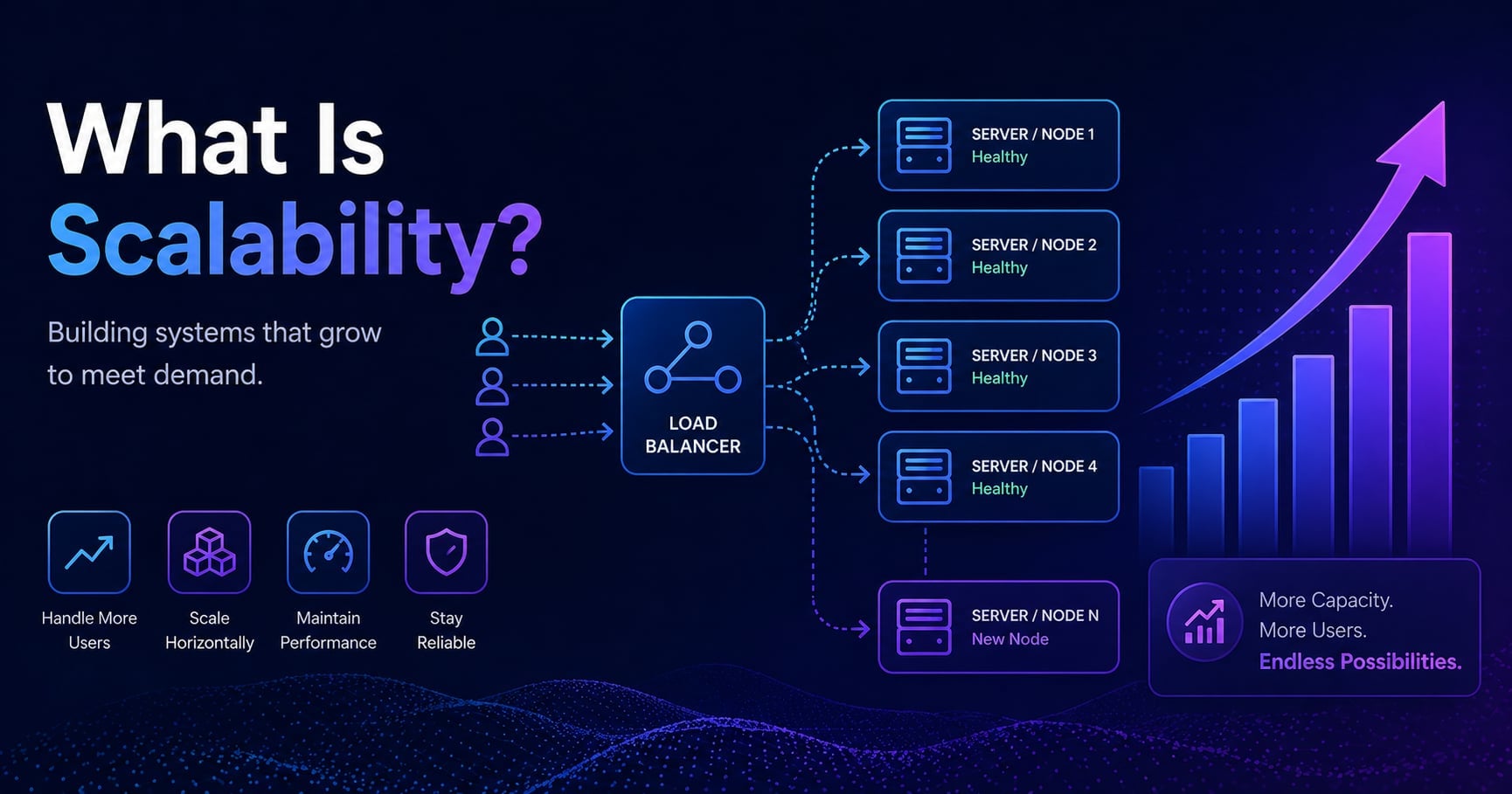
Your side project runs perfectly on a $5 server. Then it gets posted to a popular forum, ten thousand people visit in an hour, and the whole thing crashes. Not because your code was wrong - it worked fine. It just wasn’t designed to handle that much at once.
That’s a scalability problem. And understanding what scalability actually means - not as a buzzword, but as a concrete engineering property - is the foundation for every system design decision that follows. This guide covers what scalability is, why it matters, how the two main scaling strategies work, and where teams typically go wrong. If you’ve read How ORMs Work Internally, you’ve already seen one place where scalability decisions hide: the database layer. This guide zooms out to the system level.
Table of Contents
Open Table of Contents
- What Scalability Actually Means
- Why Scalability Is Harder Than It Looks
- Vertical Scaling: Making One Machine Bigger
- Horizontal Scaling: Adding More Machines
- Vertical vs Horizontal: When to Use Each
- Stateless Architecture: The Prerequisite for Horizontal Scaling
- The Database Bottleneck
- Real-World Scalability
- Common Mistakes That Kill Scalability
- Interview Questions
- 1. What is scalability and why does it matter?
- 2. What is the difference between vertical and horizontal scaling?
- 3. What does it mean for an application to be stateless, and why does it matter for scaling?
- 4. At what point should a company start thinking about horizontal scaling?
- 5. How do databases scale differently from application servers?
- 6. What is a load balancer and how does it relate to scalability?
- Conclusion
- References
- YouTube Videos
What Scalability Actually Means
Scalability is a system’s ability to handle increased load without a proportional degradation in performance. The keyword is proportional. Any system can handle more traffic if you throw enough resources at it - that’s not scalability, that’s just spending money. A scalable system handles increased load efficiently, meaning the cost and effort required to grow the system increases much more slowly than the load itself.
There are two dimensions worth separating:
Load scalability refers to how a system behaves as traffic, users, or data volume increases. Can the system handle ten times as many requests without becoming ten times slower?
Administrative scalability refers to how a system behaves as the team and organization around it grows. Can ten engineers work on it concurrently without stepping on each other? A system can be technically scalable but a nightmare to operate because the codebase or deployment process doesn’t scale with the team.
Most engineering discussions focus on load scalability, and that’s what the rest of this guide covers. But administrative scalability - sometimes called organizational scalability - is the reason microservices and modular monoliths exist.
Why Scalability Is Harder Than It Looks
A common mistake is treating scalability as something you add later: “We’ll scale it when we need to.” The problem is that many architectural decisions made early - often for simplicity - become obstacles when scale arrives. Storing session data in local server memory is simple and fast. It also prevents you from adding a second server without losing user sessions. Hardcoding a direct database connection string works until you have multiple application servers that all need database access managed consistently.
The other reason scalability is deceptively hard is that the bottleneck moves. You add more application servers. Now the database is the bottleneck. You scale the database. Now the network between services is the bottleneck. You optimize the network. Now a specific slow query on a particular table is the bottleneck. Each fix reveals the next constraint. Understanding scalability means understanding that you’re not solving a problem once - you’re building a system that can be improved incrementally as constraints shift.
flowchart TD
    A[Growing Traffic] --> B{Bottleneck?}
    B -->|Application layer| C[Add more app servers]
    B -->|Database layer| D[Scale the database]
    B -->|Network / I/O| E[Optimize data flow]
    C --> F{New Bottleneck?}
    D --> F
    E --> F
    F -->|Yes| B
    F -->|No| G[System handles load]
Vertical Scaling: Making One Machine Bigger
Vertical scaling - often called scaling up - means adding more resources to a single machine. More CPU cores, more RAM, faster storage, a larger network card. Your application keeps running on one server; that server just gets more powerful.
Vertical scaling is the path of least resistance early in a project’s life. Your application doesn’t need to change at all. There’s no coordination between multiple servers, no distributed state to manage, no network calls between instances. You change one number in your cloud provider’s dashboard and the machine gets bigger.
The limits of vertical scaling are real and hit sooner than most developers expect. First, there’s a hard ceiling: the largest single machine you can rent or buy. AWS’s largest general-purpose instance at the time of writing has 192 CPU cores and 1.5 TB of RAM. That sounds enormous, but a database under sufficient load will exhaust even that. Second, vertical scaling is expensive and the cost scales non-linearly - doubling the specs often more than doubles the price. Third, a single powerful machine is still a single point of failure. If it goes down, everything goes down.
flowchart TD
    A[Small Server\n1 CPU, 4GB RAM] -->|Scale Up| B[Large Server\n32 CPU, 256GB RAM]
    B -->|Hard limit reached| C[Cannot scale further\nwithout horizontal scaling]
Vertical scaling is the right first move for most applications. It’s simple, it works, and it buys you time to understand where your actual bottlenecks are before you commit to the complexity of distributing your system.
Horizontal Scaling: Adding More Machines
Horizontal scaling - scaling out - means adding more machines to handle load, with each machine running the same application. Instead of one powerful server, you have five ordinary servers, each handling a fraction of the traffic. A load balancer sits in front of them and distributes incoming requests across the pool.
Horizontal scaling removes the hard ceiling of a single machine. In principle, you can keep adding servers indefinitely. In practice, cloud platforms make this so easy that many applications scale horizontally automatically based on CPU utilization or request rate - a feature called autoscaling.
flowchart TD
    U[Users] --> LB[Load Balancer]
    LB --> S1[App Server 1]
    LB --> S2[App Server 2]
    LB --> S3[App Server 3]
    S1 --> DB[(Database)]
    S2 --> DB
    S3 --> DB
The tradeoff is complexity. When a single request might be handled by any one of several servers, the application must be designed so that it doesn’t matter which server handles a given request. State that lives on a specific server - session data, in-memory caches, local file uploads - breaks this assumption. Horizontal scaling forces you to confront that problem explicitly.
Horizontal scaling also introduces new failure modes. Multiple servers means more things that can go down individually. The load balancer itself becomes a potential single point of failure. Database connections multiply because every application server needs its own pool. These problems are solvable - and the solutions are the topics that follow in this series - but they require architectural thought that a single-server setup sidesteps entirely.
Vertical vs Horizontal: When to Use Each
The practical answer is: both, in sequence.
Start with vertical scaling. It’s simpler and often sufficient longer than you think. A single well-configured PostgreSQL instance can serve millions of users if queries are efficient and connections are pooled. Premature horizontal scaling adds operational overhead before you’ve earned the need for it.
Switch to horizontal scaling when:
- You’ve hit the practical limits of vertical scaling for your cost budget
- You need high availability (no single point of failure)
- Your traffic is spiky and unpredictable, making autoscaling valuable
- Different parts of your system have different resource needs (some services are CPU-bound, others are memory-bound)
In most production systems, both strategies coexist. The application tier scales horizontally. The database starts vertically but eventually gets read replicas (a form of horizontal scaling for reads) or gets sharded (horizontal scaling for writes). The cache layer scales horizontally. Each tier evolves independently based on where the load actually is.
Stateless Architecture: The Prerequisite for Horizontal Scaling
The most important prerequisite for horizontal scaling is statelessness. A stateless application server doesn’t store anything specific to a user session on the server itself. Every request carries enough information for any server to process it completely, without needing to reach back to the previous server that handled a prior request.
The classic example is session storage. A naive implementation stores session data in the application server’s memory:
Request 1: User logs in → Server A creates session in memory
Request 2: User loads dashboard → Load balancer routes to Server B
Server B has no session → User is logged out
The fix is to move session state somewhere all servers can reach - typically a Redis instance or a database:
Request 1: User logs in → Server A writes session to Redis
Request 2: User loads dashboard → Server B reads session from Redis
Server B finds the session → User stays logged in
Stateless design extends beyond sessions. File uploads must go to shared object storage (like S3 or GCS), not the local server disk. Configuration must come from environment variables or a config service, not from server-specific files. Any in-memory cache must be treated as ephemeral - assume it can be lost at any time without corrupting user data. Building stateless services is the architectural prerequisite that makes horizontal scaling work.
The Database Bottleneck
Application servers are relatively easy to scale horizontally because they’re usually stateless. Databases are harder because they’re stateful by definition - they’re where the data lives.
The two most common approaches for scaling a relational database are:
Read replicas: The primary database handles all writes. One or more replica databases receive a continuous stream of changes from the primary and stay in sync. Read queries are routed to replicas, which distributes read load across multiple machines. This works well when reads significantly outnumber writes - which is the case for most web applications.
Sharding: The data is partitioned across multiple database instances, each responsible for a slice of the total dataset. A user database might be sharded so that users with IDs 1-1,000,000 live on shard 1, users with IDs 1,000,001-2,000,000 live on shard 2, and so on. Sharding scales both reads and writes, but it introduces significant application complexity: cross-shard queries become expensive, transactions across shards require distributed coordination, and rebalancing shards when the split becomes uneven is painful.
For most applications at most stages of growth, read replicas are sufficient and worth pursuing before considering sharding. Sharding is a tool for systems operating at very large scale where a single database can no longer handle the write volume even after vertical scaling.
Real-World Scalability
Twitter (now X): The feed generation problem at Twitter is a canonical scalability case. When a user with 10 million followers posts a tweet, a naive implementation would write to 10 million timelines. Twitter experimented with both fan-out-on-write (pre-compute all timelines when a tweet is posted) and fan-out-on-read (compute each timeline when a user opens the app), eventually settling on a hybrid: fan-out-on-write for most users, fan-out-on-read for accounts with very large followings.
Netflix: Netflix runs on AWS and heavily uses autoscaling at the application tier. Their architecture is designed so that individual services can be scaled independently based on load. During peak evening hours, streaming services scale up; during off-peak hours, they scale down. This elasticity is only possible because each service is stateless and can be added or removed without disrupting the others.
Stack Overflow: A notable counter-example. Stack Overflow runs most of its traffic on a remarkably small number of very large physical servers. They’ve invested heavily in vertical scaling and caching, and it works. This is a reminder that horizontal scaling is not always the right answer - it depends on your specific load patterns and the cost tradeoffs.
Common Mistakes That Kill Scalability
Sticky sessions without shared state: Configuring a load balancer to always route a user to the same server (sticky sessions) can paper over a stateful application design. It works until a server goes down and all its users lose their sessions simultaneously. Fix: make the application stateless, then sticky sessions become unnecessary.
Synchronous calls in the critical path: If handling a request requires calling five downstream services synchronously, the total response time is the sum of all five service times. One slow service makes every request slow. Fix: identify which downstream calls can be made asynchronous (fire-and-forget, or via a message queue) and move them off the critical path.
No connection pooling: Every application server opening and closing database connections on every request exhausts the database’s connection limit as servers multiply. Fix: use a connection pool at the application layer and consider a dedicated connection pooler like PgBouncer in front of PostgreSQL. (This is covered in detail in What Is Database Connection Pooling and Why It Matters.)
Over-fetching data: Queries that return entire tables or large result sets to filter in application code put unnecessary load on both the database and the network. At low traffic this is invisible. At high traffic it becomes the bottleneck. Fix: filter, paginate, and select only the columns you need at the database level.
Interview Questions
1. What is scalability and why does it matter?
Scalability is a system’s ability to handle increasing load without a proportional degradation in performance or a proportional increase in cost. It matters because traffic growth is non-linear - a system that handles 1,000 users today might need to handle 100,000 users after a product launch or press mention. A system that was never designed for scale typically can’t be patched into one quickly under pressure. Thinking about scalability early doesn’t mean over-engineering; it means avoiding the architectural decisions that make scaling impossible later.
2. What is the difference between vertical and horizontal scaling?
Vertical scaling means giving a single server more resources - more CPU, RAM, or storage. It’s simple to implement because the application doesn’t need to change, but it has a hard ceiling and a single point of failure. Horizontal scaling means adding more servers and distributing load across them using a load balancer. It removes the hard ceiling and enables high availability, but it requires the application to be stateless so any server can handle any request. In practice, most production systems use both: vertical scaling for the database (at least initially) and horizontal scaling for the application tier.
3. What does it mean for an application to be stateless, and why does it matter for scaling?
A stateless application server doesn’t retain any information between requests that is specific to a user or session. Every request is self-contained. This matters for horizontal scaling because if a load balancer routes requests to different servers, those servers must be interchangeable - any of them must be able to handle any request. If session data lives in one server’s memory, that server can’t be replaced or supplemented by another. Making an application stateless typically means moving session data, file uploads, and other persistent state to shared external stores like Redis, S3, or a database.
4. At what point should a company start thinking about horizontal scaling?
There’s no fixed threshold, but some clear signals are: the server is consistently running out of CPU or memory and further vertical scaling is cost-prohibitive; the application needs high availability (zero single point of failure); traffic is highly variable and autoscaling would reduce cost; or different components have different resource profiles and would benefit from independent scaling. Many teams start thinking about horizontal scaling when they begin to hit the practical limits of vertical scaling for their budget, or when downtime during server maintenance becomes unacceptable.
5. How do databases scale differently from application servers?
Application servers are typically stateless and can be scaled horizontally without coordination - just add more servers and route traffic to them. Databases are stateful and require more care. The first approach is usually read replicas: copies of the primary database that handle read queries, reducing load on the primary. Reads significantly outnumber writes in most web applications, so this often provides substantial relief. When write volume becomes the bottleneck, sharding distributes data across multiple database instances, each responsible for a partition of the data. Sharding is powerful but complex, and most applications reach enormous scale before they need it.
6. What is a load balancer and how does it relate to scalability?
A load balancer is the component that sits in front of a pool of application servers and distributes incoming requests across them. Without a load balancer, horizontal scaling doesn’t work - traffic would all go to a single server regardless of how many servers you had. Load balancers distribute load using algorithms like round-robin (each server gets requests in turn), least connections (requests go to the server with the fewest active connections), or IP hashing (the same client always reaches the same server). They also perform health checks and remove unhealthy servers from the pool automatically. The load balancer itself can become a single point of failure, so production systems typically run multiple load balancers with a failover mechanism.
Conclusion
- Scalability is the ability to handle increasing load without proportional degradation - not just adding resources, but doing so efficiently.
- Vertical scaling (bigger machines) is the right starting point: simple, effective, and no application changes required. Its limits are a hard ceiling and a single point of failure.
- Horizontal scaling (more machines) removes both of those limits but requires stateless application design and a load balancer.
- Stateless architecture - externalizing session data and shared state to Redis, object storage, or a database - is the architectural prerequisite that makes horizontal scaling work.
- Databases scale differently from application servers: read replicas handle read load; sharding handles write volume at large scale; connection pooling handles connection count as app servers multiply.
- The bottleneck moves: every fix reveals the next constraint. Scalability is a continuous process, not a one-time problem to solve.
The next topic in this series covers Vertical vs Horizontal Scaling in depth - comparing the tradeoffs side by side with concrete examples of when each makes sense. Continue with Horizontal vs Vertical Scaling Explained (Scale Out vs Up). For the database foundation that underpins all of this, What Is a Database Transaction? explains the consistency guarantees that make scaling the data layer so much harder than scaling application code.
References
-
Web Scalability for Beginners - Hookdeck
https://hookdeck.com/blog/web-scalability-beginners -
Scalability in Software Development and How to Achieve It - MadAppGang
https://madappgang.com/blog/scalability-in-software-development/ -
9 Strategies to Scale Your Web App - DigitalOcean
https://www.digitalocean.com/resources/articles/scale-web-app
YouTube Videos
-
“Scalability explained in 18 mins!“
https://www.youtube.com/watch?v=_6rK7BqTrLM -
“System Design BASICS: Horizontal vs. Vertical Scaling”
https://www.youtube.com/watch?v=xpDnVSmNFX0 -
“System Design: Scalability - The Ultimate Guide”
https://www.youtube.com/watch?v=TXJP0gzCXFQ