 ADevGuide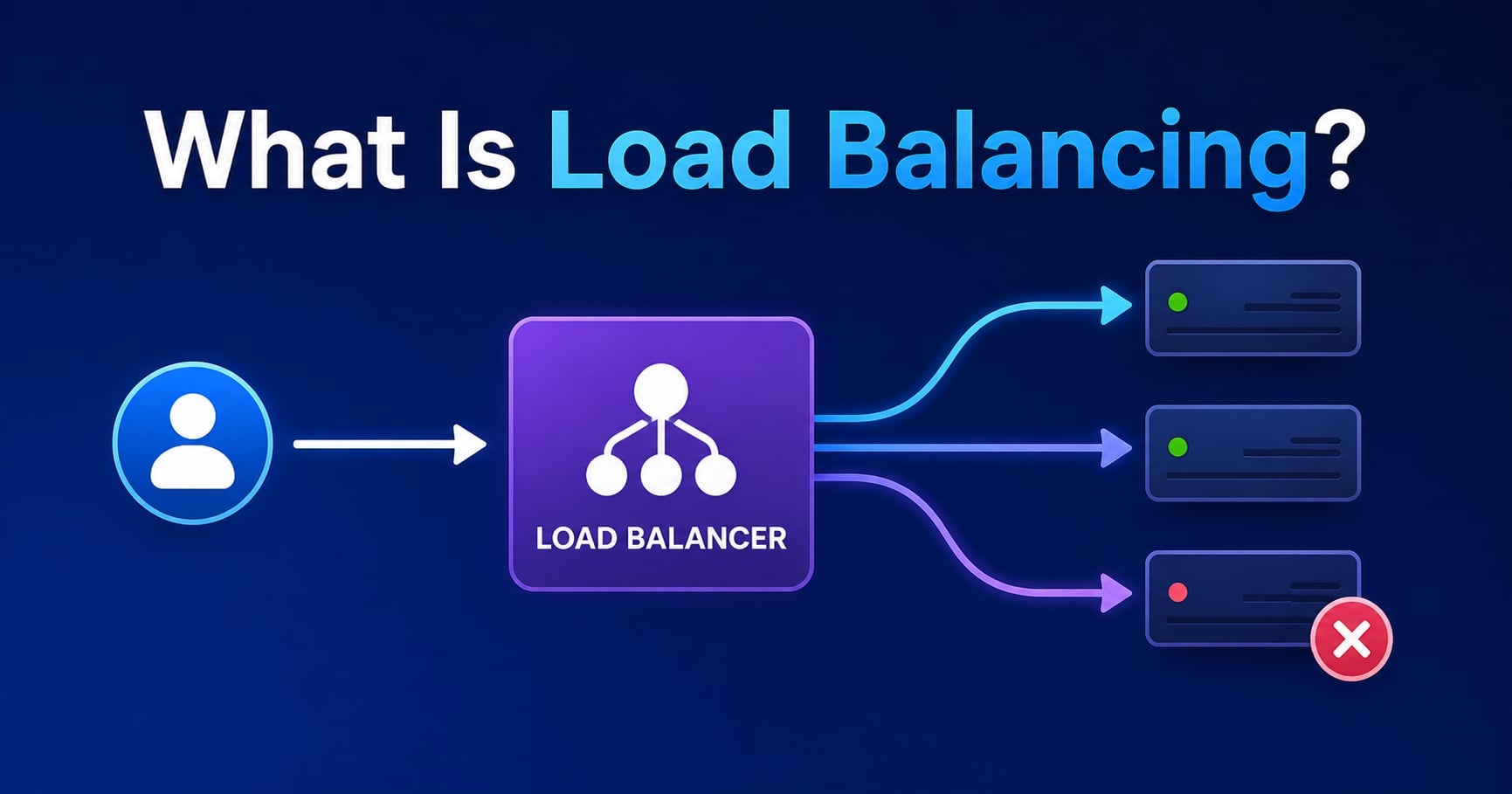
Your app is fine… until it isn’t.
One day you have a single server handling 50 requests per minute. The next day a promo email goes out, traffic jumps 50×, and your backend starts timing out. At that point, you’re not just “adding servers” - you need a way to distribute traffic safely and remove unhealthy servers automatically.
That’s what load balancing is.
If you’re following the learning path, start with What Is Scalability? A Beginner’s Guide for Developers first. Load balancing is one of the first concrete building blocks that makes horizontal scaling work.
For the full roadmap, use the System Design Foundations series as the pillar page and the System Design tag as a category page.
Related foundation posts that pair well with this topic:
- What Is Client-Server Architecture? Beginner Guide
- What Is a Web Server? How Nginx and Apache Work
- HTTP Status Codes Explained (200, 404, 500 and More)
Table of Contents
Open Table of Contents
- What Is Load Balancing? (Definition)
- Where a Load Balancer Sits in a Real System
- How Load Balancers Work (Step-by-Step)
- Load Balancing Algorithms (Round Robin, Least Connections, IP Hash)
- Health Checks: How Unhealthy Servers Stop Getting Traffic
- Layer 4 vs Layer 7 Load Balancing (L4 vs L7)
- Sticky Sessions: When “Same User → Same Server” Happens
- A Practical Example: Nginx as a Load Balancer
- Common Load Balancing Mistakes
- Interview Questions
- Conclusion
- References
- YouTube Videos
What Is Load Balancing? (Definition)
Load balancing is the process of distributing incoming network traffic across multiple servers (or instances) so no single server becomes the bottleneck.
A load balancer is the component that makes this practical. It acts like a traffic controller:
- routes each request to a backend server based on an algorithm
- stops sending traffic to unhealthy servers
- optionally terminates TLS (HTTPS) and handles retries/timeouts
The key idea is not “more servers” - it’s controlled routing + health-based failover.
Where a Load Balancer Sits in a Real System
In most web systems, the load balancer sits in front of a pool of identical application servers.
flowchart TD
    U[Users] --> DNS[DNS]
    DNS --> LB[Load Balancer]
    LB --> A1[App Server 1]
    LB --> A2[App Server 2]
    LB --> A3[App Server 3]
    A1 --> DB[(Database)]
    A2 --> DB
    A3 --> DB
This architecture works best when your app servers are largely stateless. If one app server disappears, the system should keep working.
If that statelessness part feels fuzzy, revisit the “stateless architecture” section in What Is Scalability? A Beginner’s Guide for Developers.
How Load Balancers Work (Step-by-Step)
A simplified request flow looks like this:
- A user sends an HTTPS request to your domain.
- DNS resolves your domain to the load balancer endpoint.
- The load balancer chooses a backend (based on health + algorithm).
- The backend processes the request and returns a response.
- The load balancer forwards the response back to the client.
Two important details:
- The load balancer needs a live list of backends (a pool), and it needs to know which ones are healthy.
- The load balancer must behave predictably during spikes: queueing, timeouts, retries, and connection reuse affect user-visible latency.
Load Balancing Algorithms (Round Robin, Least Connections, IP Hash)
Load balancing isn’t random. The algorithm you choose changes performance and failure behavior.
Round robin
Round robin cycles through servers in order.
- Good default for identical servers under roughly similar load.
- Not great when requests have very different “weights” (some requests are expensive, others are cheap).
Least connections
Least connections sends the next request to the server with the fewest active connections.
- Works better than round robin when requests are long-lived (streaming, long polls, slow endpoints).
- Can be misleading if a few slow requests keep connections open for a long time.
IP hash (or “consistent client routing”)
IP hash routes a client to the same server based on client IP.
- Useful for some legacy stateful systems.
- Risk: it behaves like a form of sticky sessions, which can create hotspots.
In production, many platforms also support weighted routing (bigger servers get more traffic) and latency-aware routing (send to the fastest healthy backend).
Health Checks: How Unhealthy Servers Stop Getting Traffic
If you run multiple app servers, some of them will eventually be “alive” but not actually healthy:
- the process is running but the database is down
- the process is stuck in a deadlock
- the process is overloaded and timing out
Health checks are how the load balancer discovers this.
The simplest pattern: /healthz
A common approach is a lightweight endpoint like GET /healthz that returns 200 when the server can handle traffic.
The key is to keep it honest. A health check that always returns 200 is worse than no health check because it creates false confidence.
Readiness vs liveness
- Liveness: “Is the process running?”
- Readiness: “Should this instance receive real user traffic?”
For load balancing decisions, readiness is usually what you care about.
Layer 4 vs Layer 7 Load Balancing (L4 vs L7)
A helpful mental model:
- Layer 4 load balancing (transport layer) routes based on TCP/UDP connections.
- Layer 7 load balancing (application layer) routes based on HTTP(S) properties like path, host, headers, and cookies.
When Layer 4 is enough
Layer 4 is often simpler and faster:
- “Send TCP connections to one of these servers.”
- Great for protocols that aren’t HTTP.
- Less visibility into request-level routing.
When Layer 7 is worth it
Layer 7 unlocks application-aware routing:
- route
/api/*to API servers and/static/*to a separate pool - route by host (multi-tenant)
- do canary releases (send 1% of traffic to a new version)
The trade-off is complexity: Layer 7 has more features, but also more ways to misconfigure timeouts, headers, and retries.
Sticky Sessions: When “Same User → Same Server” Happens
Sticky sessions (session affinity) mean requests from the same user get routed to the same backend instance.
This can be useful when your app servers hold session state in memory, but it’s often a band-aid. If that backend dies, the user’s session disappears.
A more scalable approach is to make app servers stateless and store session state in a shared store (Redis, database, or an auth provider).
A Practical Example: Nginx as a Load Balancer
Nginx can act as a reverse proxy and a basic load balancer. Here’s a minimal example using round robin (the default).
# /etc/nginx/conf.d/app.conf
upstream app_upstream {
  server 10.0.0.11:3000;
  server 10.0.0.12:3000;
  server 10.0.0.13:3000;
}

server {
  listen 80;

  location / {
    proxy_pass http://app_upstream;
    proxy_set_header Host $host;
    proxy_set_header X-Forwarded-For $proxy_add_x_forwarded_for;
    proxy_set_header X-Forwarded-Proto $scheme;
  }
}
What this gives you:
- one stable entry point for clients
- traffic distribution across your app servers
- a place to terminate TLS (if you add HTTPS)
What it does not automatically solve:
- your app being stateful (sessions/files stored locally)
- database bottlenecks
- bad retry/timeouts causing traffic amplification
Common Load Balancing Mistakes
1. “We scaled out, but it’s still slow”
Adding app servers doesn’t help if the database (or one hot query) is the bottleneck. Load balancing is not a substitute for identifying the real saturation point.
2. Incorrect timeouts that cause retries
If a load balancer times out at 30 seconds and your backend occasionally completes in 35 seconds, you may get retries that double the load right when you’re already under stress.
3. Treating sticky sessions as the architecture
Sticky sessions can hide a stateful design until the day you need failover. If you must use them, treat them as a temporary compatibility mode.
4. Unhealthy health checks
If your health checks don’t reflect real readiness (for example, they don’t include dependency checks), the load balancer will keep routing traffic to broken instances.
Interview Questions
1. What is load balancing?
Load balancing is the practice of distributing incoming traffic across multiple servers so no single server becomes overloaded. A load balancer routes requests using an algorithm (like round robin or least connections) and stops routing to unhealthy backends via health checks. It improves performance during traffic spikes and increases availability because one server failing doesn’t have to be an outage. In practice, load balancing is a prerequisite for horizontal scaling.
2. What’s the difference between a load balancer and autoscaling?
A load balancer decides where each request goes among the servers you already have. Autoscaling decides how many servers you should have based on metrics like CPU usage, request rate, or queue depth. They often work together: autoscaling adds/removes instances, and the load balancer automatically starts/stops routing traffic to them. Without a load balancer, autoscaling doesn’t help much because clients still need a single stable endpoint.
3. How do load balancers detect unhealthy servers?
They use health checks, typically periodic HTTP requests (Layer 7) or TCP checks (Layer 4), to validate that a backend is ready to receive traffic. Once a backend fails health checks for a configured threshold, the load balancer removes it from the pool. Good health checks are fast and representative, and they often distinguish between liveness (process running) and readiness (safe to serve real traffic). This prevents routing traffic to instances that are technically up but functionally broken.
4. When would you choose Layer 4 vs Layer 7 load balancing?
Layer 4 is a good fit when you need fast connection-level routing, you’re not using HTTP, or you want less application-level complexity. Layer 7 is better when you need content-based routing (paths/hosts/headers), canary rollouts, or application-aware policies. The trade-off is that Layer 7 introduces more configuration surface area for timeouts, header handling, and retries. In interviews, I usually pick Layer 7 for typical HTTP APIs unless there’s a clear reason to keep it simpler.
5. What are sticky sessions and why can they be risky?
Sticky sessions route a user’s requests to the same backend instance, often using cookies or IP hash. They can reduce complexity for stateful apps, but they create fragile coupling between user state and a single machine. If the instance fails, the session can be lost, and uneven traffic patterns can create hotspots. A more scalable approach is to externalize session state so any instance can serve any request.
6. Why can retries make an outage worse?
Retries increase load when the system is already overloaded, which can create a feedback loop: slow responses trigger timeouts, timeouts trigger retries, retries increase load, and everything gets slower. Load balancers and clients should use careful timeout tuning and bounded retries (often with exponential backoff). In many systems, it’s better to fail fast with a 503 than to keep piling more work onto already struggling backends.
Conclusion
- Load balancing distributes incoming traffic across multiple backends to improve performance and availability.
- The algorithm matters: round robin, least connections, and IP hash each behave differently under uneven load.
- Health checks are what make load balancing reliable in production.
- Layer 4 routes connections; Layer 7 routes requests and enables richer routing decisions.
- Sticky sessions can hide statefulness, but they make failover and scaling harder.
The next topic in this series covers Sticky Sessions - when they’re useful, and when they’re a trap.
If you want the “why this matters for scaling” context again, revisit What Is Scalability? A Beginner’s Guide for Developers.
References
-
Load Balancing - Cloudflare Learning Center
https://www.cloudflare.com/learning/performance/what-is-load-balancing/ -
Elastic Load Balancing - AWS Documentation
https://docs.aws.amazon.com/elasticloadbalancing/latest/userguide/what-is-load-balancing.html -
HTTP Load Balancer Overview - Google Cloud Documentation
https://cloud.google.com/load-balancing/docs/https
YouTube Videos
-
“What is a Load Balancer?” - IBM Technology
https://www.youtube.com/watch?v=sCR3SAVdyCc -
“Load Balancers 101” - the roadmap
https://www.youtube.com/watch?v=galcDRNd5Ow -
“What is Layer 4 Load Balancer?” - Hussein Nasser
https://www.youtube.com/watch?v=CKrR-pQqtGg