 ADevGuide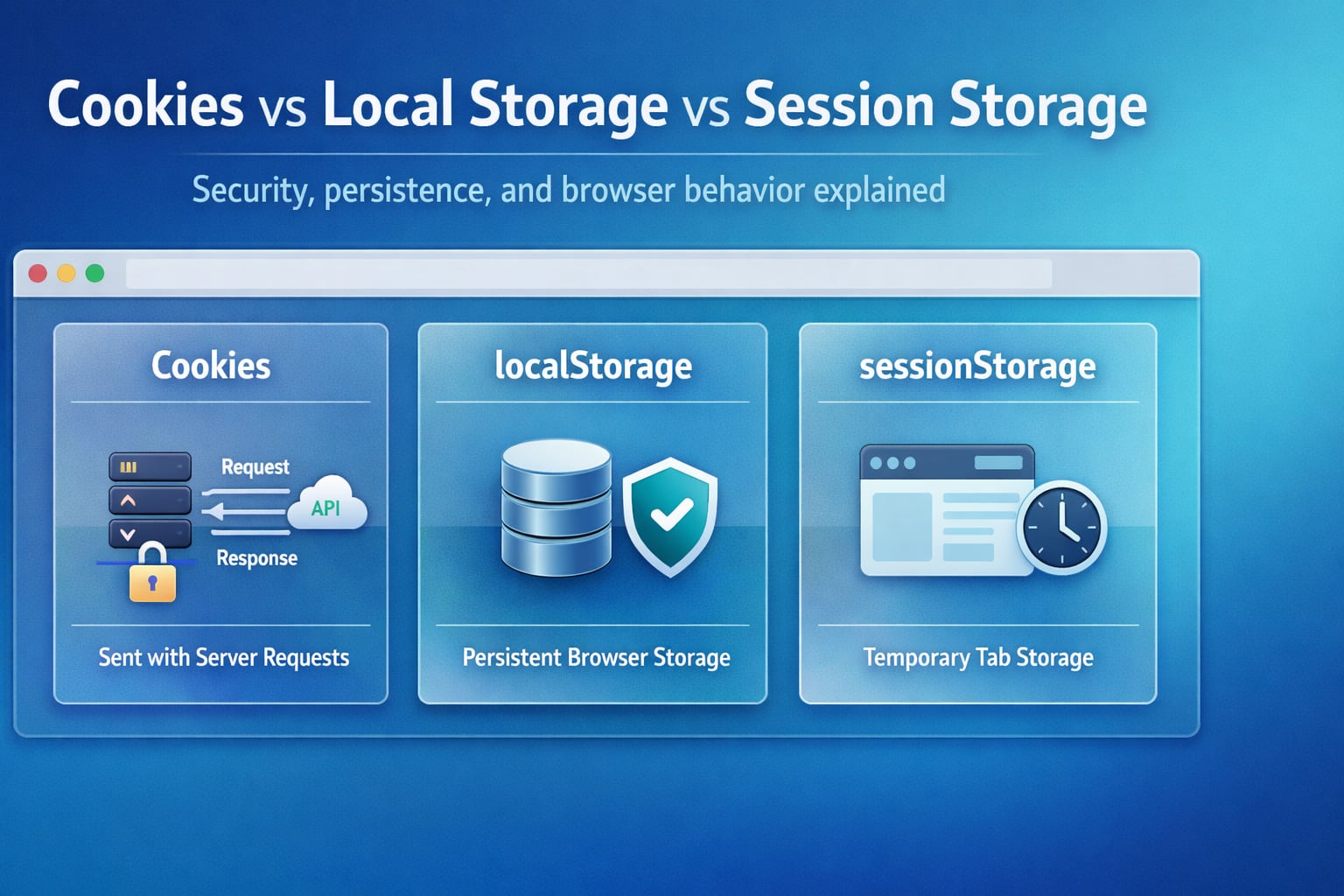
Cookies, localStorage, and sessionStorage all keep data in or around the browser, but they solve different problems. The important distinction is this: cookies participate in the HTTP request/response cycle, while Web Storage stays in the browser unless your JavaScript explicitly sends it somewhere else.
If you are still building the bigger request pipeline model, start with How APIs Work: A Simple Guide for Beginners, Authentication vs Authorization: What’s the Difference?, and JWT vs Session Authentication: Complete Comparison first. This article sits on top of that foundation.
Table of Contents
Open Table of Contents
- Quick Definition
- Why This Comparison Confuses Beginners
- How Cookies Work
- How localStorage Works
- How sessionStorage Works
- Cookies vs Local Storage vs Session Storage: Side-by-Side Comparison
- Security, Performance, and Expiration Trade-Offs
- When Cookies Are the Right Choice
- When localStorage Is the Right Choice
- When sessionStorage Is the Right Choice
- Real-World Example: SaaS Dashboard and Checkout Flow
- Common Mistakes Developers Make
- Interview Questions
- 1. Why are cookies commonly used for browser authentication instead of
localStorage? - 2. What is the main difference between
localStorageandsessionStorage? - 3. When would you choose
sessionStorageover cookies? - 4. Why is storing sensitive data in Web Storage risky?
- 5. Are cookies always safer than Web Storage?
- 6. If you need a persistent theme preference, which option is best and why?
- 1. Why are cookies commonly used for browser authentication instead of
- Conclusion
- References
- YouTube Videos
Quick Definition
- Cookies are small browser-stored values that browsers can automatically send to the server on matching HTTP requests.
localStorageis browser-side key/value storage that persists across browser sessions for the same origin.sessionStorageis browser-side key/value storage scoped to the current tab and origin, and it is cleared when that tab or window closes.
The fastest way to remember the difference:
- Use cookies when the server needs the browser to automatically send state, most often authentication or server-managed session information.
- Use
localStoragefor browser-only state that should survive restarts, such as theme, dismissed banners, or cached UI preferences. - Use
sessionStoragefor temporary tab-specific state, such as unsaved form drafts, multi-step flows, or one-tab UI state.
Why This Comparison Confuses Beginners
Most confusion happens because people compare three different layers at once:
- A cookie is an HTTP/browser mechanism.
localStorageandsessionStorageare Web Storage APIs.- Session-based authentication and JWT-based authentication are application-level auth models.
That means these are all possible at the same time:
- A server-side session ID stored inside an
HttpOnlycookie. - A JWT stored in an
HttpOnlycookie. - Theme preference stored in
localStorage. - Checkout-step progress stored in
sessionStorage.
So the real question is not “Which one is best?” The real question is:
- Does the server need this value automatically on requests?
- Should the data survive a browser restart?
- Should the data be limited to one tab?
- Is the data safe to expose to JavaScript?
Once you frame it that way, the right answer gets much easier.
How Cookies Work
Cookies are part of the HTTP model. A server sets them with a Set-Cookie header, and the browser sends them back on later matching requests.
Typical flow:
- User logs in.
- Server validates credentials.
- Server sends
Set-Cookiein the response. - Browser stores the cookie.
- Browser automatically attaches that cookie to future requests for the same site scope.
flowchart TD
  A[User Login Request] --> B[Application Server]
  B --> C{Credentials Valid?}
  C -->|No| D[401 Unauthorized]
  C -->|Yes| E[Set-Cookie Response Header]
  E --> F[Browser Stores Cookie]
  F --> G[Later Request to Same Site]
  G --> H[Cookie Sent Automatically]
  H --> I[Server Restores Session or Reads Preference]

  classDef cookie fill:#fff3e0,stroke:#ef6c00,stroke-width:2px,color:#000000;
  class A,B,C,D,E,F,G,H,I cookie;
Example:
HTTP/1.1 200 OK
Set-Cookie: sid=s_91ab23; HttpOnly; Secure; SameSite=Lax; Path=/
Content-Type: application/json

{
  "user": {
    "id": "u_42",
    "name": "Asha"
  }
}
Why cookies still matter:
- They are the only option in this comparison that browsers automatically attach to requests.
- They support flags like
HttpOnly,Secure, andSameSite, which are important security controls. - They work naturally for server-managed login state.
Why cookies are not a general-purpose client database:
- They are small.
- They are sent with requests, which adds overhead.
- They require more careful security handling, especially around CSRF and session management.
If secure transport still feels fuzzy, read HTTP vs HTTPS: What’s the Difference?. Cookie security depends heavily on transport and cookie attributes.
How localStorage Works
localStorage is part of the Web Storage API. It stores string key/value pairs in the browser for a specific origin, and that data persists across browser restarts unless the user clears it or the browser evicts it.
Typical use cases:
- Theme preference such as dark mode or compact mode.
- Recently selected filters in a dashboard.
- Non-sensitive client-side caching of UI state.
- Dismissed onboarding banners.
Example:
localStorage.setItem("theme", "dark");

const theme = localStorage.getItem("theme");

if (theme === "dark") {
  document.documentElement.dataset.theme = "dark";
}
Important characteristics:
- Data is scoped by origin.
- Data persists beyond the current session.
- Data is accessible to JavaScript running on the page.
- Data is not automatically sent to the server.
That last point is why localStorage often improves frontend simplicity for harmless UI state, but it also explains why it is dangerous for sensitive credentials. If malicious JavaScript runs in the page, it can read localStorage.
How sessionStorage Works
sessionStorage looks similar to localStorage, but its lifetime and scope are narrower. It is scoped to both the origin and the current tab.
Practical meaning:
- Refreshing the page usually keeps the data.
- Opening the same site in a second tab creates a different storage context.
- Closing the tab or window clears the stored values.
Example:
sessionStorage.setItem("checkoutStep", "shipping");
sessionStorage.setItem("draftCoupon", "SPRING20");

const activeStep = sessionStorage.getItem("checkoutStep");
This makes sessionStorage useful when you want state to survive refreshes but not become long-lived browser memory.
Strong fits:
- Unsaved form drafts.
- Temporary checkout progress.
- Tab-scoped filters or sort order.
- One-time workflow state that should disappear when the tab closes.
Cookies vs Local Storage vs Session Storage: Side-by-Side Comparison
| Dimension | Cookies | localStorage | sessionStorage |
|---|---|---|---|
| Primary purpose | Server/browser state exchange | Persistent browser-side storage | Temporary tab-scoped browser-side storage |
| Sent with HTTP requests | Yes, automatically when scope matches | No | No |
| Typical lifetime | Configurable by cookie attributes | Persists until cleared/evicted | Ends when tab/window closes |
| Scope | Domain/path rules | Origin | Origin + tab |
| Capacity | Small, typically around 4 KB per cookie | Much larger than cookies, browser-dependent | Much larger than cookies, browser-dependent |
| Accessible from JavaScript | Usually yes, unless HttpOnly | Yes | Yes |
| Best use cases | Session ID, CSRF-related flows, server-known preference | Theme, UI preference, non-sensitive cached state | Drafts, wizard progress, tab-local state |
| Worst use cases | Large client-only data blobs | Sensitive tokens or secrets | Sensitive tokens or long-term persistence |
The biggest architectural distinction is this:
- Cookies are best when the browser and server must cooperate automatically.
- Web Storage is best when the browser UI owns the state.
Security, Performance, and Expiration Trade-Offs
This is where teams usually make the wrong call.
Security
Cookies can be safer for auth when used correctly because you can mark them HttpOnly, which prevents JavaScript from reading them directly. That is impossible with localStorage and sessionStorage.
But cookies bring their own risks:
- Weak cookie settings can enable CSRF issues.
- Missing
Securecan expose cookies on non-HTTPS traffic. - Weak session handling can lead to fixation or poor revocation behavior.
Web Storage risks:
- Any successful XSS can read
localStorageandsessionStorage. - Developers often store long-lived tokens there and assume that “browser storage” means “secure storage.”
- Sensitive data can remain exposed longer than intended if expiry rules are not implemented carefully.
Practical rule:
- Prefer
HttpOnlycookies for browser-based auth state. - Prefer Web Storage only for non-sensitive browser-owned state.
Performance
Cookies are sent with matching HTTP requests. If you stuff too much data into cookies, every request becomes heavier.
localStorage and sessionStorage do not add request size by themselves because they stay in the browser unless your code manually includes their values in API calls.
That makes Web Storage better for:
- UI preferences.
- Temporary drafts.
- Small browser-side caches.
It does not make Web Storage a replacement for proper caching layers, databases, or secure credential storage.
Expiration and lifecycle
Cookies can be:
- Session cookies that disappear when the browsing session ends.
- Persistent cookies with explicit
ExpiresorMax-Age.
localStorage has no built-in expiry field, so if you want expiration, your application must store timestamps and enforce them.
sessionStorage is simpler: its lifecycle is already tied to the tab session.
When Cookies Are the Right Choice
Use cookies when the server needs state on every request or when browser-based authentication is involved.
Good fits:
- Session ID for server-side authentication.
- Short preference values the server must know before rendering.
- CSRF-related flows where cookie behavior matters.
- Cross-request state owned by the backend.
Example:
- A server-rendered admin dashboard stores
sidin anHttpOnlycookie. - Every page request includes that cookie.
- The backend restores the user session and checks permissions.
That maps closely to session-based authentication, where the server remains the source of truth.
When localStorage Is the Right Choice
Use localStorage when the browser owns the data and you want it to persist across sessions.
Good fits:
- Saved theme.
- Sidebar collapsed or expanded state.
- Recently used filters in a reporting UI.
- Language choice when it is safe for the client to manage it.
Bad fits:
- Refresh tokens.
- Sensitive account identifiers you would not want exposed to page scripts.
- Large structured datasets that really belong in IndexedDB or backend storage.
Example:
- A dashboard stores
"theme":"dark"and"tableDensity":"compact"inlocalStorage. - When the user comes back tomorrow, the frontend restores the same presentation instantly.
When sessionStorage Is the Right Choice
Use sessionStorage when the state should survive reloads inside one tab, but disappear after the tab is closed.
Good fits:
- Multi-step checkout progress.
- Unsaved notes in a support form.
- Tab-specific search filters.
- Short-lived workflow context during onboarding.
Bad fits:
- Long-term user settings.
- Cross-tab synchronization needs.
- Security-sensitive tokens.
Example:
- A user is halfway through a five-step checkout form.
- They refresh the page accidentally.
sessionStoragerestores the active step and draft fields.- They close the tab later, and that draft disappears naturally.
Real-World Example: SaaS Dashboard and Checkout Flow
Imagine a SaaS product with both an authenticated dashboard and a customer checkout flow.
Recommended storage split:
- Cookie for authenticated dashboard session.
localStoragefor dashboard theme and layout preference.sessionStoragefor in-progress checkout step or unsaved form draft.
flowchart TD
  A[User Opens App] --> B{What kind of state?}
  B -->|Auth session| C[HttpOnly Cookie]
  B -->|Persistent UI preference| D[localStorage]
  B -->|Temporary tab flow| E[sessionStorage]
  C --> F[Sent on matching requests]
  D --> G[Restored on future visits]
  E --> H[Restored after refresh in same tab]

  classDef storage fill:#e8f5e9,stroke:#2e7d32,stroke-width:2px,color:#000000;
  class A,B,C,D,E,F,G,H storage;
This is usually the mature production answer: do not force one mechanism to handle every job.
A strong frontend-backend split often looks like this:
- The backend owns security-critical identity state.
- The browser owns harmless UX preferences.
- Temporary workflow state stays short-lived and local to the tab.
That architecture is easier to reason about, easier to secure, and easier to debug.
Common Mistakes Developers Make
1. Storing JWTs in localStorage by default
This is common because it feels easy, not because it is automatically safe. If the app has an XSS problem, JavaScript-readable storage becomes a larger blast radius.
2. Using cookies as a generic client database
Cookies are not meant for large browser-only UI state. They ride on requests and create unnecessary overhead.
3. Treating sessionStorage like a secure vault
It is short-lived, but it is still readable by JavaScript running in the page.
4. Assuming localStorage has built-in expiration
It does not. If you need expiry, you must implement it yourself.
5. Forgetting that sessionStorage is tab-scoped
If your product expects data to sync across tabs, sessionStorage will feel broken because it is doing exactly what it is supposed to do.
6. Mixing transport, storage, and auth concepts
People often ask:
- cookies vs JWT
- sessions vs
localStorage - tokens vs
sessionStorage
Those comparisons blur categories. Storage mechanism and auth architecture are related, but they are not the same design choice.
Interview Questions
1. Why are cookies commonly used for browser authentication instead of localStorage?
Cookies work better for browser auth because they can be automatically sent on requests and can be marked HttpOnly, which prevents normal page JavaScript from reading them. localStorage is easier for frontend code to access, but that same convenience makes it riskier for security-sensitive auth tokens.
2. What is the main difference between localStorage and sessionStorage?
localStorage is persistent for the origin across browser restarts, while sessionStorage is limited to the current tab and disappears when that tab or window closes. Both are browser-side string key/value stores, but their lifecycle is different.
3. When would you choose sessionStorage over cookies?
Choose sessionStorage when the server does not need the value automatically and the state should stay limited to one tab. A good example is a multi-step form draft or temporary UI flow state. Cookies would be the wrong tool if that data is purely client-side.
4. Why is storing sensitive data in Web Storage risky?
Because localStorage and sessionStorage are accessible to JavaScript in the page. If an attacker finds an XSS path, script-readable storage can be extracted. Security-sensitive browser auth usually needs stronger controls than “it lives in the browser.”
5. Are cookies always safer than Web Storage?
No. Cookies are safer only when configured correctly and used for the right problem. A cookie without Secure, without sane SameSite, or with weak session handling can still create serious risk. The real answer is to align the storage mechanism with the threat model and request flow.
6. If you need a persistent theme preference, which option is best and why?
localStorage is usually the best fit because the browser owns the preference, it should survive restarts, and the server does not need it on every request. A theme preference is low-risk UI state, which is exactly the kind of data Web Storage handles well.
Conclusion
Cookies, localStorage, and sessionStorage are not competitors in the strict sense. They are tools at different layers of the browser and web stack.
The clean mental model is:
- Use cookies for server-relevant request state, especially authentication and backend-managed sessions.
- Use
localStoragefor persistent, non-sensitive browser-owned preferences. - Use
sessionStoragefor temporary, tab-scoped workflow state.
If you keep asking who owns the state, how long it should live, and whether the server needs it automatically, the right answer becomes much less ambiguous.
For the broader learning path around request handling and backend contracts, continue with the Web Fundamentals hub and the API tag archive. They connect this storage decision back to the rest of the series.
References
- MDN: Using HTTP cookies
- MDN: Window.localStorage
- MDN: Window.sessionStorage
- MDN: Storage quotas and eviction criteria
YouTube Videos
- “JavaScript Cookies vs Local Storage vs Session Storage” - Web Dev Simplified
https://www.youtube.com/watch?v=GihQAC1I39Q - “Local Storage & Session Storage [ with Code Examples ]” - Akshay Saini
https://www.youtube.com/watch?v=MOd5cTJ6kaA