 ADevGuide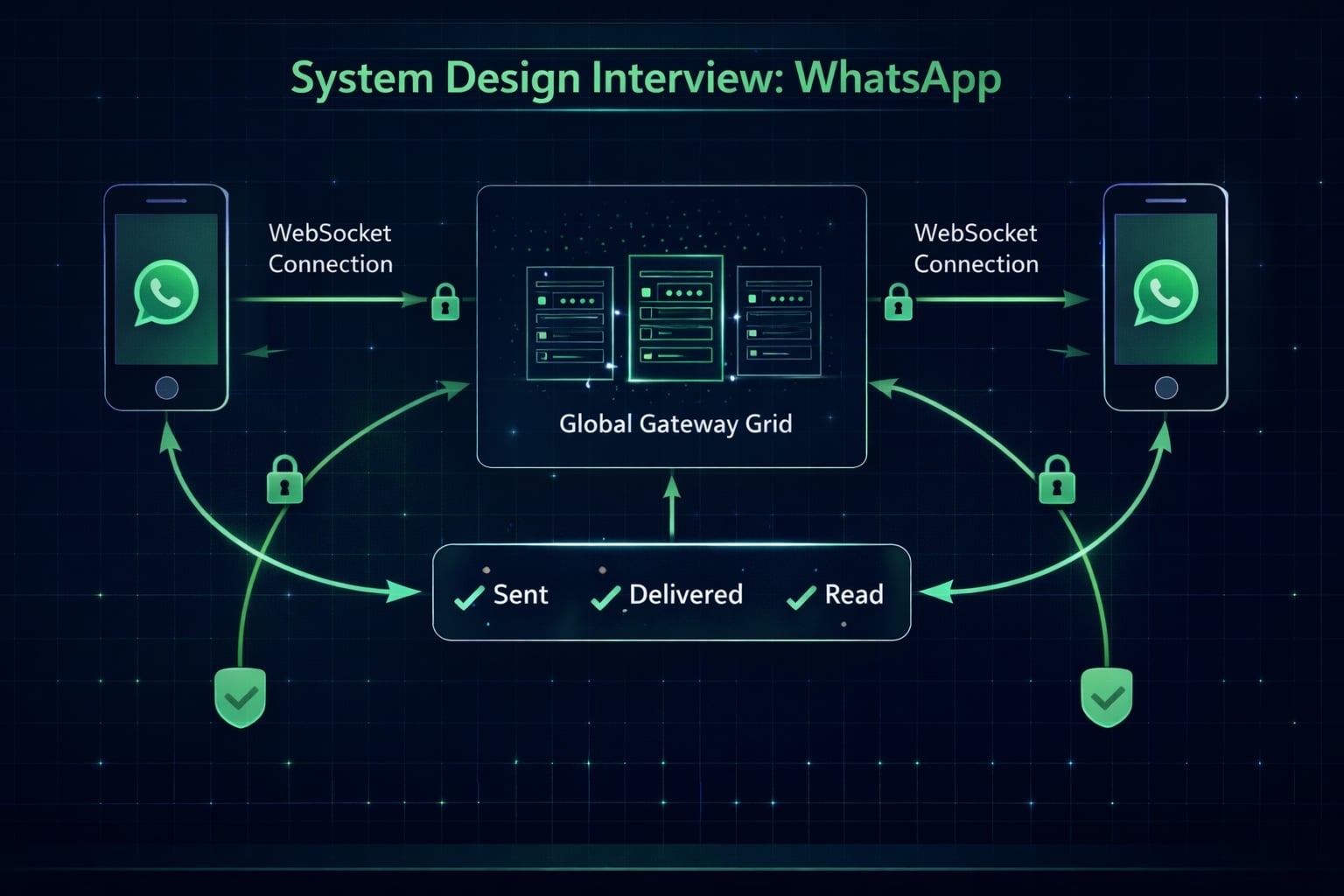
Designing a massive scale chat application like WhatsApp, Facebook Messenger, or WeChat is a challenging system design problem. It requires deep understanding of real-time protocols, connection management, and data consistency. This guide walks you through designing a system that supports 1-on-1 and Group chats for billions of users. Before diving in, review the system design interview cheatsheet for a repeatable framework and the full System Design hub for related patterns.
Table of Contents
Open Table of Contents
- Interview Framework: How to Approach This Problem
- Step 1: Clarifying Requirements
- Step 2: Core Assumptions and Constraints
- Step 3: High-Level Architecture
- Step 4: The Hardest Problem - Protocol Selection
- Step 5: Key Technical Decision - Connection Management
- Step 6: Database Design and Storage
- Step 7: Scaling the System
- Step 8: Security and Permissions
- Step 9: Handling Edge Cases
- Step 10: Performance Optimizations
- Real-World Implementations
- Common Interview Follow-Up Questions
- Conclusion
- References
- YouTube Videos
Interview Framework: How to Approach This Problem
When designing a Chat System:
- Clarify scope: 1:1 vs Group? Media support? E2EE?
- Focus on Real-time: Latency is king.
- State Management: Online/Offline status is tricky.
- Delivery Guarantees: Sent -> Delivered -> Read.
Key mindset: This is a stateful system ( unlike typical stateless REST APIs). Managing open connections is the bottleneck.
Step 1: Clarifying Requirements
Questions to Ask the Interviewer
Q: Is this 1-on-1 chat or group chat?
- Interviewer: Both. Group chats can have up to 256 members.
Q: What about media files (images/video)?
- Interviewer: Yes, support sending small media files.
Q: Do we need to store chat history forever?
- Interviewer: Yes, users should see history across devices.
Q: Is End-to-End Encryption (E2EE) required?
- Interviewer: For this design, let’s assume server-side encryption (easier to design first), but mention E2EE.
Functional Requirements
- Send/Receive Messages: Real-time delivery.
- Delivery Status: Sent (tick), Delivered (double tick), Read (blue tick).
- Presence: Show “Online” or “Last Seen”.
- Cross-device Sync: Chat history syncs between Phone and Web.
Non-Functional Requirements
- Low Latency: <100ms delivery.
- High Availability: 99.999%.
- Consistency: Messages must be ordered correctly (SEQ check).
Step 2: Core Assumptions and Constraints
- DAU: 2 Billion users.
- Messages per day: 100 Billion.
- Concurrency: 10M concurrent connections per region.
- Storage: Messages are text (small), media is large (blob storage).
Step 3: High-Level Architecture
“We cannot use standard HTTP Request-Response here. We need a persistent connection.”
System Flow Diagram
flowchart TD
    UserA["User A"] -- CP --> CS["Chat Service / Gateway"]
    UserB["User B"] -- CP --> CS

    CS --> Session["Session Svc (Redis)"]
    CS --> MsgDB[("Message DB")]
    CS --> Group["Group Svc"]
    CS --> Presence["Presence Svc"]

    CS -- Async --> Push["Push Notification Svc"]

    classDef service fill:#e1f5fe,stroke:#01579b,stroke-width:2px,color:#000000
    classDef storage fill:#fff3e0,stroke:#e65100,stroke-width:2px,color:#000000
    classDef users fill:#f3e5f5,stroke:#4a148c,stroke-width:2px,color:#000000

    class UserA,UserB users
    class CS,Group,Presence,Push service
    class Session,MsgDB storage
(CP = Connection Pool / WebSocket)
Data Flow (1-on-1 Message)
- User A sends message to Chat Service over ongoing WebSocket.
- Chat Service saves msg to Message DB (for history).
- Chat Service queries Session Service: “Which gateway server is User B connected to?”
- Chat Service forwards message to User B’s gateway.
- Gateway pushes message to User B.
- If User B is offline, trigger Push Notification Service.
Step 4: The Hardest Problem - Protocol Selection
“How do clients communicate server-side?”
Option 1: HTTP Polling / Long Polling
- Polling: Client asks “New messages?” every 1s.
- Bad: Wastes bandwidth, high latency.
- Long Polling: Server holds request open until message arrives.
- Better, but: Still overhead of creating new connections.
Option 2: WebSockets (The Standard)
- How: Bi-directional persistent TCP connection.
- Pros: Low overhead, real-time.
- Cons: Stateful server management.
Option 3: TCP/MQTT (The Mobile Choice)
- MQTT: Lightweight pub-sub protocol optimized for unstable mobile networks and battery life.
- Facebook Messenger uses MQTT.
- Verdict: Use WebSockets for web clients, MQTT for mobile apps to save battery.
Step 5: Key Technical Decision - Connection Management
With 2B users, we can’t have one server. We need a “Connection Grid”.
- Chat Gateway (Stateful): Holds 100k TCP connections each.
- Service Discovery (Zookeeper): Keeps track of which machine holds User A’s connection.
- Session Cache (Redis): Map
UserID -> GatewayNodeID.
When User A sends to User B:
- Lookup User B’s GatewayNodeID in Redis.
- RPC call to that node: “Push this payload to connection ID X”.
Step 6: Database Design and Storage
Storage Patterns
WhatsApp stores messages locally on device (traditionally), but apps like Telegram/Messenger store centralized. We are designing the centralized version.
Choice: HBase or Cassandra (Wide-Column NoSQL)
- Why? Extremely high write throughput.
- Access pattern: “Get last 50 messages for ChatID”.
Schema (Cassandra)
Table: Messages
PK: (chat_id, message_id) -- Ordered by message_id (time-sortable)
columns: sender_id, text_content, media_url, statusNote: message_id must be sortable (Snowflake ID or KSUID).
Step 7: Scaling the System
Group Chats (Fanout)
The fan-out challenge here mirrors feed distribution — compare with the Instagram feed system design and distributed cache design for sharding and caching lessons.
When User A sends to a Group (200 people):
- Group Service fetches member list.
- Service iterates list and pushes to each member’s connection.
- Optimization: If multiple members are on the same Gateway Node, send sending 1 payload to that node, and let the node fan-out locally to connections.
Media Handling
Don’t send binary data over WebSocket/MQTT.
- Upload Image to Object Storage (S3) via HTTP API.
- Get URL.
- Send URL text message over Chat System.
Step 8: Security and Permissions
End-to-End Encryption (E2EE)
- Uses Signal Protocol.
- Server handles encrypted blobs only. It cannot read messages.
- Keys are exchanged initially (Public Key Infrastructure).
Authentication
- Standard JWT/Session Token exchanged upon WebSocket Handshake.
Step 9: Handling Edge Cases
Edge Case 1: Message Ordering
Scenario: Message A sent at 10:00:01, Message B at 10:00:02. Network delays might flip them. Solution: Client assigns a local Sequence Number. Receiver re-orders buffer based on SeqNum before displaying.
Edge Case 2: The “Offline” Receiver
Scenario: User B is on a flight. Solution:
- Server acts as buffer. DB stores “Unread”.
- When B connects, Gateway queries DB for “Messages > Last_Ack_ID” and replays them.
Step 10: Performance Optimizations
- Keep-Alive: Send heartbeat every 30s to prevent TCP connection timeout by cellular carriers.
- Pagination: Only load last 20 messages on open. infinite scroll fetches older (Lazy Loading).
- Protocol Buffers: Use Protobuf instead of JSON to save bandwidth.
Real-World Implementations
WhatsApp (Erlang)
- Built on Erlang (BEAM VM) for massive concurrency.
- Tuned FreeBSD kernel to handle 2 Million connections per server in 2012!
- Uses Mnesia (Erlang DB) and now Facebook infra.
Discord (Elixir/Rust)
- Uses Elixir (built on Erlang VM) for Gateway.
- Migrated specific hot paths to Rust for performance.
Common Interview Follow-Up Questions
Q: How to handle “Last Seen”?
Answer: “Use a presence service backed by Redis:
- Client sends heartbeat every 20-30 seconds while app is active.
- Gateway updates
presence:userIdwith short TTL. - Online status is derived from key freshness, not permanent DB writes.
- Respect privacy settings (hide last seen / contacts-only visibility).
Trade-off: Frequent heartbeats improve freshness but increase battery and network usage.”
Q: How to handle Read Receipts in Groups?
Answer: “I use tiered behavior by group size:
- Small groups: store per-user read ACKs for each message.
- Medium groups: store only aggregate counters plus sender-visible sample.
- Very large channels: disable full per-user receipts to avoid write explosion.
- Batch receipt writes asynchronously to smooth spikes.
This preserves UX where it matters and keeps storage costs under control.”
Q: How do you guarantee message order when users reconnect after being offline?
Answer: “Order comes from server-assigned sequence numbers:
- Each conversation has monotonic sequence IDs.
- Offline client stores unsent messages locally with temporary IDs.
- On reconnect, server acks accepted messages and returns missing range.
- Client reorders by server sequence and reconciles temporary IDs.
This handles retries safely and prevents duplicate or out-of-order rendering.”
Q: How would you support multi-device end-to-end encryption securely?
Answer: “I would use per-device identity keys with session ratchets:
- Register every device with its own long-term key pair.
- Establish one encrypted session per sender-device to receiver-device pair.
- Rotate session keys regularly and after suspicious events.
- Store only encrypted payloads and minimal metadata server-side.
Trade-off: Strong security increases key-management complexity, especially for backup and restore flows.”
Q: How do you handle spam and abuse without breaking privacy?
Answer: “Combine metadata signals and user controls:
- Rate-limit new-account outbound messages and group invites.
- Use reputation scores from metadata (send velocity, block/report rates).
- Add friction for risky actions (captcha, temporary cooldown).
- Prioritize user reporting and fast account enforcement pipelines.
This limits abuse while keeping message content encrypted.”
Conclusion
Designing Chat is all about connection management. Statefulness makes scaling harder than typical web apps.
Key Takeaways:
- Use WebSockets/MQTT for persistent connection.
- Cassandra for storing chat history (Write-heavy).
- Redis for transient session data (Who is on which server?).
- Sequence ID for ordering.
References
YouTube Videos
- “Distributed Systems in One Lesson” - Hussein Nasser [https://www.youtube.com/watch?v=Y6Ev8GIlbxc]
- “Microservices Communication Patterns” - IBM Technology [https://www.youtube.com/watch?v=xDuwrtwYHu8]