 ADevGuide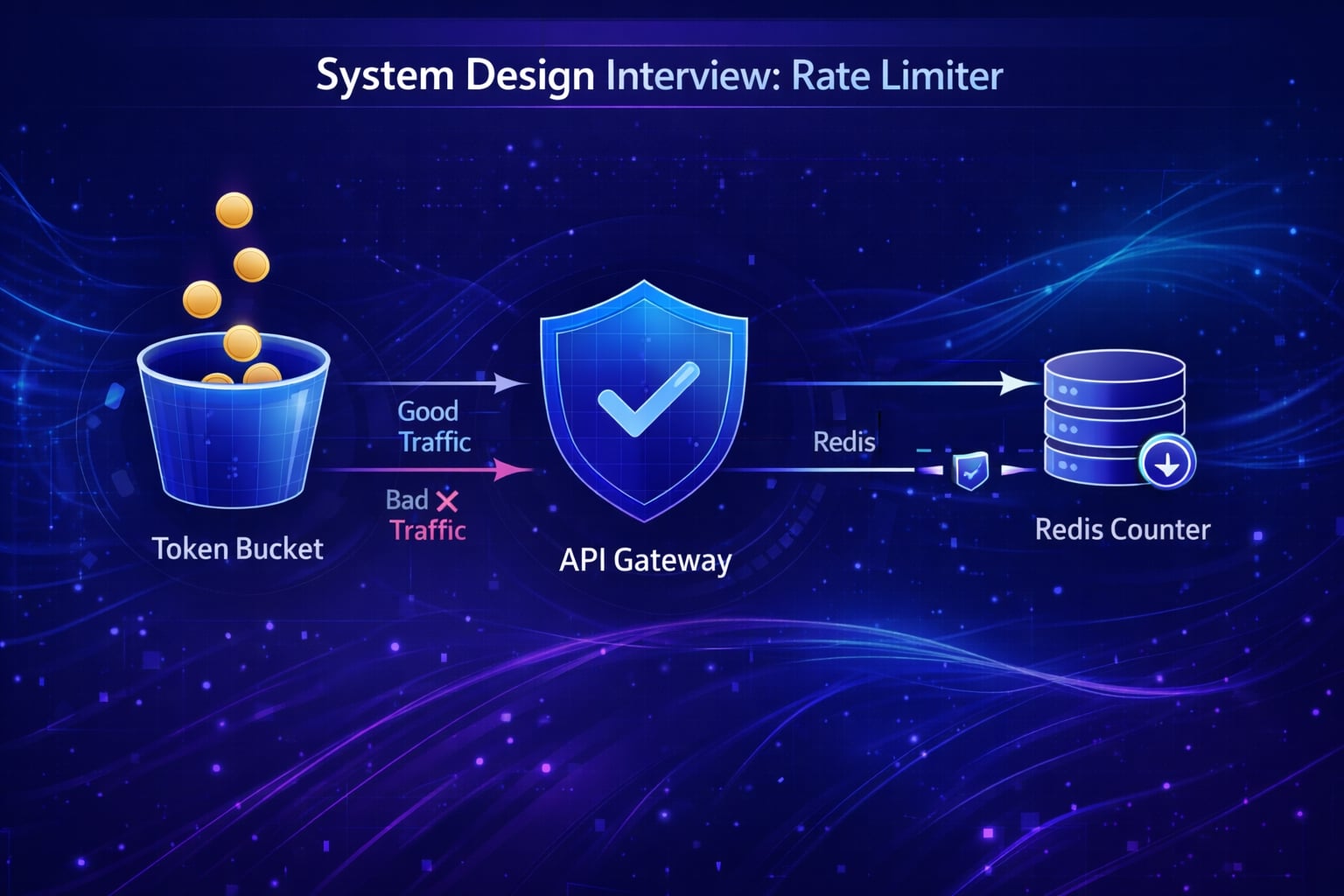
Designing a Rate Limiter is a unique system design question because it focuses on a middleware component rather than a full user-facing product. It tests your knowledge of algorithms, distributed counters, and high-performance concurrency controls. This guide covers the essential patterns needed to protect your APIs from abuse.
Need a quick revision before interviews? Read the companion cheat sheet: System Design Interview: Rate Limiter System Design CheatSheet.
Table of Contents
Open Table of Contents
- Interview Framework: How to Approach This Problem
- Step 1: Clarifying Requirements
- Step 2: Core Assumptions and Constraints
- Step 3: High-Level Architecture
- Step 4: The Hardest Problem - Distributed Race Conditions
- Step 5: Key Technical Decision - Algorithm Selection
- Step 6: Database Design and Storage
- Step 7: Scaling the System
- Step 8: Security and Permissions
- Step 9: Handling Edge Cases
- Step 10: Performance Optimizations
- Real-World Implementations
- Common Interview Follow-Up Questions
- Q: How to implement “Global Hard Limit” vs “Per Node Limit”?
- Q: Which algorithm do you pick for bursty traffic: token bucket or fixed window?
- Q: How do you enforce limits per user, per API key, and per IP simultaneously?
- Q: What happens if Redis is down?
- Q: How do you handle clock skew across regions for time-based limits?
- Conclusion
- References
- YouTube Videos
Interview Framework: How to Approach This Problem
When designing a Rate Limiter:
- Define Location: Client-side? Server-side? Middleware? API Gateway? (Answer: API Gateway Sidecar/Middleware).
- Define Granularity: Per user? Per IP? Per API key?
- Choose Algorithm: This is the core “interview meat”.
- Solve Distributed State: How to synchronize counts across 100 servers?
Step 1: Clarifying Requirements
Questions to Ask the Interviewer
Q: Where does the rate limiter live?
- Interviewer: It’s a server-side component component, likely part of an API Gateway.
Q: What are the rules?
- Interviewer: Allow 10 requests per second (RPS) per User.
Q: Is this a single server or distributed cluster?
- Interviewer: highly distributed system. The count must be shared.
Q: How do we handle blocked users?
- Interviewer: Return HTTP 429 (Too Many Requests).
Functional Requirements
- Throttle requests: Allow request if under limit, block if over.
- Configuration: flexible rules (e.g., 5 req/sec for POST /login, 100 req/sec for GET /feed).
- Feedback: Inform client of remaining quota (HTTP Headers).
Non-Functional Requirements
- Low Latency: The check must be super fast (<5ms). It’s on the critical path.
- Accuracy: Needs to be reasonably accurate, but strict atomicity can be traded for performance.
- Fault Tolerance: If rate limiter cache fails, default to “Allow” (don’t block legitimate traffic).
Step 2: Core Assumptions and Constraints
- Traffic: 1 Million requests per second (Need high performance).
- Users: 100 Million distinct users (Huge key space).
- Tech Stack: In-memory store is mandatory (Disk is too slow).
Step 3: High-Level Architecture
The Rate Limiter usually sits in the API Gateway layer (e.g., NGINX, Kong, or custom Go service).
System Flow Diagram
flowchart TD
    Client --> GATEWAY[API Gateway]

    subgraph "Middleware Layer"
    GATEWAY --> RL_Middleware[Rate Limit Logic]
    end

    RL_Middleware --> CACHE[(Redis Cluster)]
    RL_Middleware -- "Under Limit" --> SERVICE[Backend Service]
    RL_Middleware -- "Over Limit" --> 429[HTTP 429 Error]

    CACHE -- "Current Count" --> RL_Middleware
Data Flow
- Review incoming Request (IP, UserID, API Key).
- Construct a unique Key (e.g.,
rl:user:123:login). - Query Redis for current count/window.
- If
count > limit: Return 429. - Else: Increment count, forward request.
Step 4: The Hardest Problem - Distributed Race Conditions
The “Read-then-Write” problem.
Scenario: Limit = 1.
- Thread A reads count = 0.
- Thread B reads count = 0.
- Thread A increments to 1 & allows.
- Thread B increments to 1 & allows.
Result: We allowed 2 requests when limit was 1.
Solution: Used Atomic Operations.
In Redis, use INCR (atomic) or Lua Scripts to perform check-and-set in one move.
Step 5: Key Technical Decision - Algorithm Selection
“Which logic do we use to count?”
Option 1: Fixed Window Counter
- How: Window 10:00:00-10:00:01 has counter=0. Reset at next second.
- Issue: “Window Edge Problem”. If I send 10 reqs at 10:00:00.999 and 10 reqs at 10:00:01.001, I allowed 20 reqs in 20 millis.
- Verdict: ❌ Too spiky.
Option 2: Sliding Window Log
- How: Store a timestamp for EVERY request in a sorted set. Count members in
[now-1sec, now]. - Issue: Memory usage. Storing timestamps for 1M RPS is expensive.
- Verdict: ❌ Too much memory.
Option 3: Token Bucket (The Standard)
- How:
- Bucket has capacity (e.g., 10 tokens).
- Refiller adds 10 tokens per second.
- Request takes 1 token. If 0 tokens, block.
- Pros: Allows “Bursts” (can use saved tokens). Memory efficient.
- Verdict: ✅ Industry standard (Amazon, Stripe uses this).
Option 4: Sliding Window Counter (Redis)
- Hybrid of Fixed and Sliding. Weighted average of previous window + current.
- Verdict: ✅ Good approximation.
Decision: Token Bucket (or Leaky Bucket) is usually the best answer for specific API throttling.
Step 6: Database Design and Storage
We do not use a SQL DB. We use Redis.
Why Redis?
- In-memory speed: Microsecond latency.
- Atomic
INCR: Solves race conditions. - TTL (Time To Live): Keys expire automatically (perfect for windows).
Key Design
Key: rl:{user_id}:{endpoint}
Value: Integer (Counter)
Step 7: Scaling the System
Sharding
With 100M users, one Redis instance will fill up. Solution: Consistent Hashing. Hash(UserID) % N nodes -> Directs user to specific Redis Shard.
Local Memory Caching (Optimization)
To reduce Redis round-trips:
- Use a local in-memory Token Bucket on the API Gateway server.
- Sync with Redis asynchronously or use tight local limits.
Step 8: Security and Permissions
Client Identification
- Authorized Users: Use UserID from JWT.
- Anonymous IPs: Use IP Address (but beware of NAT/VPNs sharing IPs).
- API Keys: Best for B2B APIs.
HTTP Headers
Return status to client:
X-Ratelimit-Limit: 10X-Ratelimit-Remaining: 9X-Ratelimit-Reset: 16789000
Step 9: Handling Edge Cases
Edge Case 1: Redis Outage
Scenario: Redis cluster goes down. Handling: Fail Open (Allow all). It’s better to risk overload than to block all users due to internal failure.
Edge Case 2: Distributed Clock Skew
Scenario: Servers have different times, messing up windows. Handling: Rely on Redis’s TTL for expiration, not client server timestamps.
Step 10: Performance Optimizations
- Lua Scripts: Send script to Redis (
check + decrement) to avoid network round trips. - Pipelining: Batch multiple checks if handling batch requests.
Real-World Implementations
Stripe
- Uses Token Bucket.
- Complex rules: Cost-based limiting (heavy requests cost more tokens).
Amazon/AWS
- Uses Token Bucket for all service APIs.
Google Guava
- Java library with in-memory RateLimiter implementation (Token Bucket).
Common Interview Follow-Up Questions
Q: How to implement “Global Hard Limit” vs “Per Node Limit”?
Answer: “I use a hybrid strategy:
- Per-node limiter in memory for low-latency coarse filtering.
- Global limiter in Redis for strict shared quotas.
- Evaluate local first, then global only when local allows.
- Return standard headers so clients can back off predictably.
Trade-off: Two-level checks reduce Redis load, but you must keep local configs aligned.”
Q: Which algorithm do you pick for bursty traffic: token bucket or fixed window?
Answer: “For APIs, token bucket is usually better:
- Fixed window is simple but allows boundary spikes.
- Sliding window log is accurate but expensive at high QPS.
- Token bucket supports controlled bursts and smooth refill behavior.
- Configure refill rates per endpoint class.
I prefer token bucket for production because it balances fairness and performance.”
Q: How do you enforce limits per user, per API key, and per IP simultaneously?
Answer: “Apply limits in priority order:
- Global service limit first (protect platform).
- API key/user tier limit second (enforce business contracts).
- IP/device limit third (abuse mitigation).
- Deny on first violation and include which policy failed.
This gives clear debugging and supports paid tiers without weakening abuse controls.”
Q: What happens if Redis is down?
Answer: “Define fail mode by endpoint criticality:
- Auth/payment endpoints fail-closed to prevent abuse.
- Low-risk endpoints fail-open with strict local fallback limits.
- Emit alerts and temporarily lower global quotas after recovery.
- Replay metrics to estimate overrun impact.
Trade-off: Fail-open protects availability, fail-closed protects security; policy must be explicit.”
Q: How do you handle clock skew across regions for time-based limits?
Answer: “I avoid relying on client clocks:
- Use Redis server time as the source of truth.
- Prefer sliding counters based on event timestamps written by server.
- Keep regions independent for local quotas, then aggregate global usage asynchronously.
- Apply small guard bands near window boundaries.
This reduces false positives/negatives caused by skew and network jitter.”
Conclusion
The Rate Limiter interview is checks your understanding of Concurrency and Trade-offs.
Key Takeaways:
- Token Bucket is the go-to algorithm.
- Redis with atomic counters is the standard storage.
- Race conditions must be handled via atomicity (Lua).
- Fail Open in case of limiter failure.
References
YouTube Videos
- “System Design Interview - Rate Limiter” - ByteByteGo [https://www.youtube.com/watch?v=FU4WlwfS3G0]
- “Design a Rate Limiter” - Gaurav Sen [https://www.youtube.com/watch?v=JQDHz72OA3c]