 ADevGuide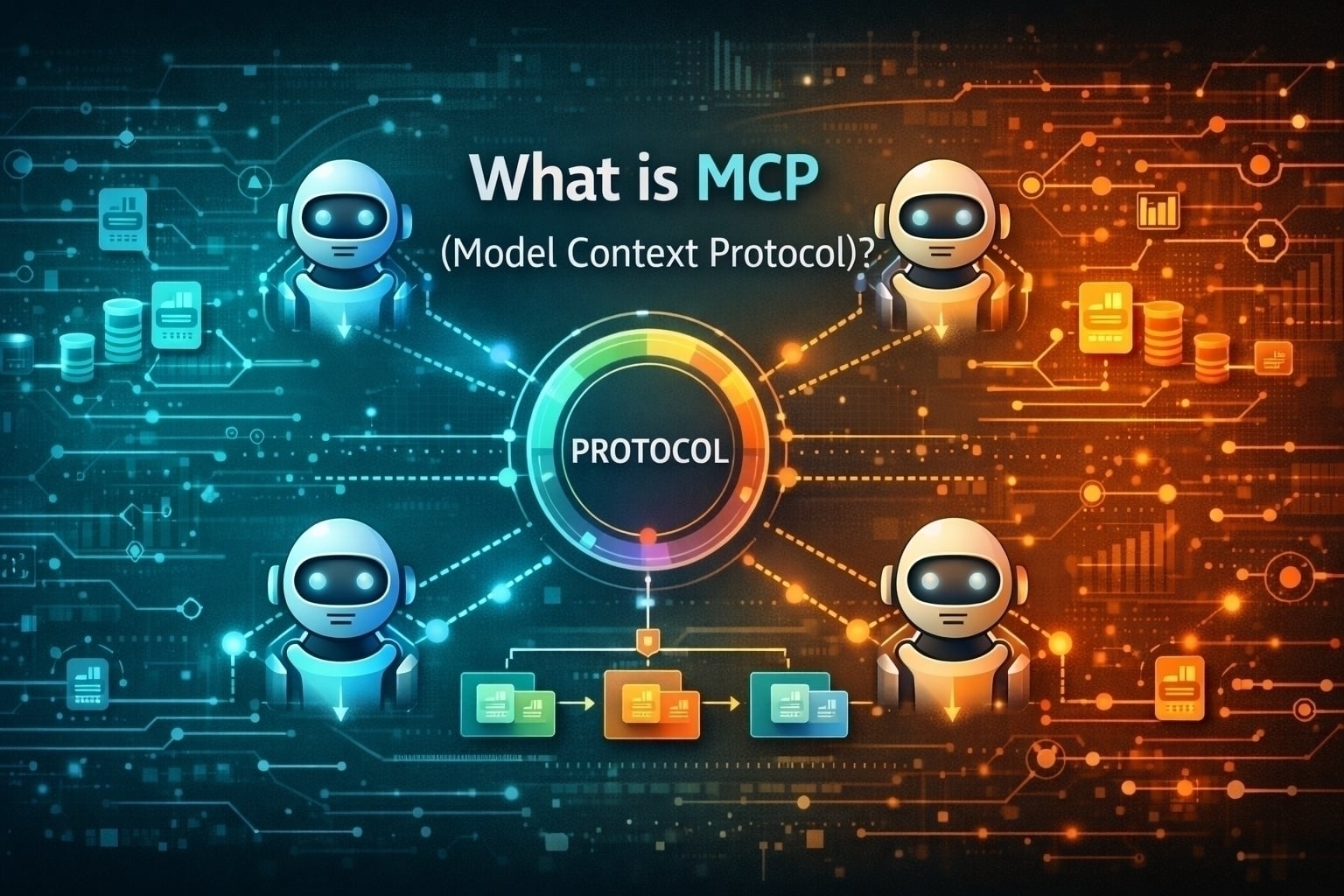
MCP (Model Context Protocol) is an open standard for connecting AI applications to external tools, data sources, and workflows. This guide explains what MCP is, how it works, and how it differs from APIs, RAG, agents, and function calling.
Table of Contents
Open Table of Contents
- What is Model Context Protocol (MCP)?
- Understanding the AI Ecosystem
- MCP vs LLM: Key Differences
- MCP vs AI Agents: Understanding the Distinction
- MCP vs APIs: What’s the Difference?
- MCP vs RAG (Retrieval-Augmented Generation)
- MCP vs Function Calling
- How MCP Works: Architecture Overview
- Real-World Use Cases
- Conclusion
- Additional Resources
- YouTube Videos
What is Model Context Protocol (MCP)?
Model Context Protocol (MCP) is an open-source protocol developed by Anthropic that provides a standardized way for Large Language Models (LLMs) to connect with external data sources, tools, and services. Think of it as a universal adapter that allows AI models to access information and capabilities beyond their training data. If you are building agentic workflows on top of this standard, compare how OpenClaw orchestrates multi-channel AI agents and how AI agent skills and Cursor skills compose tools differently — for a broader learning path browse the AI Engineering hub.
Key Features of MCP
- Standardized Interface: Provides a consistent way for AI applications to interact with external resources
- Tool Integration: Enables LLMs to use external tools and APIs
- Data Access: Allows models to fetch real-time data from databases, file systems, and web services
- Security: Implements secure communication between AI models and external resources
- Extensibility: Easy to add new capabilities through MCP servers
Why MCP Matters
Before MCP, each AI application had to implement custom integrations for every data source or tool. MCP solves this by providing a universal protocol, similar to how HTTP standardized web communication.
flowchart TD
  subgraph W[Without MCP]
    W1[AI App 1] --> WI1[Custom integration A] --> WD[(Database)]
    W2[AI App 2] --> WI2[Custom integration B] --> WD
    W3[AI App 3] --> WI3[Custom integration C] --> WD
  end
  subgraph M[With MCP]
    M1[AI App 1] --> MS[MCP Server]
    M2[AI App 2] --> MS
    M3[AI App 3] --> MS
    MS --> MD[(Database)]
  end
Understanding the AI Ecosystem
To fully grasp MCP, let’s understand the three key components of the modern AI ecosystem:
flowchart TD
  LLM[LLM<br/>Brain for language] <--> MCP[MCP<br/>Standard protocol]
  MCP <--> AG[Agent<br/>Task orchestrator]

  LLM --> L1[Processes language]
  LLM --> L2[Generates responses]
  LLM --> L3[Understands context]

  MCP --> M1[Standardizes communication]
  MCP --> M2[Connects tools and data]
  MCP --> M3[Enables access control]

  AG --> A1[Plans tasks]
  AG --> A2[Makes decisions]
  AG --> A3[Executes workflows]
MCP vs LLM: Key Differences
Many people confuse MCP with LLMs. Let’s clarify the distinction:
What is an LLM?
A Large Language Model (LLM) is an AI model trained on vast amounts of text data to understand and generate human-like text. Examples include GPT-4, Claude, Gemini, and LLaMA.
LLM Characteristics:
- It’s the intelligence or “brain”
- Processes and understands natural language
- Generates responses based on patterns learned during training
- Has knowledge cutoff dates
- Cannot access real-time data without external tools
MCP is NOT an LLM
MCP Characteristics:
- It’s a communication protocol, not a model
- Defines how LLMs connect to external resources
- Provides the “bridge” between AI and the outside world
- Enables real-time data access
- Standardizes tool usage
Visual Comparison
flowchart TD
  subgraph L[LLM The Model]
    L1[Training data] --> L2[Neural network] --> L3[Text output]
    L4[Role: Generate text]
    L5[Type: AI model]
    L6[Examples: GPT-4 and Claude]
  end

  subgraph P[MCP The Protocol]
    P1[Standardized communication] --> P2[Client and server] --> P3[Data and tool access]
    P4[Role: Connect resources]
    P5[Type: Protocol standard]
    P6[Examples: MCP servers]
  end

  L3 -.uses.-> P3
Analogy
Think of it this way:
- LLM = A brilliant person who knows a lot but is locked in a room
- MCP = The phone/internet connection that lets that person access libraries, databases, and tools outside the room
MCP vs AI Agents: Understanding the Distinction
Another common confusion is between MCP and AI Agents. Let’s break it down:
What is an AI Agent?
An AI Agent is an autonomous system that uses an LLM to perceive its environment, make decisions, and take actions to achieve specific goals.
Agent Characteristics:
- Uses an LLM as its reasoning engine
- Can plan and execute multi-step tasks
- Makes decisions autonomously
- Interacts with tools and environments
- Has memory and state management
How MCP Relates to Agents
MCP is the infrastructure that agents use to access tools and data. An agent leverages MCP to extend its capabilities.
flowchart TD
  G[Goal or task] --> R[LLM reasoning and planning]
  R --> T[Use MCP tools]
  T --> X[Execute actions]
  X --> E[Evaluate results]
  E --> D{Goal met?}
  D -- No --> R
  D -- Yes --> O[Return final answer]
Key Differences
| Aspect | MCP | AI Agent |
|---|---|---|
| Nature | Protocol/Standard | Autonomous System |
| Purpose | Connect LLMs to resources | Execute complex tasks |
| Intelligence | None (it’s just a protocol) | Yes (uses LLM) |
| Decision Making | No | Yes |
| Autonomy | No | Yes |
| Example | MCP Server for PostgreSQL | Customer service chatbot |
The Relationship
flowchart TD
  F[AI Agent = LLM + MCP + Orchestration Logic] --> O[Orchestration layer]
  O <--> L[LLM reasoning engine]
  L <--> C[MCP client tool access layer]
  C <--> S[MCP servers]
  S --> S1[Database server]
  S --> S2[File system server]
  S --> S3[Web search server]
  S --> S4[Email server]
MCP vs APIs: What’s the Difference?
Many developers wonder how MCP differs from traditional REST APIs or GraphQL. Let’s clarify:
Traditional APIs
What They Are:
- Predefined endpoints that return specific data
- Fixed request/response patterns
- Requires explicit integration code
- Developer defines what data to request
Example:
GET /api/users/123
Response: { "id": 123, "name": "John" }
MCP
What It Is:
- Dynamic tool discovery and execution
- LLM decides which tools to use
- Standardized protocol for any type of resource/tool
- Semantic understanding of capabilities
Example:
LLM: "I need user information"
MCP: Discovers available tools
MCP: Calls appropriate user data tool
Returns: Contextually relevant data
Key Differences Table
| Aspect | Traditional API | MCP |
|---|---|---|
| Usage | Human/developer specifies exact endpoints | LLM decides which tools to use |
| Discovery | Manual documentation reading | Automatic tool discovery |
| Flexibility | Fixed endpoints | Dynamic tool selection |
| Intelligence | None | LLM-driven decisions |
| Integration | Custom code per API | Standardized protocol |
| Purpose | Data exchange | Context and capability provision |
When to Use What?
Use Traditional APIs When:
- You need a public-facing API for diverse clients
- Fixed, predictable data access patterns
- Non-AI applications
- Simple request/response flows
Use MCP When:
- Building AI agents or assistants
- LLM needs to access multiple data sources
- Dynamic tool selection is beneficial
- Standardizing AI application integrations
MCP vs RAG (Retrieval-Augmented Generation)
RAG is another popular technique in AI. How does it compare to MCP? If you are new to retrieval patterns, start with our Retrieval-Augmented Generation (RAG) beginner guide.
RAG (Retrieval-Augmented Generation)
What It Is:
- A technique where an LLM retrieves relevant documents/data before generating responses
- Typically uses vector databases for semantic search
- Focuses on providing contextual knowledge
How It Works:
flowchart TD
  Q[User query] --> E[Embedding model]
  E --> V[Vector database search]
  V --> D[Retrieved documents]
  D --> L[LLM with original query]
  L --> A[Generated response]
MCP
What It Is:
- A protocol for LLMs to access tools and execute actions
- Can retrieve data, but also modify, create, and interact
- Focuses on capabilities and tools, not just knowledge
Key Differences
| Aspect | RAG | MCP |
|---|---|---|
| Primary Purpose | Provide context/knowledge | Provide tools/capabilities |
| Action Type | Read-only (retrieval) | Read and write (actions) |
| Data Source | Usually vector databases | Any data source or tool |
| Scope | Knowledge augmentation | Full tool ecosystem |
| When Used | Before generation | During execution |
| Example | ”Find relevant docs" | "Query DB, send email, create file” |
Can They Work Together?
Yes! MCP and RAG complement each other:
flowchart TD
  U[User request analyze sales and create report] --> R[RAG retrieves historical context]
  U --> M[MCP executes live tools]
  R --> L[LLM combines context and live data]
  M --> L
  L --> O[Comprehensive report]
  L -.needs more live data.-> M
MCP vs Function Calling
Function calling is a feature offered by many LLM providers. How does MCP relate?
Function Calling (Native LLM Feature)
What It Is:
- Built-in capability of modern LLMs (GPT-4, Claude, etc.)
- LLM can request to call predefined functions
- Provider-specific implementation
How It Works:
# OpenAI Function Calling Example
functions = [{
    "name": "get_weather",
    "description": "Get weather for a location",
    "parameters": {
        "location": {"type": "string"}
    }
}]

response = openai.chat.completions.create(
    model="gpt-4",
    messages=[{"role": "user", "content": "Weather in NYC?"}],
    functions=functions
)
# LLM responds: "Call get_weather with location='NYC'"
MCP
What It Is:
- Standardized protocol for tool/resource access
- Provider-agnostic
- Richer ecosystem with servers and resources
Key Differences
| Aspect | Function Calling | MCP |
|---|---|---|
| Standardization | Per-provider (OpenAI, Anthropic, etc.) | Universal protocol |
| Scope | Function definitions only | Functions + Resources + Prompts |
| Discovery | Manually defined in code | Dynamic server discovery |
| Portability | Tied to specific LLM provider | Works across providers |
| Architecture | Direct function calls | Client-server architecture |
| Ecosystem | Closed | Open, extensible |
The Relationship
MCP builds on function calling:
flowchart TD
  S[MCP server tools] --> C[MCP client]
  C --> P[Function-calling payload]
  P --> L[LLM with function calling]
  L --> D{Tool selected}
  D -->|query_database| S
  D -->|send_email| S
  D -->|create_file| S
In essence: MCP provides the infrastructure and standardization, while function calling is the LLM capability that makes it work.
How MCP Works: Architecture Overview
MCP Architecture
MCP follows a client-server architecture:
flowchart TD
  subgraph H[MCP Host Client AI application]
    U[User request] --> L[LLM]
    L <--> C[MCP client]
  end

  C <-->|RPC stdio or SSE| DBs[MCP database server]
  C <-->|RPC stdio or SSE| FSs[MCP file server]
  C <-->|RPC stdio or SSE| WEBs[MCP web search server]

  DBs --> DB[(PostgreSQL)]
  FSs --> FS[(File system docs)]
  WEBs --> API[(Web APIs)]
Core Components
1. MCP Host (Client)
The application that wants to use AI capabilities with external resources:
- AI chatbots
- Code editors (like VS Code with Copilot)
- Custom AI applications
2. MCP Server
A service that implements the MCP protocol to provide:
- Resources: Data sources (files, databases, APIs)
- Tools: Functions the LLM can call
- Prompts: Reusable prompt templates
3. Transport Layer
Communication between client and server via:
- stdio: Standard input/output (for local processes)
- Server-Sent Events (SSE): For HTTP-based communication
MCP Message Flow
flowchart TD
  U[User asks quarterly revenue] --> S1[1 Client receives query]
  S1 --> S2[2 Client discovers tools]
  S2 --> S3[3 Server returns tool list]
  S3 --> S4[4 LLM chooses query_database]
  S4 --> S5[5 Server runs SQL and returns revenue]
  S5 --> D{Need another tool call?}
  D -- Yes --> S4
  D -- No --> S6[6 LLM formats response]
  S6 --> A[User receives answer]
MCP’s Three Main Primitives
MCP servers expose three types of capabilities:
1. Resources
Read-only data sources that the LLM can access:
- Examples: Files, database records, API responses, documents
- Use case: “Show me the latest sales report”
- Nature: Static content that can be read but not modified
2. Tools
Functions that the LLM can execute to perform actions:
- Examples: Query databases, send emails, create files, call APIs
- Use case: “Send a summary email to the team”
- Nature: Dynamic actions that modify state or interact with systems
3. Prompts
Reusable prompt templates for common tasks:
- Examples: “Analyze sales data”, “Generate report”, “Debug code”
- Use case: Standardized workflows across applications
- Nature: Pre-defined instruction templates that ensure consistency
Conceptual Example
MCP Server: "Sales Database"

Resources:
- sales_report.csv (Q1 2024 data)
- customer_list.json (Active customers)
- revenue_summary.txt (Monthly summaries)

Tools:
- query_sales(sql: string) -> Execute SQL query
- export_report(format: string) -> Generate report
- update_forecast(data: object) -> Update predictions

Prompts:
- analyze_quarterly_performance
- identify_top_customers
- forecast_next_quarter
Real-World Use Cases
1. Data Analysis Agent
flowchart TD
  U[Analyze customer churn] --> P[Use PostgreSQL MCP server]
  P --> Q[Query customer data]
  Q --> PY[Use Python MCP server]
  PY --> A[Run statistical analysis]
  A --> F[Use file system MCP server]
  F --> V[Save visualizations]
  V --> R[Present insights]
2. DevOps Assistant
flowchart TD
  U[Check API health] --> G[Use Git MCP server]
  G --> D[Check recent deployments]
  D --> K[Use Kubernetes MCP server]
  K --> P[Check pod status]
  P --> M[Use monitoring MCP server]
  M --> E[Check error rates]
  E --> R[Report system status]
3. Content Management Agent
flowchart TD
  U[Update blog post with latest stats] --> DB[Use database MCP server]
  DB --> F1[Fetch latest statistics]
  F1 --> FS1[Use file system MCP server]
  FS1 --> R[Read current blog post]
  R --> L[LLM updates content]
  L --> FS2[Use file system MCP server]
  FS2 --> S[Save updated post]
  S --> C[Confirm completion]
Conclusion
Understanding the Model Context Protocol (MCP) and how it relates to other AI concepts is crucial for anyone working with modern AI systems.
Quick Reference: MCP vs Everything
| What It Is | Nature | Purpose | Intelligence |
|---|---|---|---|
| MCP | Protocol/Standard | Connect LLMs to tools/data | No (it’s infrastructure) |
| LLM | AI Model | Process & generate language | Yes (trained model) |
| AI Agent | Autonomous System | Execute complex tasks | Yes (uses LLM) |
| API | Interface | Exchange data | No |
| RAG | Technique | Retrieve contextual knowledge | No (enhances LLM) |
| Function Calling | LLM Feature | Execute predefined functions | Partial (LLM decides) |
The Complete Picture
flowchart TD
  L5[Layer 5 User interface] <--> L4[Layer 4 AI agent orchestration]
  L4 <--> L3[Layer 3 LLM with function calling and RAG]
  L3 <--> L2[Layer 2 MCP infrastructure]
  L2 <--> L1[Layer 1 Data sources and services]

  L5 --> E5[Chat UI voice interface API]
  L4 --> E4[Planning memory decisions]
  L3 --> E3[GPT-4 Claude Gemini]
  L2 --> E2[Standardized tool and resource access]
  L1 --> E1[Databases APIs files cloud]
Key Takeaways
1. MCP is Infrastructure, Not Intelligence
- It’s the “plumbing” that connects AI to the world
- Like HTTP for the web, MCP standardizes AI-tool communication
- It doesn’t think; it enables thinking systems to act
2. MCP Complements Other Technologies
- Works with LLMs to provide tool access
- Enables agents to execute tasks
- Can integrate RAG for knowledge retrieval
- Uses function calling as the underlying mechanism
3. MCP Solves a Real Problem
- Before: Every AI app needed custom integrations
- After: One standard protocol for all tools and data
- Result: Faster development, better interoperability
4. The Hierarchy
flowchart TD
  A[AI agent uses everything below] --> B[LLM plus RAG plus function calling]
  B --> C[MCP standard protocol]
  C --> D[Tools APIs and databases]
Why This Matters
The emergence of MCP represents a maturation of the AI ecosystem. Just as:
- HTTP standardized web communication
- SQL standardized database queries
- REST standardized API design
MCP is standardizing how AI systems access external capabilities. This standardization will accelerate AI development and enable a richer ecosystem of interconnected AI applications.
Looking Forward
As MCP adoption grows, expect to see:
- Universal AI Assistants: One agent accessing hundreds of MCP servers
- Enterprise Integration: Standardized AI access to company data
- Developer Tools: IDEs, editors using MCP for AI features
- AI Marketplaces: Shared MCP servers for common tasks
The Model Context Protocol is not just another tool - it’s a fundamental shift in how we build AI applications. Understanding it, and how it relates to LLMs, agents, APIs, and other concepts, is essential for anyone working in the AI space.
Additional Resources
- MCP Official Documentation
- MCP GitHub Repository
- Anthropic’s MCP Announcement
- MCP Server Examples
- Community MCP Servers Directory
YouTube Videos
-
“What is MCP? Model Context Protocol clearly EXPLAINED!” https://www.youtube.com/watch?v=ufNrl6c1ANI
-
“Model Context Protocol (MCP), clearly explained (why it matters)” https://www.youtube.com/watch?v=7j_NE6Pjv-E
-
“What is MCP? Integrate AI Agents with Databases & APIs” https://www.youtube.com/watch?v=eur8dUO9mvE
Questions? Comments? Share your thoughts on MCP and how you’re using it in your projects!