 ADevGuide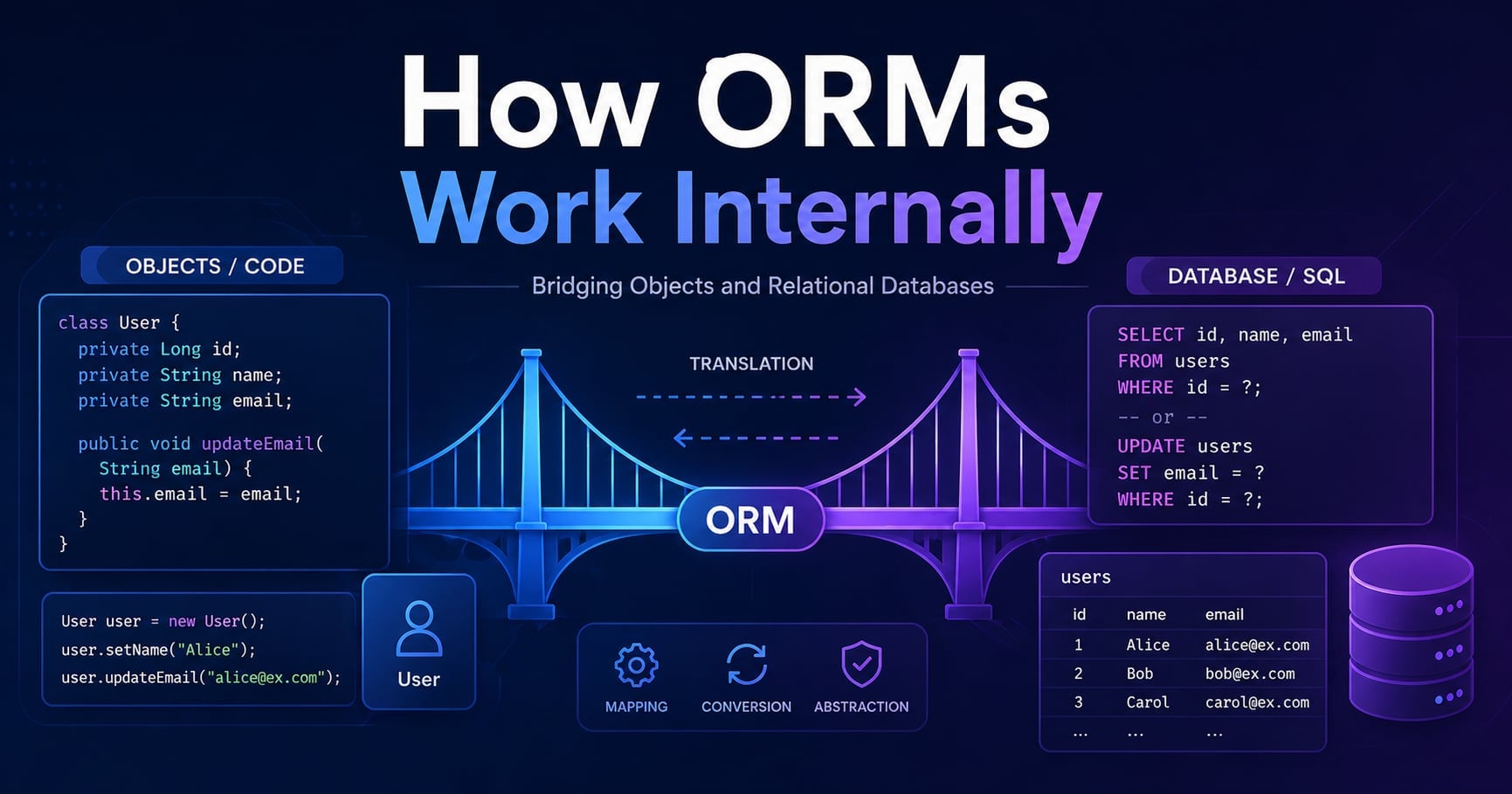
You write user = User.find(42) and get back a full object with attributes like user.email and user.name. You never wrote a single line of SQL. The ORM did it for you - but how, exactly? What happened between that one method call and the moment the database returned a row?
Understanding how an ORM works internally is one of those things that pays back immediately. It explains why certain patterns are fast and others are catastrophically slow. It tells you when to trust the ORM and when to bypass it. And it surfaces the tradeoffs hiding behind the abstraction - the ones that surprise you the first time a production query runs ten thousand times instead of ten.
This guide covers how ORMs translate objects to SQL, manage state, handle relationships, and where the approach breaks down. If you haven’t read What Is Database Connection Pooling and Why It Matters yet, the section on how ORMs borrow connections will make more sense with that context.
Table of Contents
Open Table of Contents
- The Problem ORMs Solve
- The Object-Relational Mismatch
- Layer 1: The Mapping Layer
- Layer 2: The Query Building Layer
- Layer 3: The Identity Map and Unit of Work
- How ORMs Handle Relationships
- The N+1 Query Problem
- How Write Operations Work
- Transactions in an ORM
- Real-World ORM Internals
- When the Abstraction Leaks
- Interview Questions
- 1. What is an ORM and why do developers use it?
- 2. What is the N+1 query problem and how do you solve it?
- 3. What is the Unit of Work pattern and how does an ORM use it?
- 4. What is the difference between lazy loading and eager loading?
- 5. Why can ORMs be slower than raw SQL for bulk operations?
- 6. How does an ORM prevent SQL injection?
- Conclusion
- References
- YouTube Videos
The Problem ORMs Solve
Writing raw SQL inside application code has real costs. You’re concatenating strings or passing parameters across two different mental models - objects in your code, tables in your database. Every table needs a corresponding data structure in your application. Reading a row means manually mapping each column to a field. Writing back means constructing an INSERT or UPDATE and keeping it in sync with your class definition.
The moment you have a users table with 20 columns and a corresponding User class, this mapping code becomes tedious and fragile. Add a column, forget to update the class, and you get a runtime error. Rename a field, forget to update the query, and nothing breaks until it does - in production, under load.
An ORM handles this mapping automatically. Your class definition - either through annotations, decorators, or a schema file - becomes the specification for both the database schema and the SQL that queries it. You work in the language of objects; the ORM handles the translation.
The Object-Relational Mismatch
The reason ORMs are non-trivial to build is that objects and relational tables are not natural translations of each other. This gap is sometimes called the object-relational impedance mismatch.
In a relational database, data lives in normalized tables with explicit foreign key relationships. A users table and an orders table are separate entities joined at query time. In an object model, an Order might contain a User object directly as a property. Fetching an order and its user in SQL requires a JOIN. Accessing order.user.name in code looks like navigating a pointer.
The mismatch also appears in inheritance. A class hierarchy (Animal → Dog, Cat) does not map cleanly to tables. There are three common strategies (single table, table per type, and table per concrete class), each with different tradeoffs for query performance and schema cleanliness. Most ORMs support all three and let you choose.
Collections are another friction point. A Post with a list of Comment objects is natural in code but requires a separate comments table with a foreign key in SQL. The ORM must decide when to load those comments - immediately when the post is fetched, or lazily on first access.
flowchart TD
    A[Application Code\nUser class, Order class] -->|ORM translates| B[SQL Queries\nSELECT, INSERT, UPDATE]
    B --> C[(Relational Database\nusers table, orders table)]
    C -->|ORM hydrates| A
Layer 1: The Mapping Layer
The first thing an ORM builds is a mapping - a description of how each class corresponds to a table, and how each attribute corresponds to a column.
In Hibernate (Java), this is done with annotations:
@Entity
@Table(name = "users")
public class User {
    @Id
    @GeneratedValue(strategy = GenerationType.IDENTITY)
    private Long id;

    @Column(name = "email", nullable = false, unique = true)
    private String email;

    @Column(name = "created_at")
    private LocalDateTime createdAt;
}
In SQLAlchemy (Python), the same information is declared using the DeclarativeBase pattern:
from sqlalchemy.orm import DeclarativeBase, Mapped, mapped_column

class Base(DeclarativeBase):
    pass

class User(Base):
    __tablename__ = "users"

    id: Mapped[int] = mapped_column(primary_key=True)
    email: Mapped[str] = mapped_column(nullable=False, unique=True)
In Prisma (TypeScript), the mapping lives in a dedicated schema file rather than in the application class:
model User {
  id        Int      @id @default(autoincrement())
  email     String   @unique
  createdAt DateTime @default(now())
}
In each case, the ORM reads this mapping at startup and builds an internal metadata structure: a table of table names, column types, primary keys, constraints, and relationships. Every query the ORM generates later is built from this metadata, not from your SQL.
Layer 2: The Query Building Layer
When you call something like User.where(email: 'alice@example.com') in ActiveRecord, or session.query(User).filter_by(email='alice@example.com') in SQLAlchemy, the ORM does not immediately execute SQL. It builds a query object - an internal representation of the query that is separate from the final SQL string.
This intermediate representation matters because:
- It allows chaining.
User.where(active: true).order(created_at: :desc).limit(10)builds a single query from three method calls. - It enables dialect translation. The same query object can be rendered as MySQL syntax, PostgreSQL syntax, or SQLite syntax depending on the configured database driver.
- It enables parameterization. The ORM substitutes user-supplied values as bound parameters - never interpolated directly into the SQL string - which prevents SQL injection by construction.
Here is what a query pipeline looks like in SQLAlchemy:
# This builds a query object  -  no SQL is sent yet
query = (
    session.query(User)
    .filter(User.active == True)
    .order_by(User.created_at.desc())
    .limit(10)
)

# SQL is generated and sent only when you iterate or call .all()
users = query.all()
# Generates: SELECT * FROM users WHERE active = TRUE ORDER BY created_at DESC LIMIT 10
The final SQL is rendered from the internal query object only at execution time. Most ORM queries are lazy by default - calling .filter() or .where() adds conditions to the query object without touching the database. The query fires when you ask for results.
Layer 3: The Identity Map and Unit of Work
Two patterns appear in almost every serious ORM and are responsible for most of the “magic” behavior people notice.
The Identity Map
An identity map is a per-session cache that tracks every object the ORM has loaded from the database. The key is the primary key value; the value is the loaded object instance.
When you load a user with id 42:
user_a = session.get(User, 42)  # SELECT * FROM users WHERE id = 42
user_b = session.get(User, 42)  # No query  -  returns the same Python object
print(user_a is user_b)  # True
The second call returns the object that is already in the identity map. No second query is sent. This is why user_a is user_b is True, not just equal in value - it is literally the same Python object in memory.
The identity map serves two purposes. It prevents redundant queries when the same row is accessed multiple times during a request. And it ensures consistency: if you modify user_a, any code that holds a reference to user_b sees the same change, because they are the same object.
The Unit of Work
A Unit of Work tracks every object that has been loaded or created within a session and monitors it for changes. When you flush or commit, the ORM compares each tracked object against the original state it had when it was loaded and generates the minimum set of SQL statements needed to synchronize the database.
user = session.get(User, 42)   # Loads user and stores original state
user.email = 'new@example.com' # ORM marks this object as "dirty"

session.commit()
# ORM detects the change and generates:
# UPDATE users SET email = 'new@example.com' WHERE id = 42
You never called update(). The ORM noticed the change automatically because it maintains a snapshot of the original field values and compares them at commit time. Objects that have not changed generate no SQL at all.
flowchart TD
    A[Load Object\nSELECT query] --> B[Identity Map\nCache by primary key]
    B --> C[Track Original State\nUnit of Work snapshot]
    C --> D[Application modifies object]
    D --> E{Commit / Flush}
    E -->|Changed fields| F[Generate UPDATE SQL]
    E -->|Unchanged| G[No SQL generated]
    F --> H[(Database)]
How ORMs Handle Relationships
Relationships are where ORM behavior gets both powerful and dangerous. Consider a Post that has many Comment objects.
class Post(Base):
    __tablename__ = "posts"
    id: Mapped[int] = mapped_column(primary_key=True)
    title: Mapped[str]
    comments: Mapped[list["Comment"]] = relationship("Comment", back_populates="post")

class Comment(Base):
    __tablename__ = "comments"
    id: Mapped[int] = mapped_column(primary_key=True)
    post_id: Mapped[int] = mapped_column(ForeignKey("posts.id"))
    body: Mapped[str]
    post: Mapped["Post"] = relationship("Post", back_populates="comments")
When you access post.comments, the ORM needs to decide: does it load all comments right now, or wait until you actually read the collection?
Lazy loading (the default in most ORMs) defers the query until the collection is first accessed. Accessing post.comments triggers a SELECT * FROM comments WHERE post_id = ? at that moment. This keeps the initial query fast and avoids loading data you might never use - but it has a critical failure mode.
Eager loading loads the relationship in the same query using a JOIN or a second batched query. You opt into this explicitly:
# Eager load comments with a JOIN
posts = session.query(Post).options(joinedload(Post.comments)).all()
Choosing between lazy and eager loading is one of the most consequential ORM decisions in a production application. The wrong choice is the root cause of the N+1 problem.
The N+1 Query Problem
The N+1 problem is the most common performance issue in ORM-based applications, and understanding it is a direct consequence of understanding lazy loading.
Suppose you want to display 50 blog posts with their comment counts:
posts = session.query(Post).limit(50).all()  # 1 query: SELECT * FROM posts LIMIT 50

for post in posts:
    print(post.title, len(post.comments))  # N queries: SELECT * FROM comments WHERE post_id = ?
This executes 1 + 50 = 51 queries. For 1,000 posts, it would execute 1,001 queries. Each individual query is trivially fast, but the round-trip overhead of 1,000 separate database calls on a network adds up to seconds of latency. The query count scales linearly with the data size - classic N+1 behavior.
The fix is to tell the ORM to load relationships eagerly:
# Option 1: JOIN  -  loads everything in one query
posts = session.query(Post).options(joinedload(Post.comments)).limit(50).all()

# Option 2: Subquery load  -  two queries total, regardless of N
posts = session.query(Post).options(subqueryload(Post.comments)).limit(50).all()
With subqueryload, SQLAlchemy runs two queries: one for posts, and one SELECT * FROM comments WHERE post_id IN (1, 2, 3, ...) that fetches all comments in a single round-trip. The total query count is always 2, regardless of how many posts you have.
Django’s equivalent is select_related (for foreign keys, uses JOIN) and prefetch_related (for reverse relations, uses a second query):
# Django
posts = Post.objects.prefetch_related('comments').all()[:50]
Every ORM ships with tooling to detect N+1 queries in development. SQLAlchemy has query logging. Django has the Django Debug Toolbar. Use them - N+1 problems are invisible in development at small data sizes and brutal in production at scale.
How Write Operations Work
Insert, update, and delete operations follow the same Unit of Work model.
Insert: Creating a new object and adding it to the session stages it for insertion. The INSERT SQL runs when you flush or commit.
new_user = User(email='bob@example.com')
session.add(new_user)  # Staged  -  no SQL yet
session.commit()       # INSERT INTO users (email) VALUES ('bob@example.com')
# new_user.id is now populated from the database-generated primary key
After the commit, the ORM fetches the generated primary key (via RETURNING id on PostgreSQL, or a separate LAST_INSERT_ID() call on MySQL) and assigns it to new_user.id. You get the object back in a fully consistent state.
Update: Modifying a tracked object and committing generates a targeted UPDATE for only the changed columns.
user = session.get(User, 42)
user.email = 'updated@example.com'
session.commit()
# UPDATE users SET email = 'updated@example.com' WHERE id = 42
# Only the changed column is included  -  not a full-row overwrite
Delete: Removing an object generates a DELETE and removes it from the identity map.
user = session.get(User, 42)
session.delete(user)
session.commit()
# DELETE FROM users WHERE id = 42
If the database has ON DELETE CASCADE defined on foreign keys, child rows are removed by the database. If not, the ORM can be configured to issue DELETE statements for related rows first, or to raise an error if orphaned rows would violate a constraint.
Transactions in an ORM
All of the operations above - inserts, updates, deletes - happen within a transaction. Most ORMs open a transaction implicitly when the session starts and commit it only when you explicitly call commit(). Until then, all writes are staged and not visible to other database connections.
try:
    order = Order(user_id=42, total=99.99)
    session.add(order)

    inventory = session.get(Product, order.product_id)
    inventory.stock -= 1  # ORM marks this dirty

    session.commit()      # Both writes committed atomically
except Exception:
    session.rollback()    # Both writes rolled back  -  database unchanged
    raise
This aligns with how ACID transactions work at the database level - the ORM is just providing a higher-level API over the BEGIN / COMMIT / ROLLBACK that the connection pool ultimately sends to the database. Because the session holds the transaction open, it is also holding one connection from the pool. Long-running sessions with uncommitted changes tie up a pool connection for the entire duration - one of the most common sources of connection pool exhaustion in ORM-heavy applications.
Real-World ORM Internals
Hibernate (Java / Spring)
Hibernate is one of the oldest and most sophisticated ORMs. Its internal architecture centers on a Session (the Unit of Work) and a SessionFactory (the mapping metadata). It implements three levels of caching: the first-level cache is the identity map, scoped to a single session. The second-level cache is optional, cross-session, and can be backed by an in-memory store like Ehcache or Infinispan. The query cache stores result sets for parameterized queries.
Hibernate compiles HQL (Hibernate Query Language) through a parser into a tree representation, which is then translated into dialect-specific SQL. Since Hibernate 6, all HQL queries are first compiled to a criteria query before being lowered to SQL - a two-stage compilation that enables deeper optimization.
SQLAlchemy (Python)
SQLAlchemy is architecturally split into two layers: Core and ORM. Core provides a SQL Expression Language - a Python API that mirrors SQL constructs directly. ORM is built on top of Core and adds the identity map, Unit of Work, and relationship management.
This separation means you can drop down to Core (which generates SQL without object tracking) when you need performance that the ORM layer cannot deliver:
# ORM layer  -  full Unit of Work tracking
user = session.get(User, 42)

# Core layer  -  no object tracking, faster for bulk operations
result = session.execute(select(User).where(User.id == 42)).first()
Prisma (TypeScript / Node.js)
Prisma is schema-first: the schema.prisma file is the source of truth. Prisma generates a type-safe client from the schema at build time. Internally, the generated client communicates with a query engine written in Rust, which handles query building, parameterization, and database communication. The Rust engine is significantly faster than a pure-JavaScript implementation for query compilation and result parsing.
Prisma does not implement a traditional Unit of Work or identity map in the same way as Hibernate or SQLAlchemy. Each operation is an independent query with no session-level state tracking. This makes Prisma simpler to reason about and a good fit for serverless environments where long-lived sessions are impractical - but it also means features like dirty tracking and automatic change detection are not available.
When the Abstraction Leaks
ORMs are a powerful abstraction, but like all abstractions, they have limits. Knowing where they break down is as important as knowing how they work.
Bulk operations are slow. If you need to update 100,000 rows, loading each one as an object, modifying it, and flushing individually is orders of magnitude slower than a single UPDATE users SET active = FALSE WHERE created_at < '2024-01-01'. Most ORMs provide a bulk update API for this case, but it bypasses the Unit of Work entirely.
# Slow  -  loads every object, updates one at a time
users = session.query(User).filter(User.created_at < cutoff).all()
for user in users:
    user.active = False
session.commit()

# Fast  -  single SQL statement, no object loading
session.query(User).filter(User.created_at < cutoff).update({'active': False})
session.commit()
Complex queries are hard to express. Window functions, recursive CTEs, and multi-table aggregations are awkward or impossible through ORM query builders. Most ORMs let you drop to raw SQL for these cases:
# SQLAlchemy raw SQL
result = session.execute(text("""
    SELECT u.id, u.email, COUNT(o.id) AS order_count
    FROM users u
    LEFT JOIN orders o ON o.user_id = u.id
    GROUP BY u.id, u.email
    HAVING COUNT(o.id) > 10
"""))
Generated SQL can be inefficient. The ORM’s generated SQL is not always optimal. Eager loading with JOIN can produce a Cartesian product when loading multiple collections simultaneously - a problem known as the “Cartesian explosion.” ORM developers must review the SQL the ORM generates in production, not just the method calls in application code.
Session scope mismatches cause bugs. The identity map is scoped to a session. In a web application, if you reuse a session across multiple requests, you may get stale data from the identity map rather than fresh data from the database. The standard practice is one session per request, disposed of at the end of the request.
Interview Questions
1. What is an ORM and why do developers use it?
An ORM (Object-Relational Mapper) is a library that maps between database tables and application-layer objects. Instead of writing SQL directly, you define classes that correspond to tables, and the ORM generates and executes the SQL for you. Developers use ORMs to reduce boilerplate mapping code, centralize the schema definition, get database-vendor independence, and gain built-in SQL injection protection through parameterized queries. The tradeoff is that ORMs add a layer of abstraction that can produce inefficient SQL if developers do not understand what the ORM is generating on their behalf.
2. What is the N+1 query problem and how do you solve it?
The N+1 problem occurs when loading a collection of parent objects and then accessing a lazy-loaded relationship on each one. This produces one query for the parent list and one additional query per parent - N+1 total. For 1,000 records this means 1,001 queries instead of 2, which is the cause of many ORM-related performance disasters in production. The solution is to use eager loading: joinedload (JOIN) or subqueryload/prefetch_related (second batched query), which loads the relationship data in a fixed number of queries regardless of how many parent objects there are.
3. What is the Unit of Work pattern and how does an ORM use it?
Unit of Work is a pattern that treats a group of related operations as a single logical transaction. An ORM’s session implements this by tracking every object that has been loaded or created within the session’s lifetime. When you commit, the ORM inspects the current state of each tracked object against its original loaded state, and generates INSERT, UPDATE, or DELETE statements only for objects that have actually changed. This means you can modify objects in application code without manually writing update queries - the ORM determines what changed and generates the minimal SQL to synchronize the database.
4. What is the difference between lazy loading and eager loading?
Lazy loading defers fetching related data until the moment the relationship is accessed in code. The first access to post.comments fires a SQL query; no query is sent before that. This keeps the initial query fast but creates the risk of N+1 queries if you access relationships inside a loop. Eager loading fetches the related data along with the initial query, using either a JOIN or a secondary batched query. Eager loading eliminates N+1 queries but loads data whether or not you end up using it. The right choice depends on the access pattern: if you always need the related data, eager load; if you rarely need it, lazy load.
5. Why can ORMs be slower than raw SQL for bulk operations?
ORMs are designed around individual object lifecycles - load an object, modify it, persist it. When you need to modify 100,000 rows at once, the ORM’s object model becomes a liability: loading 100,000 objects into memory, tracking their state, modifying each one individually, and then issuing 100,000 separate UPDATE statements is enormously slower than a single bulk SQL statement like UPDATE users SET active = FALSE WHERE .... Most ORMs support bulk update and bulk insert APIs that bypass the Unit of Work and generate a single SQL statement, but these are explicit opt-ins that skip dirty tracking and identity map integration.
6. How does an ORM prevent SQL injection?
An ORM prevents SQL injection structurally rather than through validation. Every value you pass through an ORM query method - a filter value, a field update - is passed to the database as a bound parameter in a parameterized query, not interpolated into the SQL string. The database driver sends the query template and the data separately, so the database treats the data as a literal value and never executes it as SQL, regardless of what the data contains. This means an ORM correctly handles values like "'; DROP TABLE users; --" automatically - they are stored as the literal string, not executed.
Conclusion
ORMs are not magic. They are a structured translation layer between two different models of representing data, built on top of the SQL and connection infrastructure that the database already provides.
The key ideas to carry with you:
- An ORM maps classes to tables at startup and uses that mapping to build parameterized SQL at query time - you work in objects; the database receives SQL.
- The identity map caches loaded objects by primary key within a session, preventing duplicate queries and ensuring in-session consistency.
- The Unit of Work tracks object state and generates only the SQL needed to reflect actual changes - you modify objects in code; the ORM figures out the SQL.
- Lazy loading defers relationship queries until the moment of access; eager loading batches them upfront. Choosing the wrong strategy leads to the N+1 problem.
- The ORM’s abstraction leaks at scale: bulk operations, complex aggregations, and heavily JOIN-dependent queries often require dropping to raw SQL or at least inspecting the SQL the ORM generates.
The next topic in this series covers what scalability means for backend systems - and why the database layer you’ve been building up to here is almost always the first bottleneck you hit.
For more on how transactions and ACID guarantees interact with ORM session management, see ACID Properties Explained in Simple Terms.
References
-
Object-Relational Mapping - Wikipedia
https://en.wikipedia.org/wiki/Object%E2%80%93relational_mapping -
What is an ORM? - Prisma Data Guide
https://www.prisma.io/dataguide/types/relational/what-is-an-orm -
SQLAlchemy ORM - Official Documentation
https://docs.sqlalchemy.org/en/20/orm/
YouTube Videos
-
“Object-Relational Mapping (ORM) Explained for Beginners”
https://www.youtube.com/watch?v=W_pzAbqNAVw -
“What is an ORM and what does it do?“
https://www.youtube.com/watch?v=EwpT466EyP4 -
“Deep Inside Django’s ORM: How Django Builds Queries” - DjangoCon 2022
https://www.youtube.com/watch?v=OEN5wONsaYU